Best Customer Messaging Tools for Small Businesses (And How to Choose the Right One)
Compare the best customer messaging tools for small businesses in 2026. Find simple, effective options to manage conversations and reply faster.
28 Apr 2026•5 min read

SEO & Content Marketing Specialist
Why Most Customer Messaging Tools Don’t Work for Small Businesses
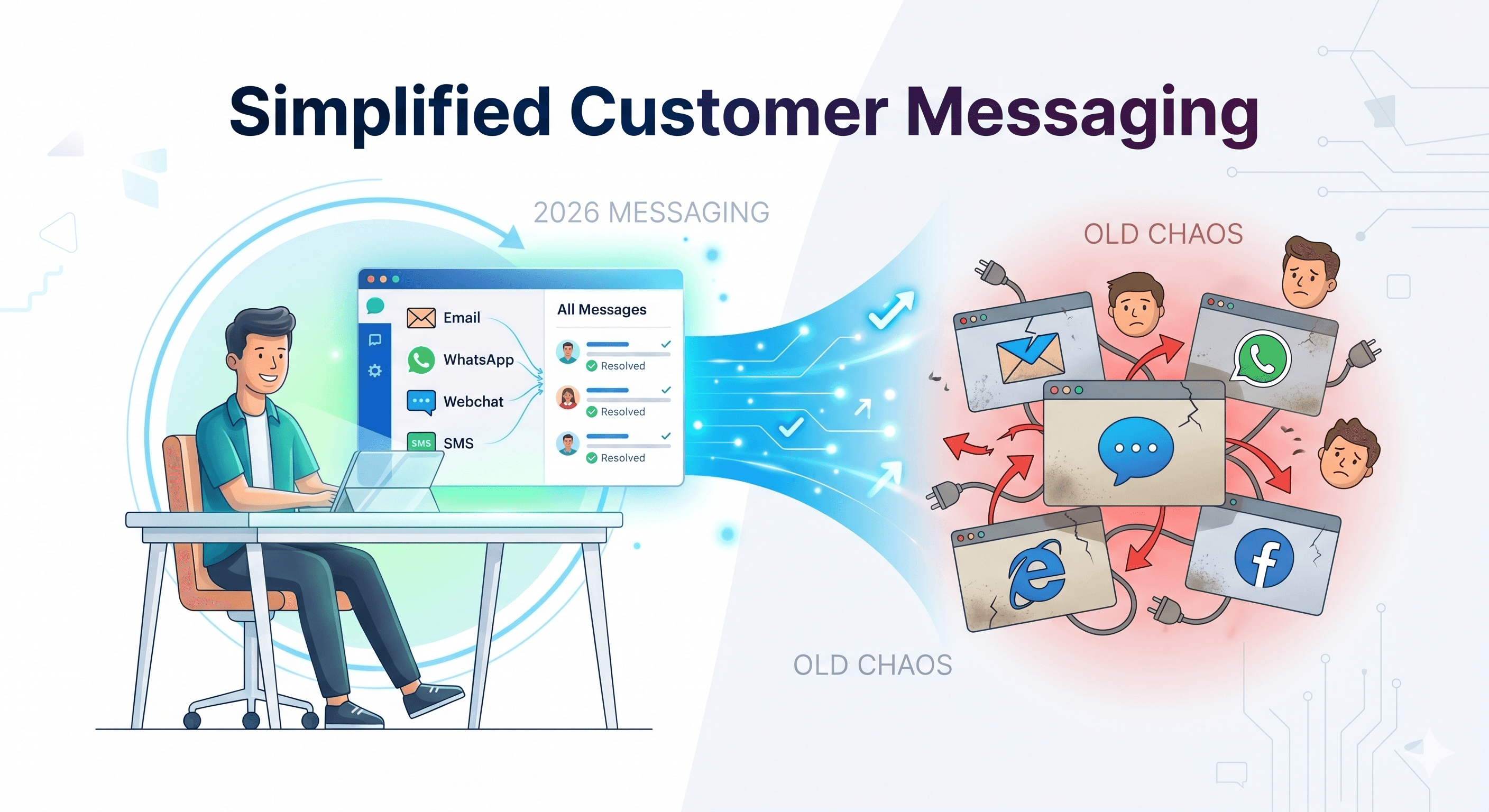
At some point, replying to customers stops feeling like communication and starts feeling like chasing messages across five different places. One comes from email, another from your website chat, and a few more from WhatsApp Business. You try to stay on top of it, but it quickly turns into switching tabs, repeating answers, and losing track of what was already said.
Most customer messaging tools for small businesses are meant to fix this. The problem is, many of them weren’t actually built for small teams. Platforms like Zendesk and Boundbot are powerful, but they’re designed around structured support teams, layered workflows, and setups that take time to configure. For a small business trying to respond quickly and stay flexible, that structure often becomes friction.
What you end up with is a system that looks organized on paper, but feels slow in real life.
Why this matters for small businesses
- Customer messages spread across multiple channels, making it easy to miss or delay replies
- Many tools are built for structured enterprise support, not fast-moving small teams
- Instead of simplifying communication, the wrong setup often adds extra steps to everyday work
The issue is not customer messaging itself but the mismatch between how small businesses operate and how most tools are designed. Once you see that difference clearly, it becomes easier to understand what actually works and what doesn’t.
What Actually Makes a Messaging Tool “Good” in 2026
Most customer messaging tools for small businesses look helpful at first glance. They promise faster replies, better organization, and smoother communication. But once you start using them in real work, many of them feel more complicated than the problem they were supposed to solve.
The reality is simple. Small businesses are not struggling because they lack tools. They struggle because customer messages are scattered across different places like websites, email, and WhatsApp Business. A good tool in 2026 is not about adding more features. It is about bringing everything together in a way that feels effortless to manage every day.
- It feels simple from the very first use: A strong tool should not require training or setup guides. If it takes too long to understand, it already creates friction instead of removing it. Simplicity is not a bonus anymore. It is the baseline.
- All conversations stay in one place: Customers don’t stick to one channel anymore. They move between email, chat, and social messaging. A good system keeps everything in a single view so nothing gets lost and responses stay consistent.
- Automation should reduce effort, not add work: Automation is only useful when it removes repetitive tasks. If it takes longer to configure than to reply manually, it defeats the purpose. The goal is less effort, not more setup.
- It should match how small teams actually work: Small businesses move fast. They don’t operate like large support teams with structured workflows. A good messaging tool should adapt to that speed instead of forcing a rigid system on top of it.
In 2026, the best customer messaging tools for small businesses are not the ones with the longest feature list. They are the ones that quietly remove complexity and make everyday communication feel lighter, faster, and more natural.
Best Customer Messaging Tools for Small Businesses
Once you understand what a good messaging system should feel like, choosing the right tool becomes much easier. The goal is not to find the most advanced platform, but the one that fits how your team actually communicates every day.
Below are widely used customer messaging tools for small businesses, each serving a different purpose depending on your workflow and customer needs.
Intercom : Best for SaaS onboarding and product messaging
Intercom is widely used by SaaS companies to manage customer conversations, onboarding flows, and in-product messaging in one system. It works best when communication is tied directly to how users interact with a digital product.
Many teams use it to guide new users, send automated messages based on behavior, and reduce manual support work. It’s especially strong when you need structured automation and customer engagement inside your product.
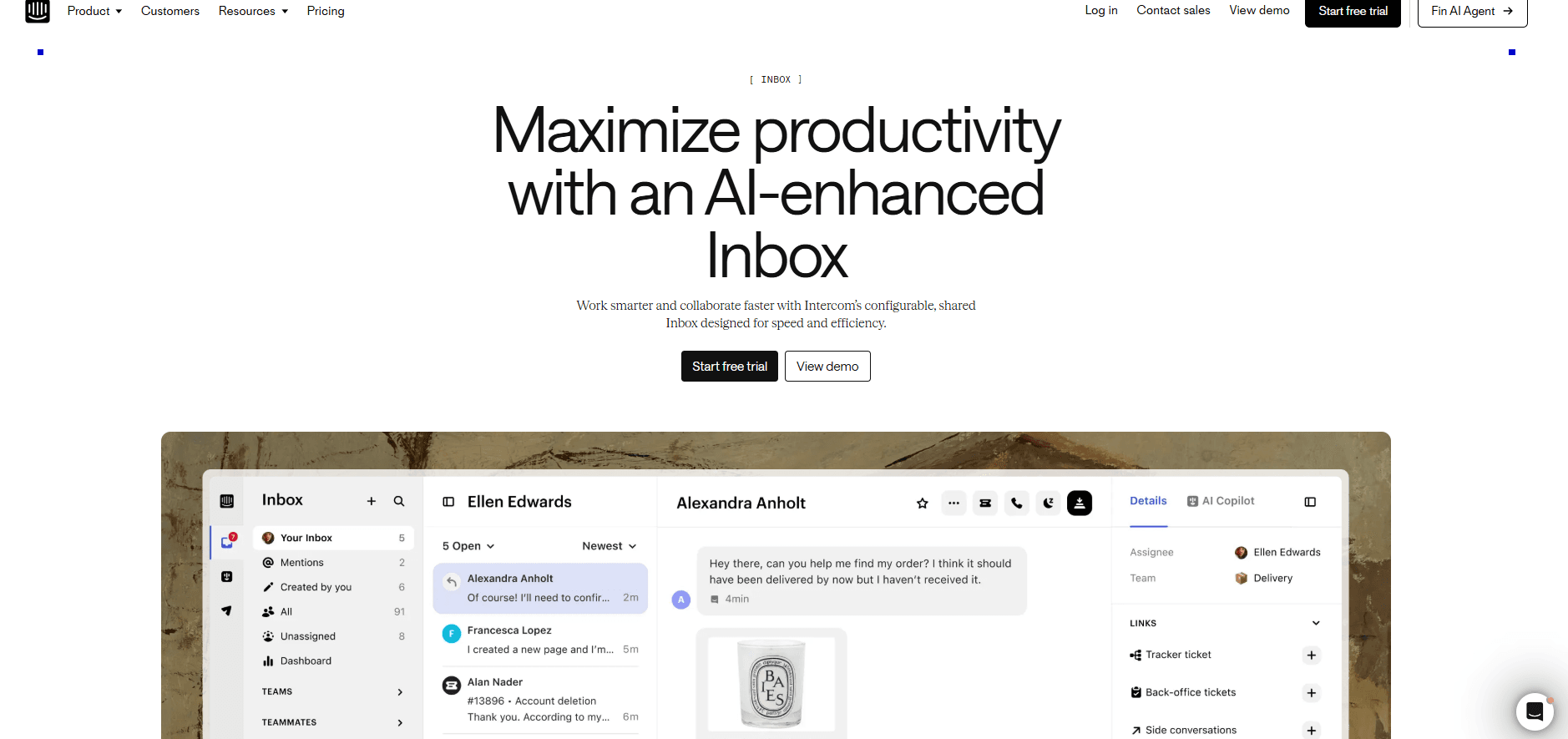
Intercom dashboard showing live customer chat and message automation interface
However, it is not always the simplest option for small teams. As features expand, setup can take time and the system can feel heavier than what a very small business actually needs.
- Strong automation and behavior-based messaging
- Ideal for onboarding and SaaS user engagement
- Can feel complex for simple or lightweight use cases
BoundBot: Simple, fast customer messaging for small businesses
BoundBot is built for small businesses that just want an easier way to handle customer conversations without dealing with complicated setups or heavy tools. Instead of forcing you into long workflows or technical configurations, it keeps things straightforward so you can focus on replying to customers, not managing software.
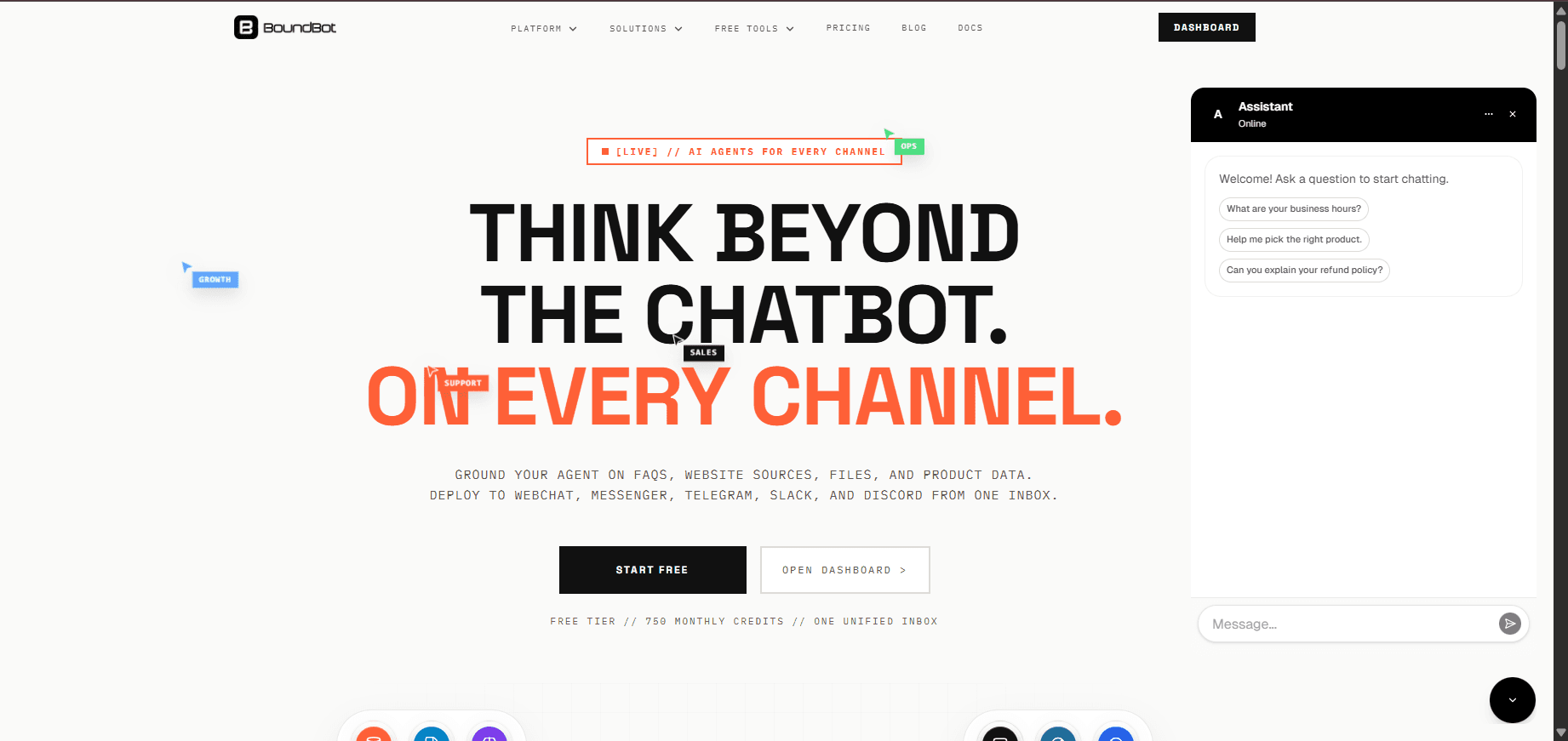
BoundBot unified inbox displaying customer messages from multiple channels in one place
A lot of customer messaging tools for small businesses try to solve the problem by adding more features. BoundBot takes a different approach. It brings conversations from different channels into one place and helps you manage them in a cleaner, faster way without adding extra complexity.
Why small teams find BoundBot easier to use
- No long setup or technical learning needed to get started
- All customer messages come into one simple inbox
- Helps you reply faster without constantly switching tools
- Reduces repetitive work with light AI support
- Works across different channels so everything stays connected
Most tools feel like something you have to “manage” before you can actually use them. BoundBot is designed to stay out of the way. It doesn’t try to change how your team works, it just makes communication less scattered and easier to handle.
That’s why it often feels more natural for small teams. You open it, see your messages, reply, and move on without extra steps in between.
- ponses inside a team
- Quick internal discussion before replying to customers
- Keeping support-related communication organized across staff
Zendesk: Best for structured customer support systems
Zendesk is built for businesses that need structure around customer support. Instead of treating messages like simple chats, it turns them into tickets so every request can be tracked, assigned, and resolved in an organized way.
This setup is especially useful when customer conversations start increasing and it becomes harder to manage everything manually. Teams can see what’s pending, who is handling what, and what needs follow-up without losing track of requests.
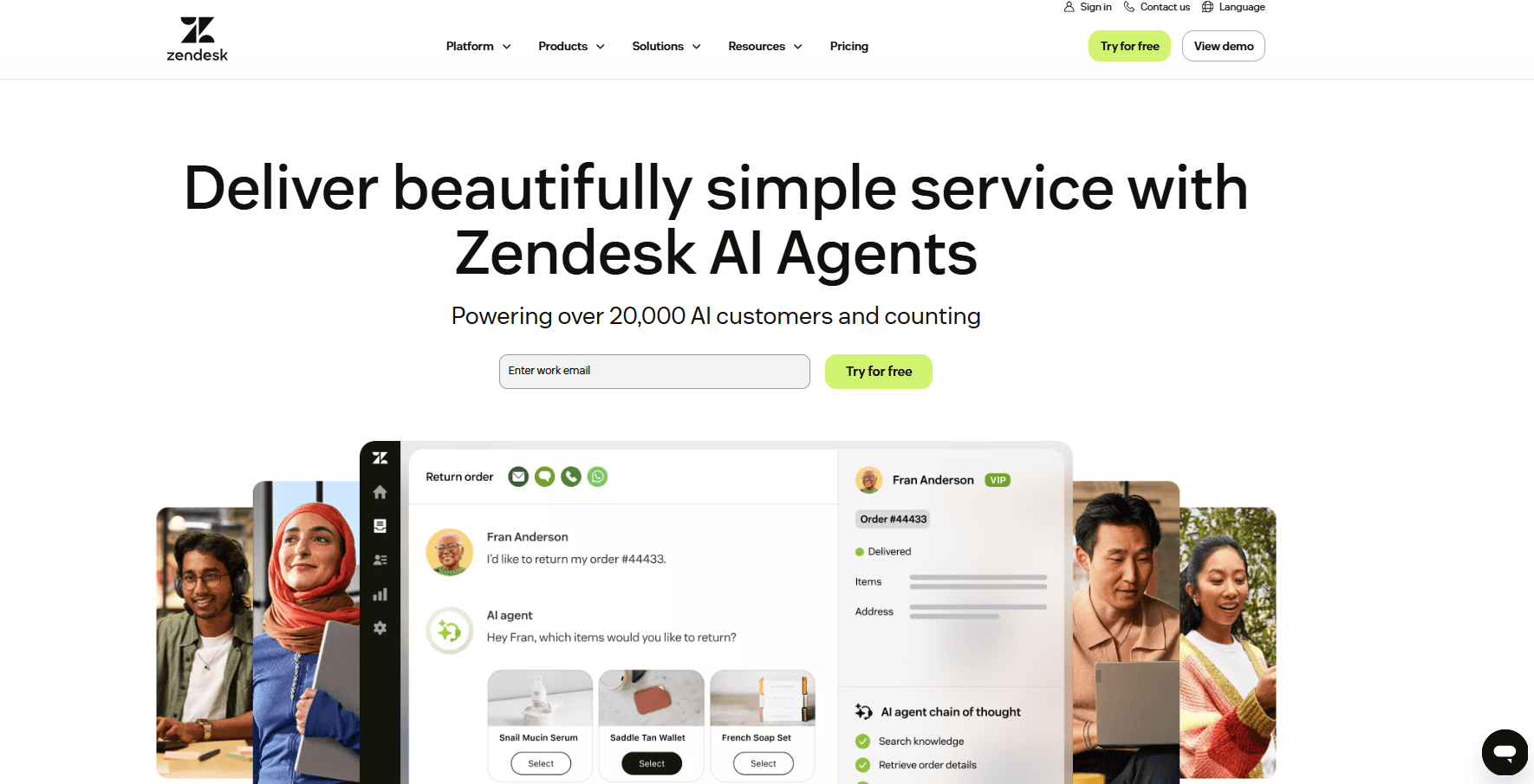
Zendesk support dashboard
In real use, Zendesk feels more like a control system for support rather than a casual messaging tool. That can be helpful for growing teams, but it also means there’s more setup and process involved compared to simpler tools.
Where Zendesk fits well :
- Managing a high volume of customer support requests
- Teams that need clear ownership of issues
- Businesses that rely on structured workflows and tracking
HubSpot: Best for combining CRM and customer messaging
HubSpot is more than just a messaging tool. It connects customer conversations with your CRM, so every message is linked to a contact, lead, or deal. This makes it useful for businesses that want to manage communication and customer data in one place.
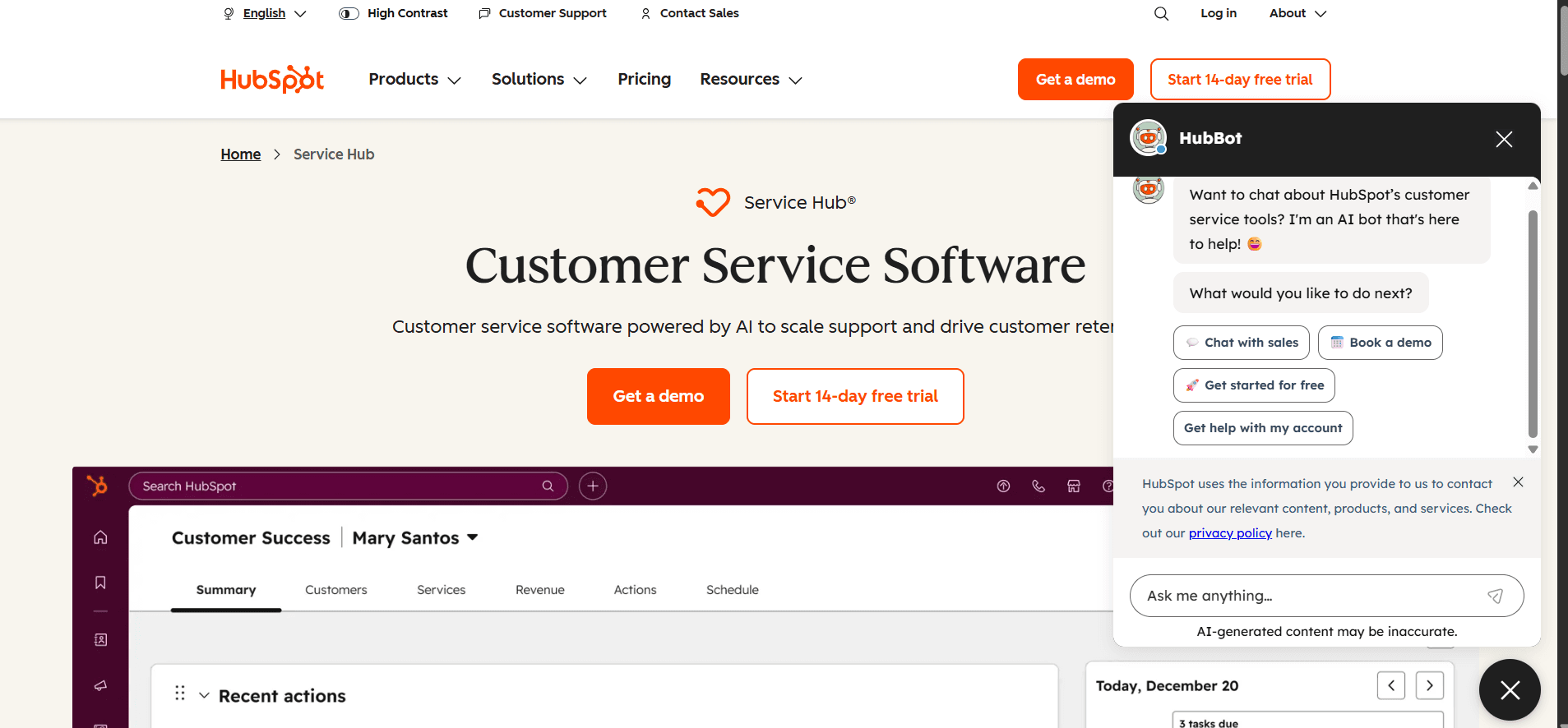
HubSpot CRM interface
Instead of treating messages as isolated conversations, HubSpot helps you understand the full customer journey. You can see who the customer is, what they’ve done before, and how they’ve interacted with your business over time. This is especially helpful when messaging is part of your sales or marketing process.
However, because it combines many tools into one system, it can feel more complex than simple messaging platforms.
Where HubSpot works well
- Managing leads and customer conversations together
- Teams that want CRM and messaging in one system
- Businesses focused on sales and marketing alignment
Freshchat: Best for balanced messaging without heavy setup
Freshchat works well for small and growing teams that are starting to handle customer messages from more than one place. When chats begin coming from your website, email, and social channels, it helps bring everything into one view so replies don’t get scattered.
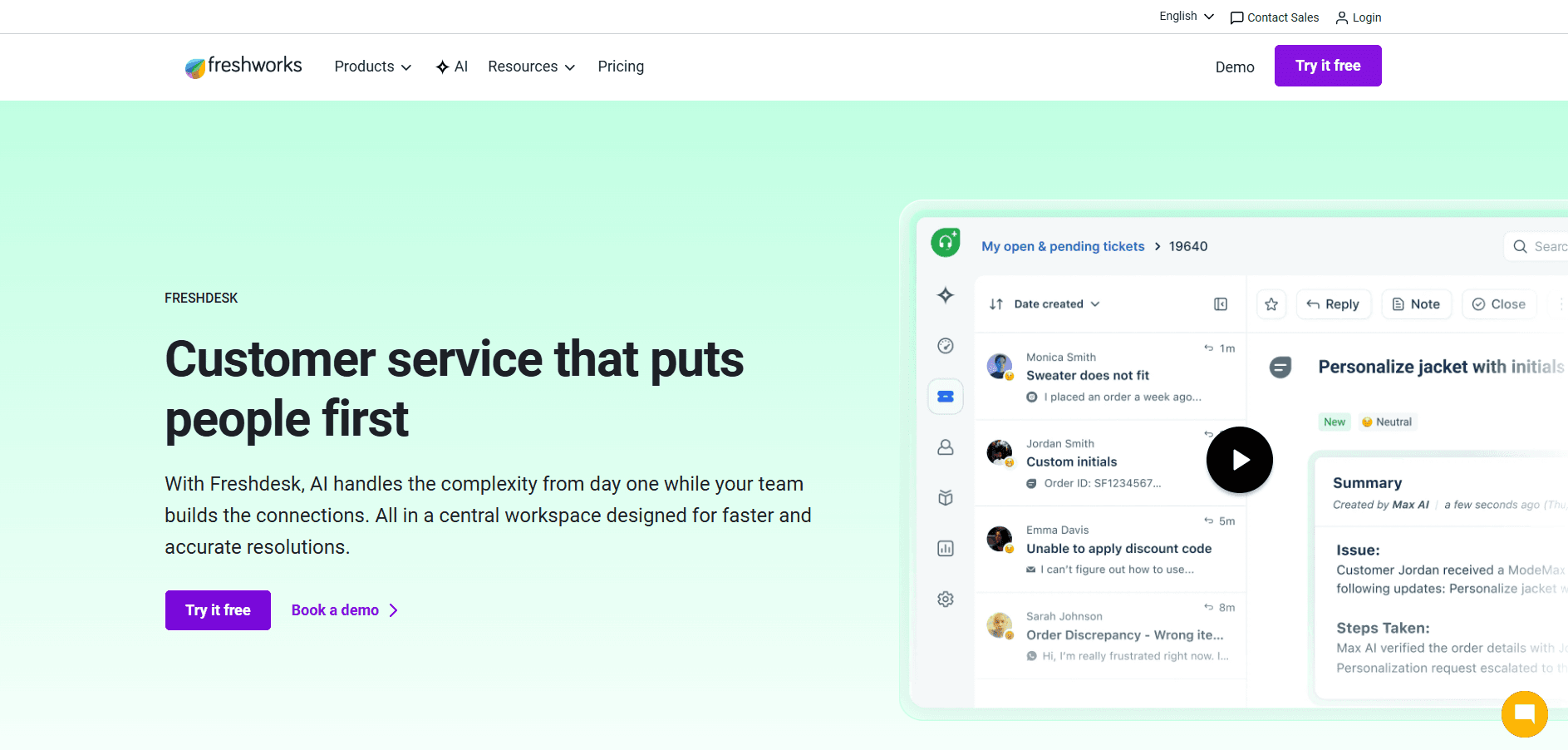
Freshchat dashboard
What makes it useful is the balance. It gives you more structure than basic live chat tools, but doesn’t feel as heavy as full support systems. As conversations increase, teams can stay organized, assign chats, and respond faster without building complex workflows.
Where Freshchat fits well
- Businesses managing conversations across multiple channels
- Teams that need simple automation and better organization
- Growing support teams handling increasing message volume
Which Customer Messaging Tools Actually Fit Your Business in 2026?
This table is not just a feature comparison. It shows what each tool is actually designed to optimize, so you can quickly see where it fits in a real business setup.
Swipe to view all columns →
| Tool | Core Purpose (What it’s built to optimize) | Best When You Need | Trade-off to Understand |
|---|---|---|---|
| Intercom | Product-led customer engagement inside apps | Onboarding users, in-app messaging, behavior-based automation | Can become complex as workflows and automation scale |
| BoundBot | Simple, fast, AI-assisted customer messaging | Small teams that want one clean inbox and low complexity | Not built for heavy enterprise-style workflows |
| Zendesk | Structured support and ticket management | High-volume customer support with clear tracking systems | Feels heavy for teams that want fast, simple replies |
| HubSpot | Connecting messaging with CRM and revenue data | Managing leads, sales pipelines, and customer communication together | Messaging is part of a larger system, not standalone |
| Freshchat | Balanced multi-channel communication | Teams needing chat, automation, and unified inbox | Requires some setup as needs grow over time |
Looking at these tools side by side, the difference comes down to how much effort they add to your daily work. Some are built to manage complexity. Others try to balance multiple needs. But not every team needs that level of structure.
If your goal is to keep things simple and handle conversations without extra steps, the easier option will always feel more natural in daily use.
BoundBot vs Traditional Customer Messaging Tools
Most traditional customer messaging tools for small businesses are designed to bring structure to growing support operations. That usually means tickets, workflows, and layered automation. It works when teams are large and processes are defined, but for small teams, it can turn simple replies into a multi-step task.
BoundBot takes a different approach by keeping conversations in one place and removing the extra layers that slow things down. In day-to-day use, this means less switching between tools and more time actually replying to customers.
Where BoundBot feels easier in real use
- All customer messages from different channels come into one inbox, so nothing gets missed or scattered
- You can start quickly without long setup steps or technical configuration
- Messages stay connected across channels, so conversations feel continuous and easy to follow
- Simple AI support helps reduce repeated replies without adding complex automation work
- The system stays lightweight, so teams can reply faster without managing extra tools or processes
- Designed to stay affordable for small teams, without costs rising heavily as usage increases
- Keeps all conversations in one place, so it’s easier to track, control access, and stay organized
- Can also support handling customer issues more efficiently using AI assistance, similar to how virtual assistants manage complaints and responses.
The Best Tools Are the Ones That Don’t Slow You Down
Customer messaging tools all promise better communication, but what actually matters is how they feel in daily use. Some bring structure, others bring scale, and a few try to do everything at once. For small businesses, though, complexity often gets in the way of speed. The real value comes from tools that make conversations easier, not harder to manage. When messaging stays simple and connected, teams respond faster and stay focused on customers instead of systems. In the end, the best tool is the one that quietly fits into your workflow and lets you get back to what matters most, your customers.
Frequently Asked Questions About Customer Messaging Tools for Small Businesses
1. What is the best customer messaging tool for a small business?
There is no single “best” tool for everyone. It depends on your workflow, team size, and support volume. Small teams usually prefer tools that are simple, fast, and easy to manage rather than heavy enterprise systems.
2. Do small businesses really need multi-channel messaging?
Yes, because customers don’t stick to one platform anymore. They may contact you through website chat, email, or social apps. A good tool brings all these messages into one place so nothing gets missed.
3. Why do some messaging tools feel too complex for small teams?
Most tools are built for larger support teams with structured workflows and ticketing systems. While powerful, they often add extra steps that small teams don’t need for everyday customer replies.
4. Can a simple messaging tool handle growing customer volume?
Yes, if it is designed well. A simple tool can still scale as long as it keeps conversations organized and reduces repetitive work without adding unnecessary complexity.
5. What should I prioritize when choosing a messaging tool?
Focus on ease of use, speed of response, and how well it fits your daily workflow. Features matter, but if a tool slows your team down, it won’t help in real customer communication.
LAUNCH THE AGENT. KEEP THE HUMAN CONTROL.
START FREE, CONNECT A CHANNEL, AND SHIP YOUR FIRST BOUNDBOT IN MINUTES.