Which Tool Can Centralize Chats, Answer Common Questions With AI and Route Enquiries to the Right Branch?
A business with several branches needs one inbox, an AI agent for repeat questions and a clear rule for which branch gets a serious enquiry. Here are three ways to set that up, and what BoundBot does and does not do.
25 Nov 2026•7 min read

Software Engineer
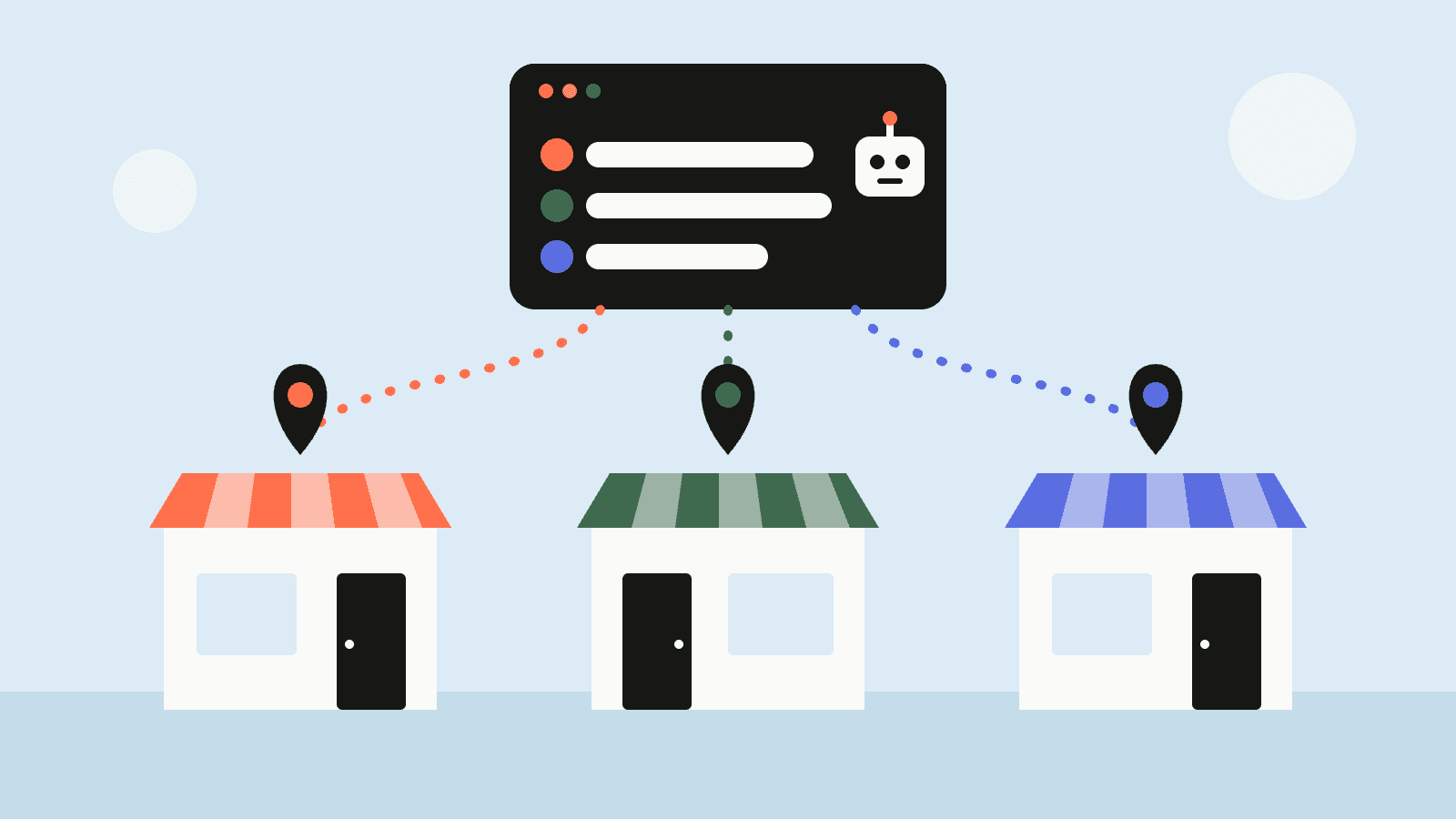
A business with several branches needs three things from one tool: a shared inbox that pulls in WhatsApp and the other channels, an AI agent that answers the repeat questions, and a clear rule for which branch picks up a serious enquiry. BoundBot does the first two and gives you three ways to split chats by branch: one bot that asks which branch the customer means, one channel and bot per branch, or one workspace per branch. It does not assign a chat to a named staff member on its own, so if you need that, look at a helpdesk with assignment rules instead.
Everything said about BoundBot here was checked against its live docs and pricing page on 25 November 2026.
Which tool can centralize the chats, use AI for common questions and route serious enquiries to the right branch?
Break the question into its three jobs and judge each one on its own.
Swipe to view all columns →
| The job | What to look for | How BoundBot handles it |
|---|---|---|
| Centralize the chats | One inbox for every channel, visible to the whole team | One [Inbox](https://www.boundbot.com/docs/guides/inbox) for WebChat, WhatsApp, Messenger, Telegram, Slack and Discord, with a filter by channel |
| AI for common questions | Answers taken from your own content, not guesses | A bot answers from your FAQs, files, website pages and products |
| Route serious enquiries | A way to stop the AI and put the chat in front of the right people | A Stop Auto Reply action mutes the bot in that thread. Which branch sees it depends on how you set up channels, bots and workspaces |
| Assign to a named person | Rules such as round robin or by team | Not available. The team decides who picks up a handed-over chat |
Before picking software, answer one question: do customers message one number for the whole business, or does each branch have its own number? This decides almost everything else.
- One number for everyone. Simple for customers and cheaper to run. The chat has to find out which branch the customer wants, because the number alone does not tell you.
- One number per branch. The customer has already chosen the branch by choosing the number. Routing is solved before the first message, but you have more numbers to connect and keep active.
Speed matters either way. Meta's documentation says that when a WhatsApp user messages you a 24-hour customer service window starts, and when the window closes you can only send pre-approved template messages. An enquiry that bounces between branches for a day gets harder to answer at all.
Three ways to set up branches in BoundBot
Swipe to view all columns →
| Setup | How the branch is decided | Who sees the chat | Plan it needs |
|---|---|---|---|
| 1. One bot, one inbox | The bot asks which branch, or works it out from the question | Everyone in the workspace | Starter or above for WhatsApp |
| 2. One channel and bot per branch | By the number or page the customer messaged | Everyone in the workspace, filtered by channel | Starter allows 3 bots and 5 channels, Pro allows 10 bots and 20 channels |
| 3. One workspace per branch | By the workspace the channel is connected to | Only that workspace's members | Pro or Business, where multiple workspaces are available |
1. One bot and one inbox for the whole business
This suits a shared number and a small team. You load each branch's address, opening hours and services into the knowledge base, and tell the bot in its system prompt to ask which branch the customer means before answering anything that differs by branch. When a chat needs a person, the bot hands over and the thread waits in the shared Inbox.
2. One channel and one bot per branch
In BoundBot a bot is the AI assistant assigned to one or more channels, and each bot has its own name, welcome message and system prompt. When you connect a WhatsApp number you choose which bot answers on it. So each branch number can have its own bot that knows which branch it speaks for. Staff then use the Inbox channel filter as their branch view.
One thing to plan for: the docs describe the knowledge base as belonging to the team, and a saved FAQ is available to all channels that use that team's knowledge base. Write branch-specific answers with the branch name in them, for example "What time does the Riverside branch close?", so answers do not get mixed up.
3. One workspace per branch
The team settings docs describe a team switcher for moving between workspaces, and the plans page lists multiple workspaces on Pro and Business. Each branch gets its own inbox, members and knowledge. It is the cleanest separation, but a manager has to switch workspaces to see everything, so confirm with BoundBot how plans and credits apply across workspaces first.
Let AI take the repeat questions
- Ask each branch to write down the ten questions it answers most. Opening hours, location, prices, stock, booking and delivery usually cover most of them.
- Add the answers as FAQs, or point BoundBot at the pages on your website that already hold them.
- Use keyword rules for answers that must never vary. A rule is tied to one bot and sends a fixed reply when a message matches a pattern. Starter includes 20 rules and Pro includes 200.
- Test in the Playground with real customer wording, including questions that name the wrong branch or no branch at all.
Pro Tip: Put the differences between branches in one small table and keep it current: hours, address, phone, services offered. Most wrong answers in a multi-branch business come from one branch changing its hours and nobody updating the shared answer.
Decide what counts as a serious enquiry
Write down which chats must reach a person. Common ones are complaints, refunds, large or custom orders, payment problems, and any customer who asks for a human.
In BoundBot you turn that list into a Stop Auto Reply action. Each action has a "when to use" field written in plain words, such as "Use when the customer asks for a human" or "Use when the issue needs manual approval". When it runs, the bot goes quiet in that conversation and stays quiet until your team turns auto reply back on from the Inbox.
- Get the branch into the thread before the handover. Tell the bot in its prompt to confirm the branch and the customer's name before it hands over, so whoever opens the thread knows whose it is.
- Give every branch a time to check. The Inbox can be filtered by auto-reply status, which shows the muted threads waiting for a person. Paid plans also have a Needs attention view for conversations that have gone quiet.
What BoundBot will not do is pick the staff member. The docs list two workspace roles, Owner and Member, and no departments, branch groups or automatic assignment. Inside one workspace, who replies is an agreement between people.
A hypothetical example: a furniture shop with three branches
This is a made-up example to show the setup, not a customer story. A furniture shop has three branches and one WhatsApp number per branch. Seven people answer chats, and most questions are about opening hours, delivery areas and whether a sofa is in stock.
- They take a plan with at least three bots and connect each branch number as its own WhatsApp channel, each with its own bot.
- Each bot's system prompt names its branch and tells it to send customers asking about another branch to that branch's number.
- Shared answers such as the returns policy go in once. Branch answers such as hours and delivery areas are written with the branch name.
- One Stop Auto Reply action covers complaints, custom orders and requests for a person.
- Each branch filters the Inbox to its own channel and checks muted threads at set times. The owner looks across all three.
When you need a different kind of tool
Choose a helpdesk with assignment rules if most chats need a person, you have many agents per branch, or each chat must be owned by one named employee. We compared the two approaches in which platform routes chats by availability, language and team role, and there is a wider list in our multi-channel chatbot platforms comparison.
Frequently asked questions
People ask our main chat account about items in different stores. Can messages go straight to the right location?
With one shared account, the bot has to ask which store the customer means, then answer from that store's information or hand over. The message itself stays in the shared Inbox. If you want messages to arrive already sorted by location, give each store its own number or page and connect each one as a separate channel.
Customers contact different outlets and we end up with duplicate records. Does a shared inbox fix that?
Partly. A shared inbox keeps the full history of each conversation where every branch can see it. The BoundBot docs do not describe merging one customer's chats from different numbers or channels into a single record, so fewer entry points, such as one shared number, will reduce duplicates more than any setting.
Can the chat connect to our appointment or service booking?
BoundBot has booking actions for Calendly and Cal, so the bot can offer a booking flow when a customer asks for an appointment, and custom actions that send collected details to your own API. It does not list built-in connections to industry scheduling systems.
Next step
Start small: collect each branch's ten most common questions and test whether an AI agent answers them well. BoundBot's Free plan includes a website chat widget for that test, and the pricing page shows which plans add WhatsApp, more bots and extra workspaces.
LAUNCH THE AGENT. KEEP THE HUMAN CONTROL.
START FREE, CONNECT A CHANNEL, AND SHIP YOUR FIRST BOUNDBOT IN MINUTES.