Which Platform Centralizes Customer Chats and Routes Them by Availability, Language and Team Role?
Chats sit unanswered when nobody owns them. Here is which kind of platform centralizes chats and routes them by availability, language and role, and what a small team can use instead.
24 Nov 2026•8 min read

Software Engineer
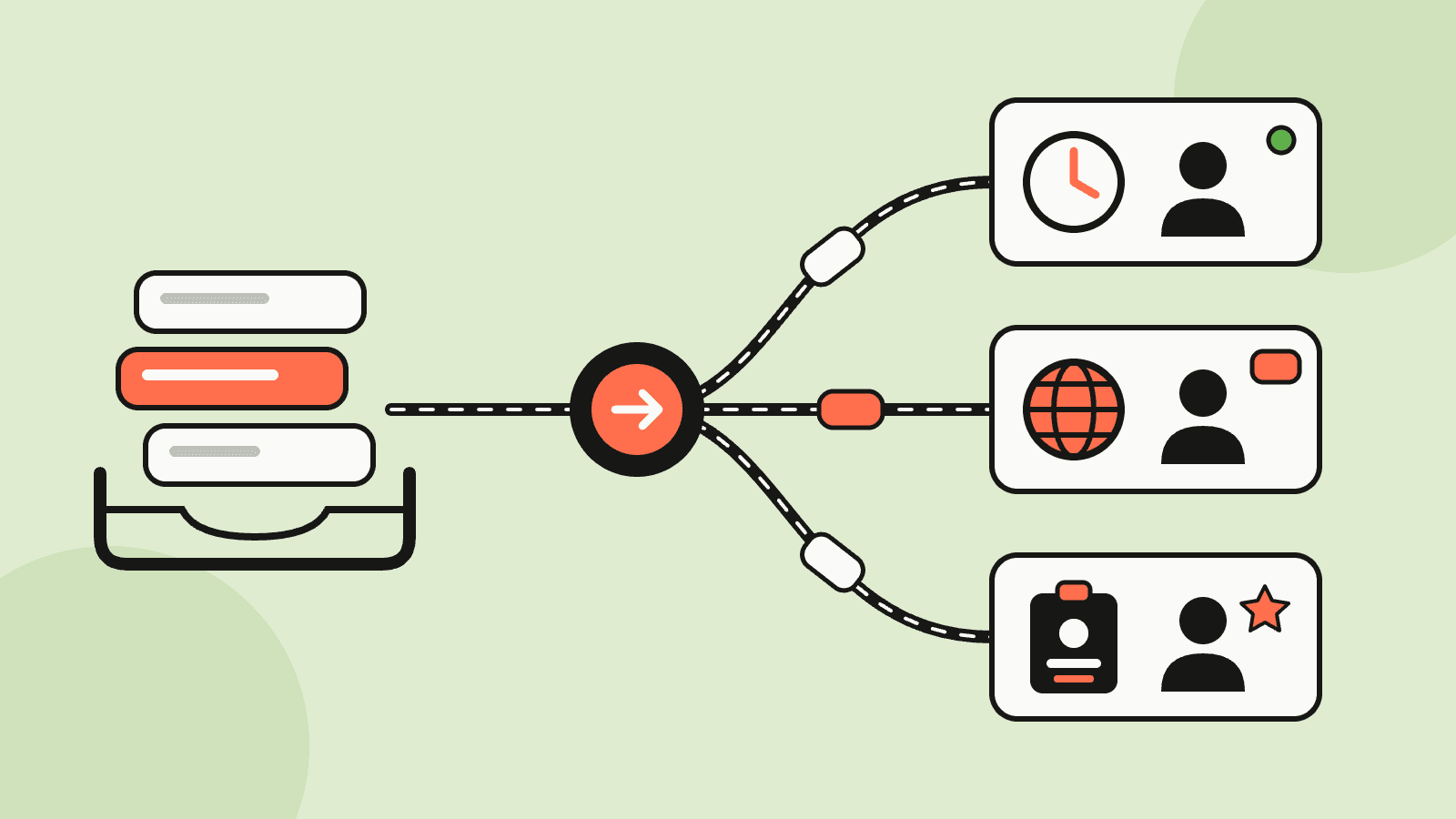
If chats from WhatsApp and other messaging apps miss the right person or sit unanswered, you need two things: a shared inbox that pulls every channel into one place, and a rule for who answers each chat. Platforms with assignment rules, such as respond.io and Zendesk, send each chat to a teammate based on who is online, which team they are in, and skills such as language. A smaller team can often fix the same problem with an AI agent that answers first in the customer's language and hands over only the chats that need a person, which is how BoundBot works.
Everything said about BoundBot and the other tools here was checked on their own sites and docs on 25 November 2026.
Which platform can centralize customer chats and route them by availability, language and team role?
There are two kinds of platform that solve this, and they solve it in different ways. One routes every chat to a person. The other lets AI answer most chats and passes the rest to people. Which one fits depends mostly on how many people answer chats in your business.
Swipe to view all columns →
| What you need | Assignment-rule platforms | AI-first shared inbox (BoundBot) |
|---|---|---|
| All channels in one place | Yes | Yes, one Inbox for every connected channel |
| Chats answered when the team is busy or offline | Chats wait in a queue for the next free agent | The AI agent replies at any hour |
| Route by who is available | Yes, for example assign only to online users | No automatic assignment to a named teammate |
| Route by language | Usually through a language skill or a rule you set up | The AI replies to the customer directly, so no language queue is needed for routine questions |
| Route by team role | Yes, assign to a team or by skill | No. Workspace roles are Owner and Member, and the whole team shares one inbox |
| Best fit | Teams with many agents, shifts and departments | Small teams where a few people cover everything |
So BoundBot centralizes chats and uses AI to stop them sitting unanswered, but it does not assign a chat to a specific staff member by shift, language or job title.
Why chats miss the right person in the first place
Before you buy anything, it helps to name the actual failure. In most small businesses it is one of these:
- The chats live on different phones. WhatsApp is on the owner's phone, Instagram is on a marketing laptop, and website chat goes to an email nobody reads.
- Nobody owns a chat. Everyone can see the message, so everyone assumes someone else replied.
- The team is asleep or busy. Messages that arrive at night or during a rush wait for hours.
- The wrong person sees it first. A billing question lands with sales, or a message in Spanish lands with someone who only reads English.
Waiting has a hard cost on WhatsApp. Meta's documentation says a 24-hour customer service window starts when a customer messages you, and when the window closes you can only send pre-approved template messages. A chat that sits for more than a day is harder to rescue.
The first three failures do not need assignment rules at all. They need one inbox and a fast first reply. Only the fourth is a true routing problem.
What routing by availability, language and team role means
Availability
The platform knows who is online and how many chats each person already has, and gives a new chat to someone who can take it. respond.io's help centre describes this in its Assign To step: chats can be assigned round-robin or to the user with the fewest open contacts, with an option to only assign to online users. If nobody qualifies, the contact waits in a queue.
Language
The platform works out the language of the message and sends it to someone who speaks it. In Zendesk this is done with skills. Its omnichannel routing article says an agent must have the same skills as the ticket, and uses a German language skill as the example. You create the skills and the rules that attach them yourself, and Zendesk lists skills routing as available on its higher plans.
Team role
The platform sends sales questions to the sales team and support questions to the support team. In respond.io that is the option to assign to a user in a specific team. In Zendesk it is groups and skills.
Check what is AI and what is a rule: In the vendor docs we read, assignment is driven by rules you configure: status, open chat count, team and skills. AI may help label a chat, but the routing itself is a rule. Ask any vendor to show you exactly which part is automatic before you commit.
How BoundBot handles the same problem
BoundBot starts from the other end. The goal is that most chats never need to be routed to a person, and the ones that do are easy to spot.
One inbox for every channel
The BoundBot Inbox combines messages from WebChat, WhatsApp, Messenger, Telegram, and Slack or Discord in one workspace. You can filter the list by channel, search for a customer, and filter by auto-reply status to see the threads a human has taken over. The docs list WebChat on all plans, WhatsApp, Messenger and Telegram on Starter and above, and Slack and Discord on Pro and above.
The AI answers first, at any hour
Each channel is connected to a bot that answers from your knowledge base, so a message at 2 a.m. gets a reply without anyone being online. This is what removes the availability problem for routine questions. The pricing page lists multi-language support among the AI features, so a customer writing in another language can still get an answer. Test this with your own languages in the Playground before you rely on it.
Handoff when a person is needed
BoundBot actions include Stop Auto Reply. You describe in plain words when the bot should use it, for example when a customer asks for a human or disputes a charge. The bot then goes quiet in that thread and it waits in the Inbox for your team. Anyone on the team can also step into a thread at any time and reply manually.
A list of chats that have gone stale
The overview dashboard has a Needs your attention panel that includes customer conversations idle for more than 24 hours. Checking it once a day is a simple safety net against chats that slipped through.
What BoundBot does not do
- It does not assign a conversation to a named teammate, by round-robin or by workload.
- It does not track which staff are online or on shift.
- It has two workspace roles, Owner and Member. There are no departments or skill groups.
Team size is capped by plan: the docs and pricing page list 1 member on Free, up to 3 on Starter, up to 10 on Pro and unlimited on Business.
A hypothetical example: a five-person tour company
This is a made-up example to show the setup, not a customer story. A tour company gets WhatsApp and Messenger chats in English and Spanish. Two people handle bookings, one handles refunds, and nobody works nights.
- They connect WhatsApp, Messenger and the website widget to one BoundBot bot and load their tour pages, prices and refund policy into the knowledge base.
- They tell the bot in its system prompt to reply in the language the customer writes in.
- They add a Stop Auto Reply action with the instruction: use when the customer asks for a refund, a custom group quote, or a person.
- They agree a house rule: the refunds person checks muted threads at 9 a.m. and 2 p.m., and bookings staff check them hourly.
- The owner looks at the Needs your attention panel each morning.
Routine questions get answered at night in either language. The handful of chats that need a person are in one filtered list. Who picks up which one is still a human agreement, not software. For five people that is usually enough. For fifty it would not be.
How to choose between the two approaches
- Choose an assignment-rule platform if you have separate departments, shifts across time zones, or agents hired for specific languages, and most chats need a person.
- Choose an AI-first shared inbox if a few people cover everything, most questions repeat, and your real problem is slow or missing first replies.
- Ask for a live demo of your own case either way. Send a test message in your second language at night and see what happens.
For more on the BoundBot side, see how to route chatbot messages by topic or keyword and how to unify WhatsApp and Instagram chats for support and sales. A wider list of tools is in our multi-channel chatbot platforms comparison.
Frequently asked questions
Can one platform handle automated replies and human agent handoffs?
Yes. In BoundBot the bot replies automatically until a Stop Auto Reply action fires or a teammate mutes auto reply in the thread. From then on only people reply in that conversation, until someone turns auto reply back on.
Which tools combine a team inbox with live website chat?
Most shared inbox tools do. In BoundBot, WebChat is the website widget and its conversations appear in the same Inbox as WhatsApp, Messenger and Telegram. WebChat is included on every plan, including Free.
Our business has multiple locations, teams and languages. Is a shared inbox enough?
It depends on headcount. A shared inbox with an AI first reply works while everyone can see and handle any chat. Once each location has its own staff who should only see their own chats, you need assignment rules or separate workspaces. The BoundBot docs say multiple workspaces are available on higher tiers.
Next step
If your main problem is chats sitting unanswered, you can test the AI-first approach on BoundBot's Free plan, which includes the website widget. Add your most common questions and see how many chats still need a person after a week. The pricing page shows what each plan adds.
LAUNCH THE AGENT. KEEP THE HUMAN CONTROL.
START FREE, CONNECT A CHANNEL, AND SHIP YOUR FIRST BOUNDBOT IN MINUTES.