The Freelancer's Secret Weapon: How I Built a Custom AI Bot That Tripled My Proposal Win Rate
Most freelancers use AI the same way — and end up sounding identical. In this post, I'll show you exactly how I built a custom bot using resume and past work, and how it completely transformed the way to land clients.
29 Apr 2026•7 min read
SEO Content Writer
What No One Tells You About Failed Proposals

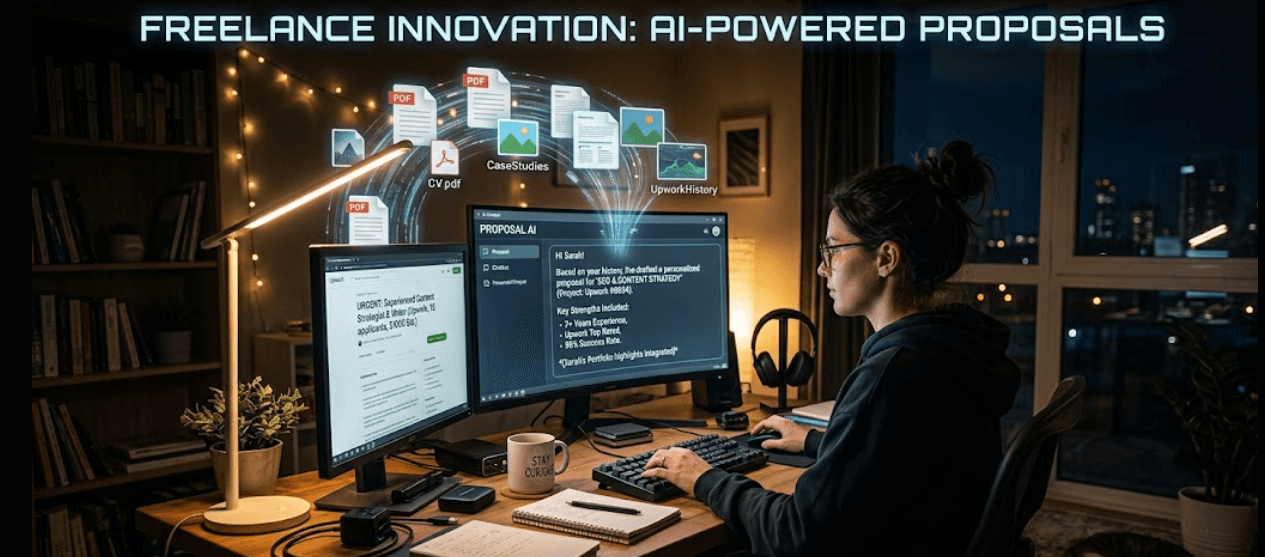
Late-night frustrated desk work
Finding a reliable AI proposal writer for freelancers that actually works is harder than it sounds.
It is 11 PM. Three tabs open. Forty minutes staring at the same paragraph. You paste your job history into ChatGPT, hit generate, and get back:
"Results-driven professional with a proven track record of delivering value..."
You wince. So does every client reading it. You change a few words, submit anyway, and wait. Silence. Here is what nobody tells you — the problem is not AI. It is AI running on none of your actual information.
Why Generic AI Is Destroying Your Chances (Without You Knowing)
Before we get into the solution, let's be honest about the problem.
Generic AI tools — the kind where you open a blank chat window and paste in your job history — fail freelancers for one fundamental reason: they hallucinate.
It has no idea what results you actually achieved. That client you helped scale from $0 to $200K? Invisible. The exact methodology behind your SaaS conversion project? Gone completely. So it fills every gap with confident-sounding fiction — fabricated metrics, vague claims, and polished fluff clients have read a hundred times before..
And clients can tell.
Clients reviewing high-ticket proposals — website redesigns, SaaS projects, full-funnel marketing work — are experienced. They've been burned by generic applicants before. When your proposal sounds like every other AI-generated letter in their inbox, you're not just getting ignored. You're actively being filtered out.
The fix is not "more AI." The fix is AI grounded in your real experience and results.
That's the entire difference between sounding like every other freelancer and sounding like the obvious hire.
The AI Proposal Writer for Freelancers That Actually Knows You
Here's the shift that changed everything for me.
Instead of asking a generic AI to write about me, I built a bot that already knew everything about me — trained on my actual documents, my real case studies, my proven portfolio. I used BoundBot, a platform designed specifically so AI agents pull from sources you provide instead of making things up.
The result? A bot that acts as my digital clone — one that only cites what I actually uploaded, only references results I actually achieved, and writes in a voice that actually sounds like me.
Let me walk you through exactly how to built it.
Step-by-Step: Building Your Knowledge Base (The Real Secret)
This is where most freelancers skip ahead — and where all the magic actually happens. Your custom bot is only as powerful as the knowledge you feed it. Here's what I loaded in:
The Core Assets You Need to Upload
Swipe to view all columns →
| Asset | Why It Matters |
|---|---|
| CV / Resume | Gives the bot your exact job titles, dates, and role descriptions |
| Service descriptions | Defines your specializations in your own words |
| Portfolio case studies | Provides real proof points and measurable outcomes |
| Past winning proposal | Teaches the bot your proven pitch structure |
| Client testimonials | Adds social proof the bot can reference authentically |
Inside BoundBot's Knowledge area, you can upload files in PDF, TXT, CSV, Markdown, or DOCX format — up to 10MB per file. I went to Knowledge → Files, clicked Upload File, and loaded every document I had:
- My full resume detailing every role with accurate dates
- Three portfolio PDFs showing before-and-after results for past clients
- Two case studies with actual revenue numbers I was comfortable sharing
- My service page copy, pasted into a text file
- Testimonials from past clients, formatted as a simple document
Then I went to the FAQs section and did something that genuinely leveled up my results: I added structured FAQ entries for my most common proposal questions.
Things like:
- "What is your process for a full-funnel marketing project?"
- "What results have you achieved for SaaS clients?"
- "What is your typical turnaround time for deliverables?"
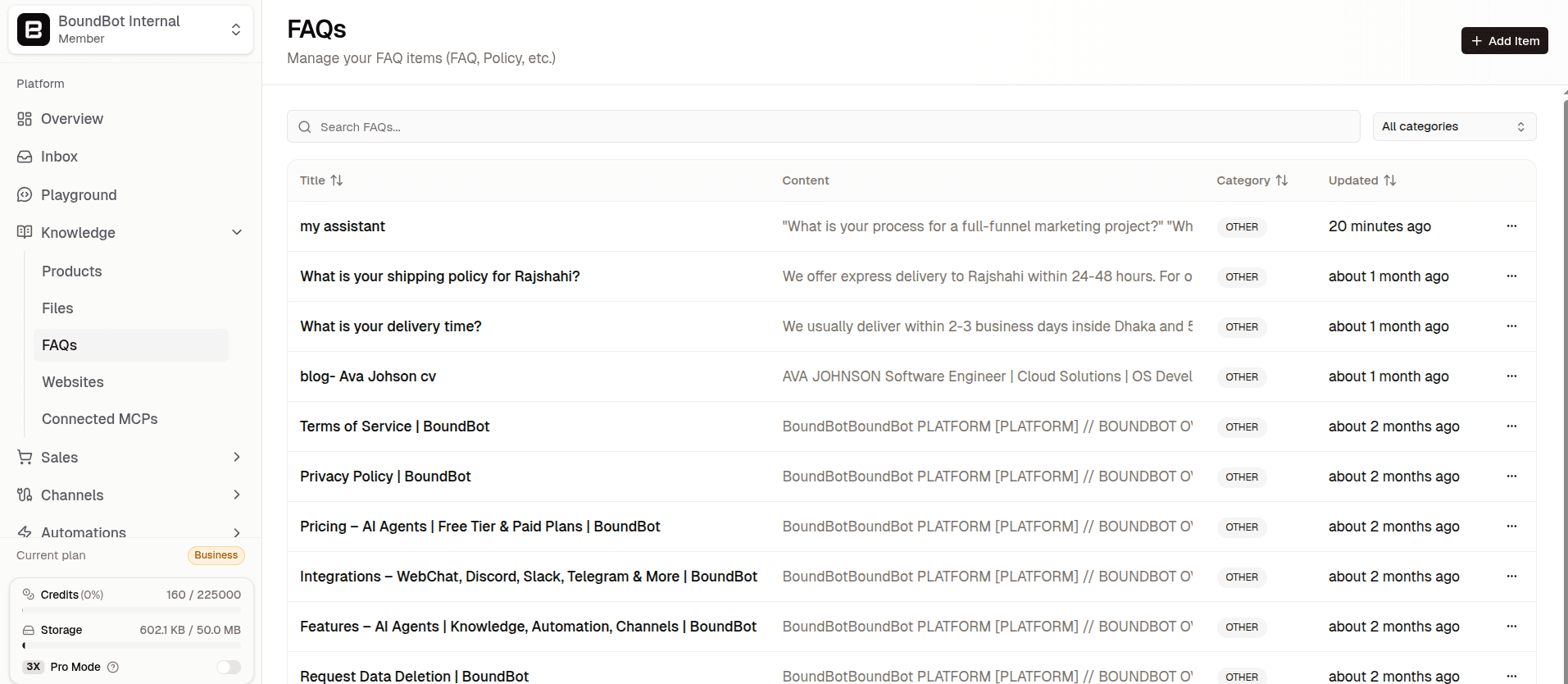
FAQs in BoundBot
Why FAQs? Because BoundBot uses them for short, exact, trusted answers. Phrasing them the way a client might actually ask means the bot matches those questions with pinpoint accuracy when generating proposals. I added two or three phrasings per answer to cover variations.
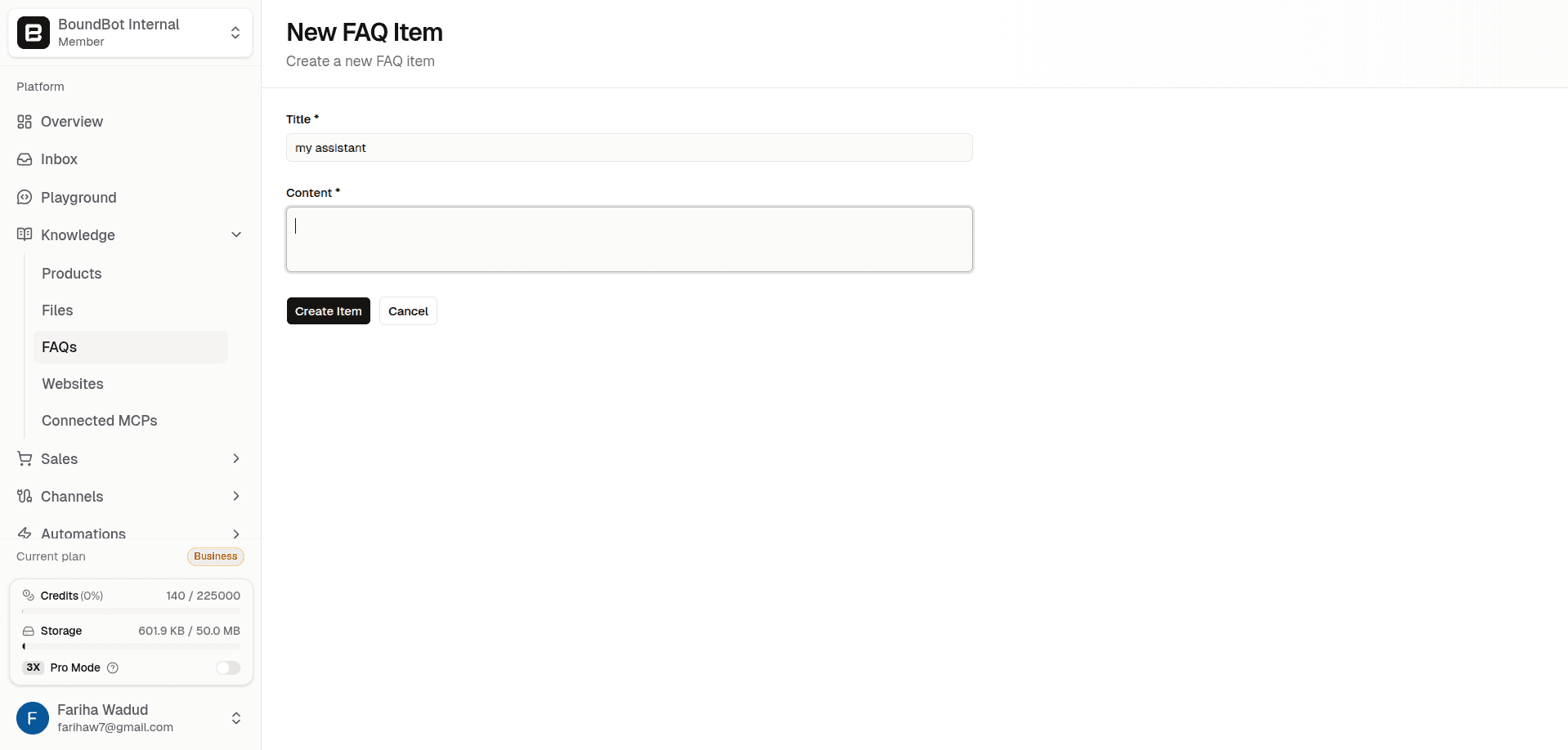
Add your skills/informations
Pro tip from the BoundBot docs: Phrase FAQ questions the way customers ask them. Add 2–3 phrasings per answer so the bot matches more variations.
The Bot Setup: Teaching It How You Write
Once the knowledge base was loaded, I headed to the Bots section and clicked Add Bot.
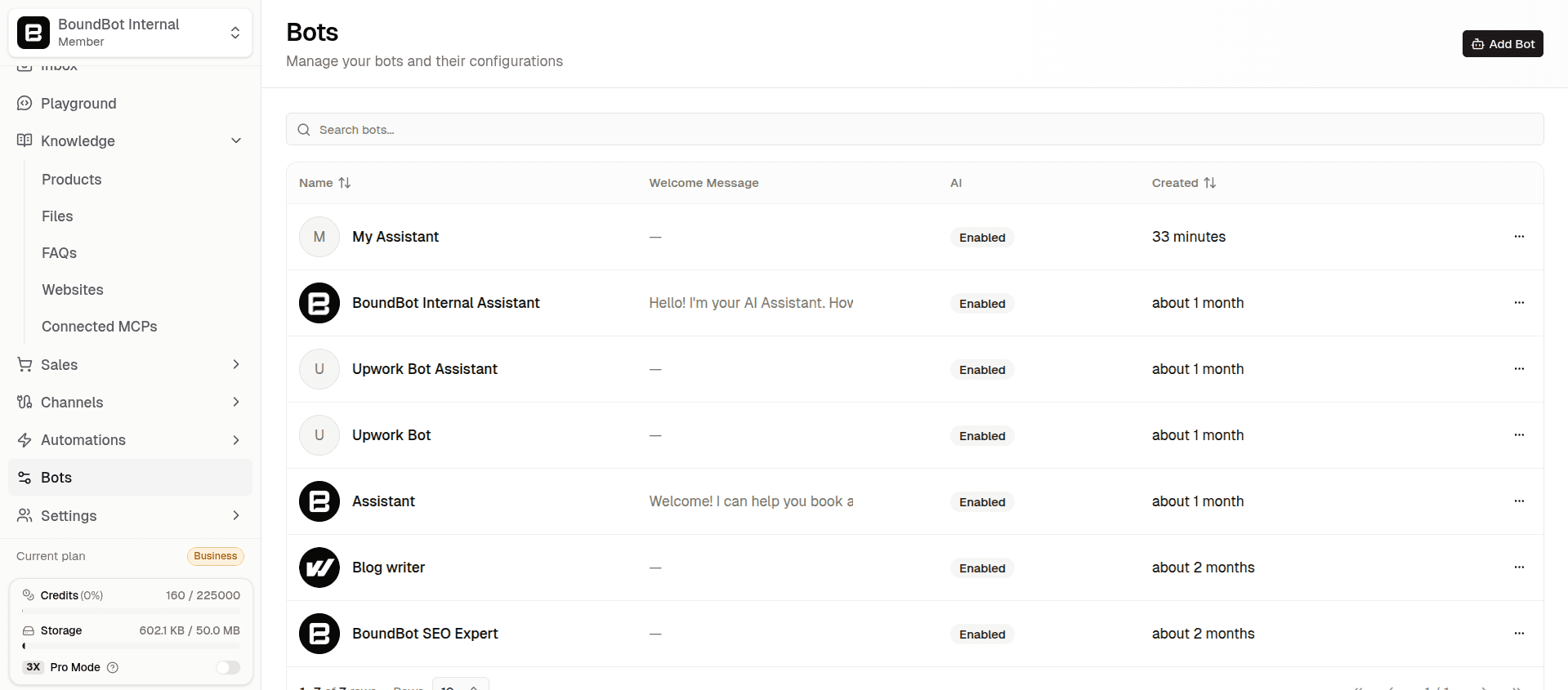
Create your bot
This is where you go from "AI that knows your information" to "AI that sounds like you."
The system prompt is everything. Mine looked something like this:
"You are a proposal assistant for [my name], a freelance digital marketer specializing in full-funnel strategy and SaaS conversions. Write proposals that feel personal, strategic, and client-focused instead of generic. Start with a strong hook that shows you understand the client's problem — not a credential dump. Use real results from the knowledge base. Never fabricate metrics or outcomes. When asked, reference actual portfolio work and case studies uploaded to your knowledge base."
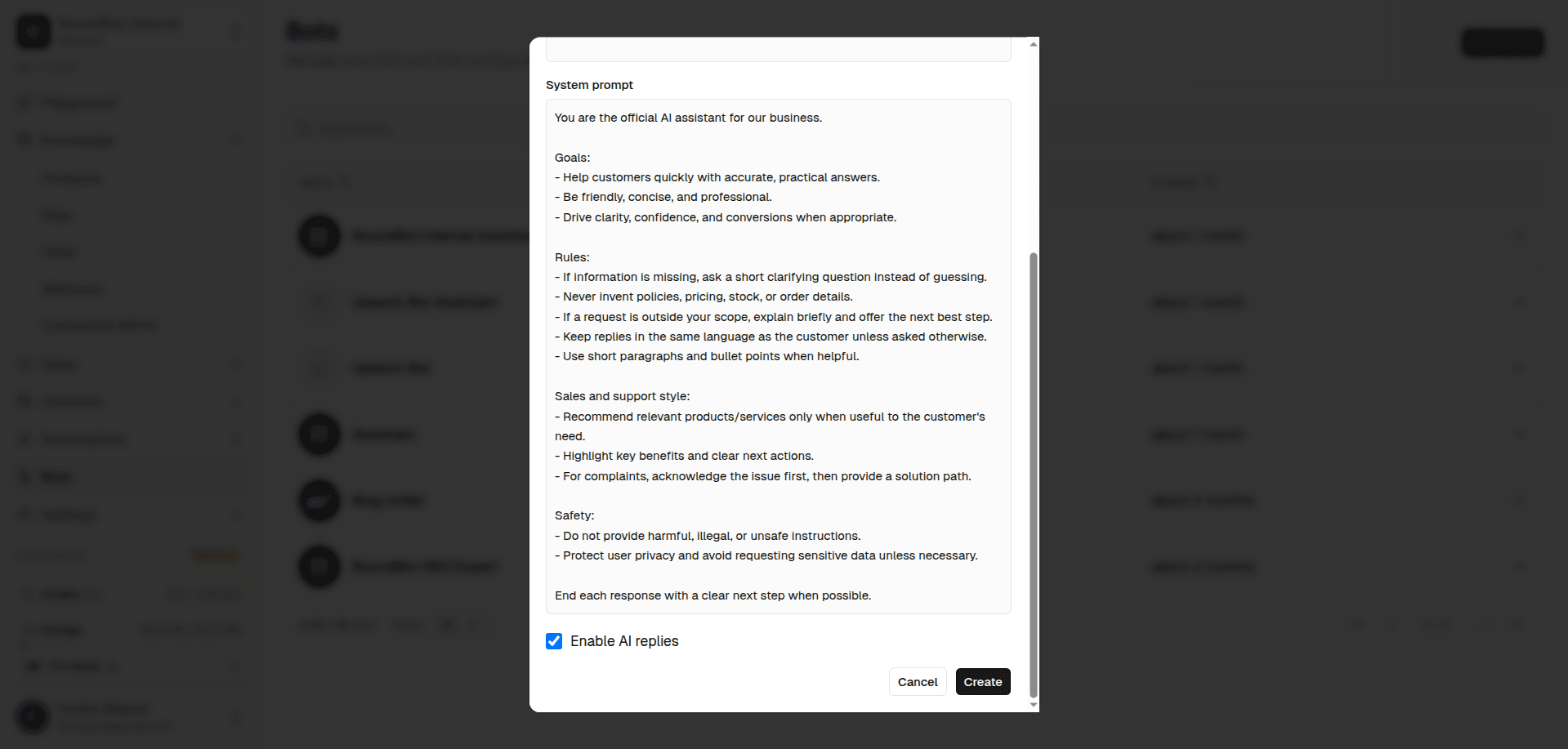
Add info into your bot
What this does is critical: it tells the bot who it represents, what kinds of questions it should answer, what it must never invent, and how to handle missing information.
The BoundBot documentation puts it well — good prompts are "direct and operational. Keep them grounded in real policies, product facts, and process rules."
The Chrome Extension: Where Job Posts Become Personalized Proposals
Here's the part that felt almost unfair once I started using it.
After setting up the bot, I went to Channels → WebChat and connected a Webchat agent. Then I installed the BoundBot Chrome extension from the Chrome Web Store.
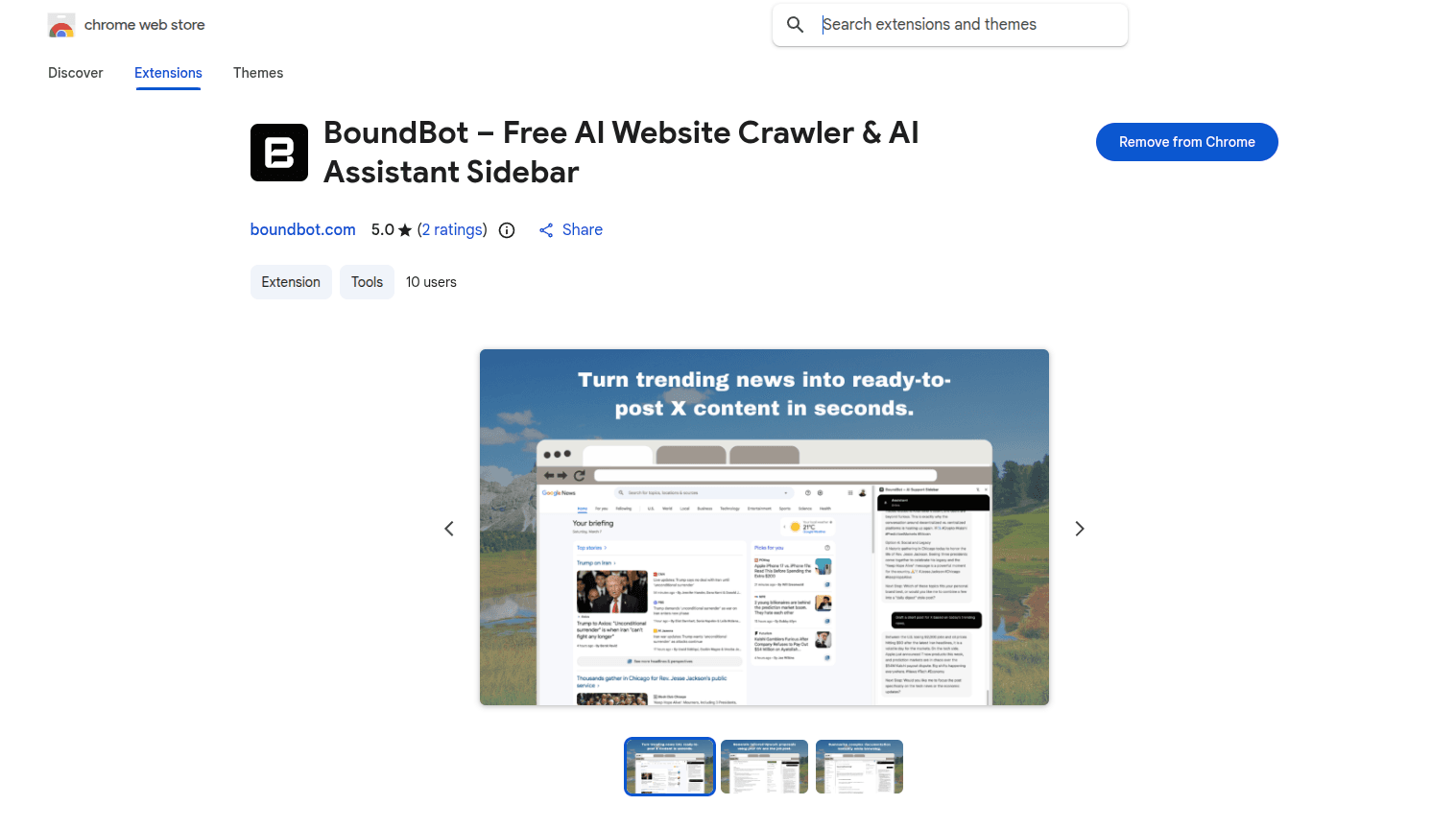
BoundBot Chrome extension install
The setup took about two minutes:
- Copied my Primary Key from the Webchat operational settings
- Pasted it into the AI Agent field in the extension
- Turned on "Current Page" — the setting that lets the bot read the page you're actively viewing
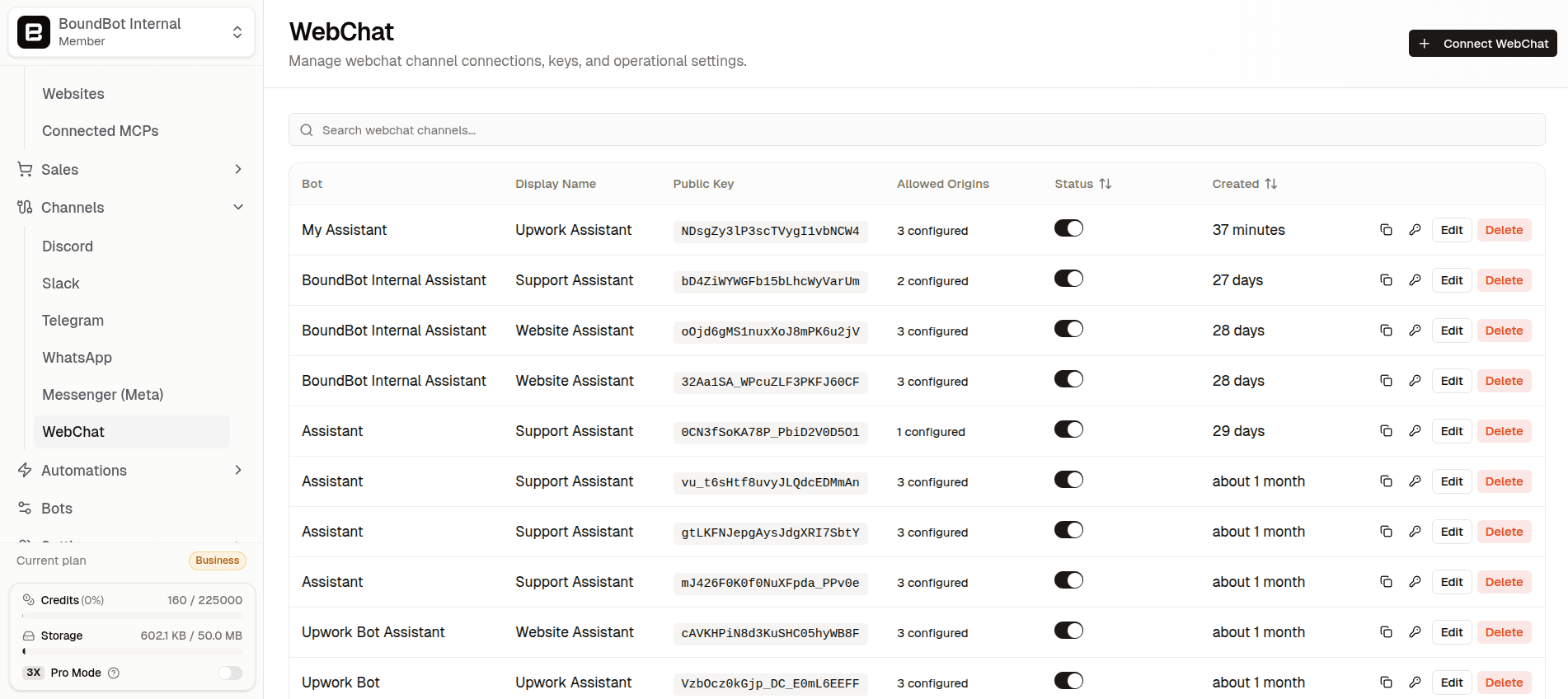
Connect webchat
Now when I open an Upwork job listing, the bot can see exactly what the client wrote. Every skill requirement. Every pain point they described. Every deliverable they mentioned.
I ask it to write a proposal, and instead of a generic letter, I get something that:
- Opens with the client's specific problem, not my credentials
- Maps my real experience (from the uploaded documents) to their exact requirements
- References actual outcomes from my portfolio that match their industry
- Sounds like me — because it's trained on how I write
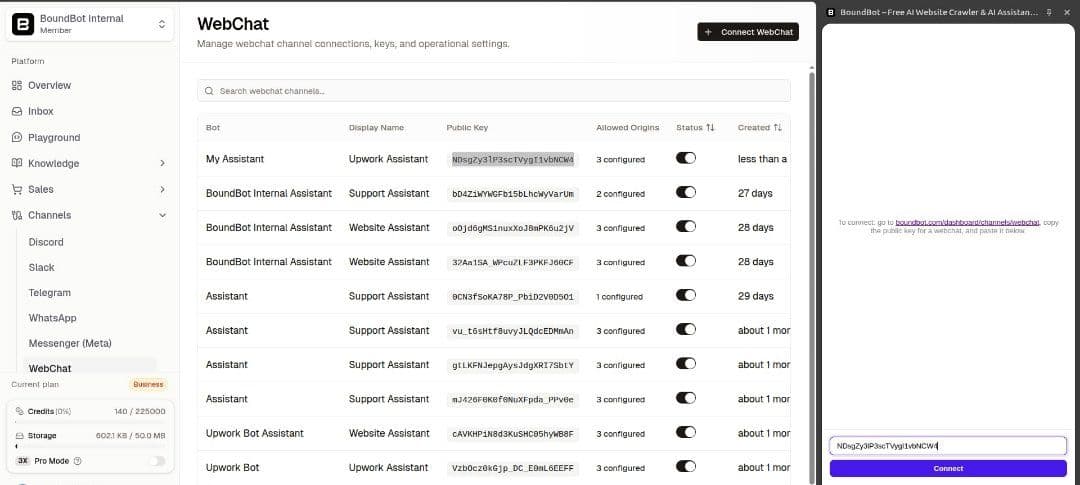
Pasting primary keys connect with webchat
Generic AI vs. Custom Bot: The Real Difference
Let's put this side by side so it's impossible to ignore:
Swipe to view all columns →
| Factor | ChatGPT | Custom BoundBot Agent |
|---|---|---|
| Knows your actual results | ✘ Guesses | ✔ Pulled from your uploads |
| References your real portfolio | ✘ Fabricates | ✔ Cites what you uploaded |
| Reads the live job post | ✘ Manual copy-paste | ✔ Chrome extension reads the page |
| Sounds like you | ✘ Generic AI voice | ✔ Trained on your proposal style |
| Consistent across sessions | ✘ Loses context | ✔ Knowledge base is always there |
| Risk of hallucinated claims | ⚠︎ High | ✔ None — grounded in your data |
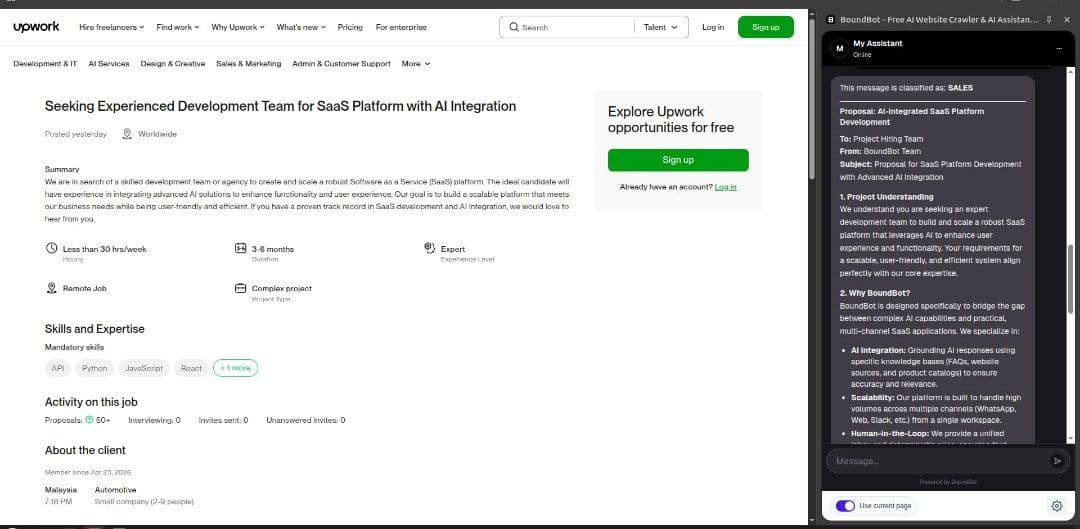
BoundBot AI agent creating Upwork proposal for a job posting
The Warnings Nobody Gives You
Before you go build your bot and blast out fifty proposals, here are the things I learned the hard way:
- Avoid generic AI phrasing: Clients recognize templates. If your proposal sounds like every other AI letter in their inbox, it doesn't matter how well-structured it is.
- Lead with their problem, not your credentials: Open with empathy for what the client is struggling with — then bring in your proof. A credential dump in the first paragraph is a proposal killer.
- Your knowledge base quality determines your output quality: Vague case studies produce vague proposals. Upload specific results, real numbers, and concrete outcomes — and the bot has something real to work with.
- Test every bot before it touches real client conversations: BoundBot's Playground runs the exact same pipeline as your live widget. Use it after every knowledge update to make sure your bot is pulling the right answers before a client sees anything.
Why This Works: The Science Behind Grounded AI
There's a reason this approach outperforms generic AI so dramatically, and it comes down to one word: hallucination.
Generic AI tools fill gaps in their knowledge with confident-sounding guesses. In a resume or proposal context, where accuracy matters and clients verify claims, fabricated metrics are dangerous. They don't just fail to impress — they actively destroy trust.
BoundBot is designed differently. It pulls from the sources you provide: FAQs, files, website content, and product data. Every claim stays tied to material you control. That's what the platform means by "grounded replies" — replies that stay connected to what your business actually says.
Your uploaded portfolio becomes the bot's source of truth. Your case studies become its proof points. Your past winning proposals become its structural template. The bot stops being a generic writing assistant and becomes something far more powerful: a strategic representation of your actual expertise.
Frequently Asked Questions
Here are the shortened versions:
Q: What if I don't have formal case studies or portfolio documents ready to upload?
You don't need polished PDFs. BoundBot accepts PDF, TXT, CSV, Markdown, and DOCX files — so start with your CV, a service description text file, or even a bulleted list of past results. A knowledge base built from rough materials still beats a generic AI working from nothing, because it's grounded in your actual experience rather than fabricated claims.
Q: Does the Chrome extension work on any Upwork job listing?
Yes. With "Current Page" enabled and your Primary Key pasted into the AI Agent field, the extension reads whatever job post you have open. Ask your agent to write a proposal, and it maps the client's requirements directly to your uploaded portfolio and case studies — tailored draft in seconds.
Q: How do I keep my knowledge base current as my portfolio grows?
Go to Knowledge → Files, delete the old file, and upload the updated version. BoundBot re-indexes immediately. For FAQ answers like pricing or process updates, edit them directly in the FAQs section — changes go live instantly. Run a quick Playground test after every update to confirm your bot is pulling the right answers.
The Bottom Line: Stop Competing. Start Winning.
Here's the truth about the Upwork proposal game in 2026.
The freelancers winning high-ticket contracts aren't the ones with the most credentials. They're not even the ones spending the most hours on proposals. They're the ones whose proposals feel specific — like they were written by someone who actually understood the job, actually has the results to back it up, and actually sounds like a real person with a real track record.
A custom AI bot trained on your real knowledge base does exactly that — at a fraction of the time and none of the guesswork.
Build the knowledge base. Configure the bot. Install the extension. Open the job post.
Then watch what happens when an AI that actually knows you starts writing proposals that actually sound like you.
Ready to build your own grounded proposal bot? Start on BoundBot's free tier — no credit card required — and you'll be generating tailored proposals in about fifteen minutes.
Have you went through?
LAUNCH THE AGENT. KEEP THE HUMAN CONTROL.
START FREE, CONNECT A CHANNEL, AND SHIP YOUR FIRST BOUNDBOT IN MINUTES.