Which Chatbot Platforms Support Several Brands or Websites?
A chatbot platform supports several brands or websites when it gives you more than one bot, a widget per site and, ideally, separate workspaces. Here is what to check and how BoundBot handles it.
22 Nov 2026•7 min read

Software Engineer
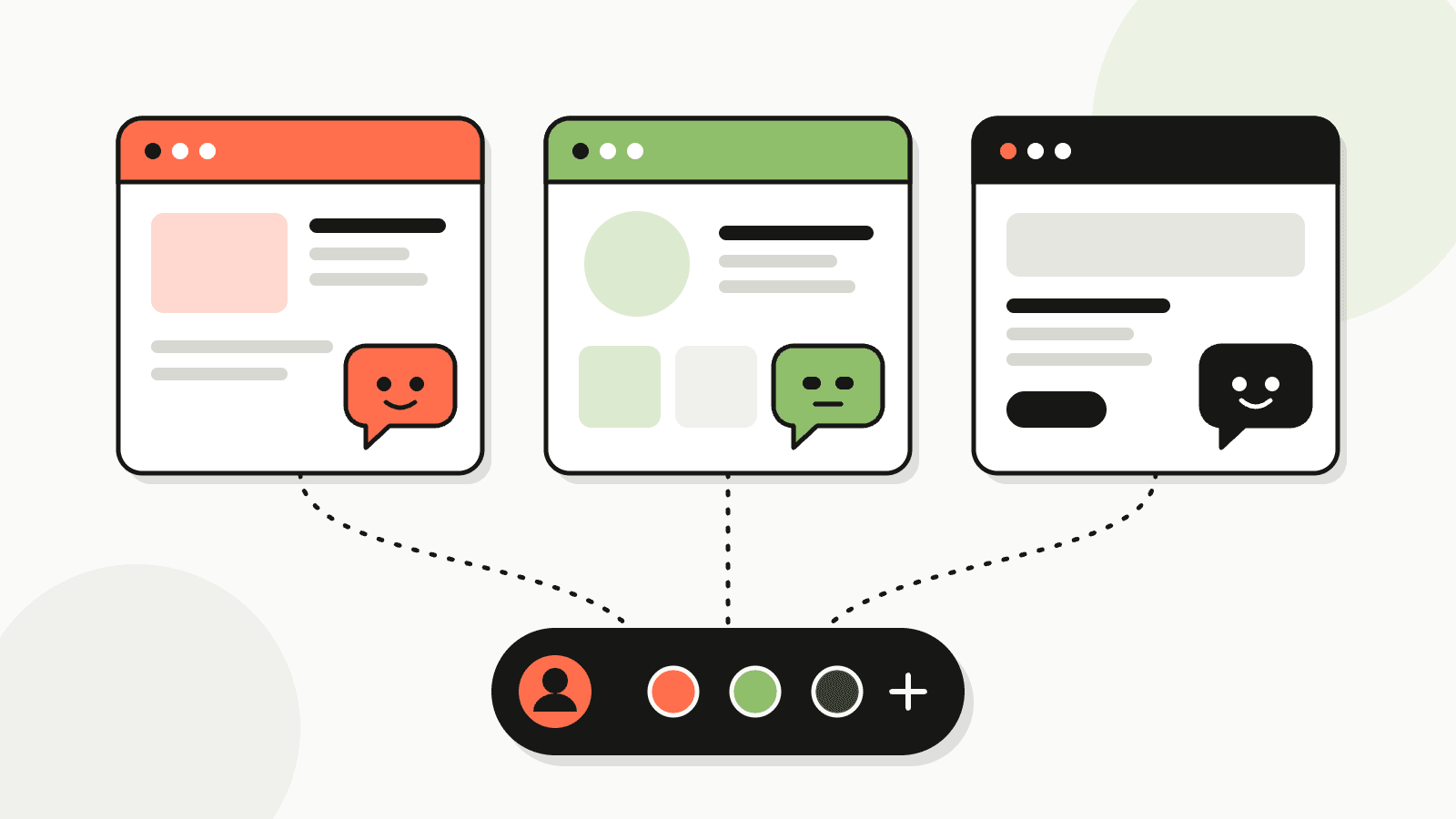
The chatbot platforms that support several brands or websites are the ones that give you more than one bot, a separate chat widget for each site and, ideally, separate workspaces under one login. BoundBot works this way: paid plans include from 3 bots up to unlimited bots, every website gets its own WebChat widget, and the Pro and Business plans add multiple workspaces for brands that must stay fully apart. A platform that only gives you one bot and one widget forces every brand to share the same name, voice and answers.
Which chatbot platforms support several brands or websites: what to check
Vendors use different words for this (multi-brand, multi-site, multi-tenant, agency plan), so the label on the pricing page does not tell you much. Check for these four things instead, on any platform you are considering:
- More than one bot. Each brand needs its own name, welcome message and instructions. If the plan allows one bot, every brand speaks with the same voice.
- A separate widget per website. Each site should get its own embed code, tied to the bot you choose, so a visitor on shop A never meets the bot for shop B.
- Separate workspaces. When brands have different prices, policies, teams or clients, they need their own knowledge, inbox and integrations, not just a different bot name.
- Limits that fit your count. Look at the number of bots, channels, website sources and team seats on the plan, then compare that with the number of brands and sites you run.
Ask the vendor about each point, or try them on a free plan or trial before you pay. The rest of this guide shows how the four points work in BoundBot, with the limits as listed on 22 November 2026.
Three ways to set up a chatbot for several brands or websites
There is no single right structure. It depends on how different your brands really are.
Swipe to view all columns →
| Setup | How it works | Best when | BoundBot plans |
|---|---|---|---|
| One bot, several websites | One bot answers on every site. Each site has its own WebChat widget. | The sites belong to one brand and share the same answers | Starter and above for more than one widget |
| One bot per brand, one workspace | Each brand has its own bot, widget and messaging channels. One team and one inbox handle everything. | Two or three related brands run by the same small team | Starter (3 bots), Pro (10 bots), Business (unlimited) |
| One workspace per brand | Each brand has its own bots, channels, knowledge, inbox and integrations. You switch between them from the sidebar. | Brands with different policies or teams, or an agency with clients | Pro and Business |
Option 1: one bot across several websites
In BoundBot, a website chat widget is called a WebChat channel. When you create one you pick the bot that answers on it, give it a display name and, if you want, list the allowed origins, which are the sites permitted to embed it. The WebChat docs cover the setup.
Create one WebChat channel per site and point them all at the same bot. You then customize the look by opening Settings, then Customize Widget, and selecting the channel, so each site can have a widget that matches its design. An origin is the exact combination of protocol, domain and port, as MDN explains, so `https://shop.example.com` and `https://www.example.com` count as two different origins.
Option 2: one bot per brand in a shared workspace
The Bots guide lists "one bot per brand or product line" as a common reason to create more than one bot. Each bot has its own name, image, welcome message and system prompt, and each channel (a WebChat widget, a WhatsApp number, a Messenger page, a Telegram bot) points to exactly one bot.
Every conversation lands in one inbox, where you can filter by channel and see which channel a thread came from. That suits a small team that answers for all the brands.
Check how knowledge is shared: The BoundBot docs describe FAQs, files, website sources and products at the team level. They do not describe limiting a knowledge source to one bot. If two brands in one workspace have different prices or return policies, name the brand clearly in every FAQ and in each bot's system prompt, then test both bots in the Playground. If the answers still mix, use a separate workspace per brand.
Option 3: a separate workspace per brand
The Team settings docs say that most settings are scoped to the current team: when you switch teams from the sidebar, you also switch the data, bots, channels and integrations you are managing. The same page describes multiple workspaces as useful for agencies, multi-brand businesses and separate environments.
This is the cleanest split. Each brand has its own knowledge, inbox, team members and widget identity. Two things to plan for:
- Integrations do not carry across teams. If you connect Calendly or Google Sheets in one team, you reconnect them in each other team that needs them.
- The docs describe credits and knowledge storage per team, and the pricing FAQ describes trials per workspace. Before you commit, confirm in Billing how plans and credits apply when you run more than one workspace.
BoundBot limits that matter for multi-brand setups
These figures come from the BoundBot pricing page and the plans page in the docs, both checked on 22 November 2026. The paid prices were displayed as discounted on that day and can change, so check the page before you decide.
Swipe to view all columns →
| Plan | Price per month | Bots | Channels | Website sources | Team members | Multiple workspaces |
|---|---|---|---|---|---|---|
| Free | $0 | 1 | 1 WebChat widget | 2 | 1 | No |
| Starter | $9.99 | 3 | 5 | 5 | 3 | No |
| Pro | $29.99 | 10 | 20 | 20 | 10 | Yes |
| Business | $199.99 | Unlimited | Unlimited | Unlimited | Unlimited | Yes |
Two notes on reading the table. First, a channel is one connection, so three websites plus two WhatsApp numbers is five channels. Second, the docs list restricting a widget to your own domains (the custom domain allowlist) and removing the "Powered by BoundBot" label as Starter and above. Both matter when a widget sits on a branded storefront.
A hypothetical example: two shops, one owner
This example is made up to show the reasoning. Imagine one owner who runs a skincare shop and a pet supplies shop, each with its own website and its own WhatsApp number. That is two brands and four channels.
- On Starter, the owner creates two bots, one per shop, and connects four channels. That fits inside the 3 bot and 5 channel limits.
- Each shop's website is added as a website source, so the bot can answer from the live pages. Because knowledge sits at the team level, the owner writes each FAQ with the shop name in it and tests both bots in the Playground.
- If the skincare bot ever quotes the pet shop's delivery policy, or if the owner hires separate staff for each shop, the next step is Pro with one workspace per shop.
The point of the example is the order of decisions: count brands and channels first, pick the lightest setup that keeps answers separate, and move to separate workspaces when sharing starts to cause mistakes.
Mistakes to avoid when one chatbot platform serves several brands
- Reusing one widget code on every site. You lose the ability to give each site its own bot, look and allowed origins. Create a widget per site.
- Vague system prompts. Tell each bot which brand it represents, what it must never invent and when to hand over to a person.
- Counting only bots. Channel, website source and team seat limits usually run out before the bot limit does.
- Skipping the cross-brand test. Ask each bot a question that only the other brand should answer. It should say it does not know, not borrow the other brand's answer.
Frequently asked questions
What is the best platform for consolidating multiple chatbots?
Look for a platform where every bot, channel and conversation sits under one login, with a shared inbox and clear limits per plan. In BoundBot, several bots can live in one workspace and all their conversations arrive in one inbox that you can filter by channel. For a wider comparison, see our guide to multi-channel chatbot platforms.
Can one bot answer on a website, WhatsApp, Messenger and Slack?
Yes. In BoundBot a bot can be assigned to one or more channels. WebChat is on every plan, WhatsApp, Messenger and Telegram are on the paid plans, and Slack and Discord start at Pro. The multi-channel chatbot setup guide walks through connecting them.
Do I need a separate plan for each brand?
Not if the brands share a workspace: one Starter, Pro or Business plan covers all the bots and channels inside its limits. If you give each brand its own workspace, confirm in Billing how plans and credits apply to each one, because the docs describe usage per team.
Can each website have a differently styled chat widget?
Yes. Widget customization in BoundBot is done per WebChat channel, and it covers theme, colours, position, bubble label and starter suggestions. The docs also say the team name and image shape how your brand appears in the widget, so check the widget header on each site if several brands share one team.
A simple next step
Write down your brands, websites and messaging accounts, then compare the totals with the table above. You can start on the Free plan with one bot and one website widget, test the answers in the Playground, and add bots or workspaces only when a second brand actually needs them.
LAUNCH THE AGENT. KEEP THE HUMAN CONTROL.
START FREE, CONNECT A CHANNEL, AND SHIP YOUR FIRST BOUNDBOT IN MINUTES.