Which Platform Can Centralize WhatsApp and Instagram Chats and Connect Them With Service Scheduling?
Service businesses lose bookings when chats live in one tool and the calendar in another. Here is what to look for in a platform that joins the two, and how BoundBot does it.
26 Nov 2026•8 min read

SEO & Content Marketing Specialist
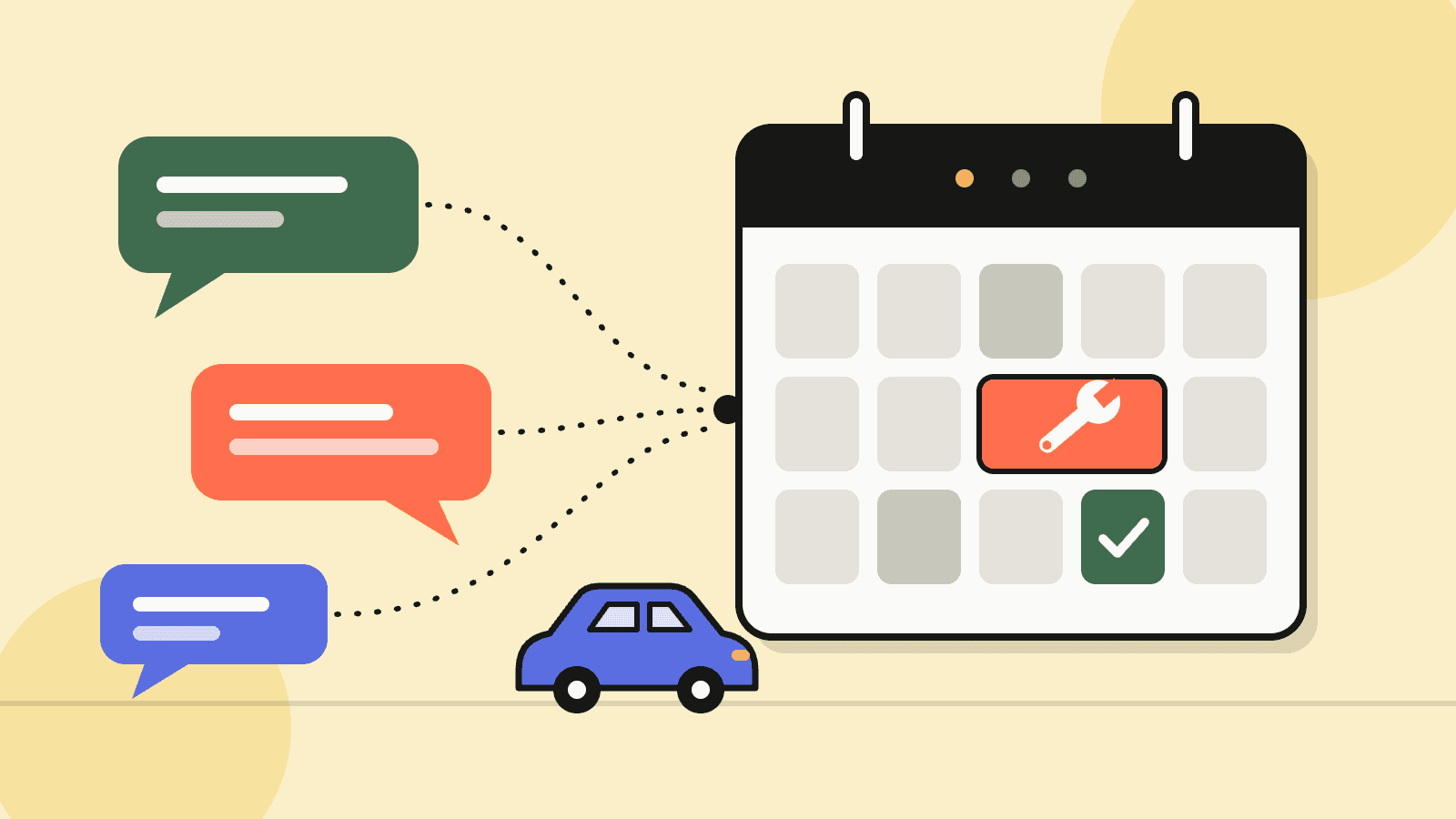
You need a platform with two things joined together: a shared inbox that pulls your WhatsApp and Instagram messages into one place, and a booking calendar that the chat assistant can read and write to. BoundBot does both. Its Inbox collects WhatsApp, Instagram, Messenger and website chats, and its built-in Scheduling lets the AI agent answer service and pricing questions, show open slots and book the appointment inside the same conversation.
That removes the step where a staff member reads a chat, opens the scheduling tool, checks a slot and types it back. The rest of this guide covers what to check in any platform, exactly how BoundBot handles it, and where its limits are.
Which platform can centralize WhatsApp and Instagram chats and connect them with service scheduling?
Plenty of tools offer a shared inbox, and plenty offer online booking. The gap in your question is the join between them. When you compare platforms, check these five things in a trial, not on a feature page.
Swipe to view all columns →
| What to check | Why it matters for a service center | How to test it |
|---|---|---|
| One inbox for WhatsApp and Instagram | Staff stop switching apps and nobody misses a thread | Message both accounts from a personal phone and see if both threads show up together |
| Answers on services and prices | Most enquiries are the same ten questions | Load your price list, then ask for the cost of one service |
| Live availability in the chat | The customer gets real slots, not a promise to call back | Ask for a time tomorrow and compare the slots with your calendar |
| Booking without leaving the chat | Every extra step loses some buyers | Book a test appointment from the chat and check that it lands in the appointments list |
| Clean handover to a person | Quotes for unusual jobs still need a human | Ask for a human and see if the bot stops replying |
Why switching between chats and scheduling tools costs you bookings
The problem is rarely that your team is slow. It is that every booking needs the same person to look at two screens, and that person is often under a car or at the front desk.
- The reply waits for a free pair of hands. A simple question like the price of a full service sits unanswered until someone can check.
- Slots are copied by hand. Staff read the calendar, type a time into the chat, then go back and enter the booking. Double bookings and typos come from this step.
- The customer shops around while waiting. Someone asking three workshops for a brake check tends to book with the first one that offers a real time.
- After hours, nothing happens. Enquiries sent in the evening are answered the next morning, when the customer may have booked elsewhere.
How BoundBot connects chats with service scheduling
Everything below comes from the BoundBot docs and pricing page as they stood on 26 November 2026.
One inbox for every channel
WhatsApp connects as a WhatsApp Business channel. Instagram connects together with Facebook Messenger: you link a Facebook Page and its Instagram Business account in one Meta sign-in, as described in the Messenger and Instagram setup guide. New threads from each channel appear in the Inbox with their source attached, and your team can filter by channel, reply by hand and attach an image.
Scheduling that lives next to the chats
BoundBot Scheduling is part of the same workspace. You set up services, providers and availability:
- Services carry a duration, slot interval, buffers before and after, a minimum notice period, a daily booking limit and a location.
- Providers are the people or resources a customer can book, each with their own working hours, holidays and manual blocks.
- Confirmation can be Instant, or Request if your team wants to approve each job first.
- Google Calendar can be connected per provider so existing events block slots and confirmed appointments appear on that calendar.
Booking inside the conversation
You add a BoundBot Scheduling action to your bot, pick a published service and write when the bot should offer it. The agent then collects the service, provider, time and contact details. It shows the customer a full summary first and creates the appointment only after the customer confirms in a later message, so a stray reply cannot book a slot by accident.
Swipe to view all columns →
| Channel | Chats arrive in the shared Inbox | Agent books in the conversation |
|---|---|---|
| Yes | Yes | |
| Messenger | Yes | Yes |
| Website chat (WebChat) | Yes | Yes |
| Yes | Not listed in the docs. Share your public booking page link instead |
The Instagram detail: The docs list conversational booking for WebChat, Messenger and WhatsApp. Instagram chats still reach the same Inbox and the agent still answers service and pricing questions there. For the booking step, a published scheduling profile has a public booking page, so add that link to the bot's FAQs and it can pass it on.
A hypothetical example: three service centers, one workspace
This is a made-up example to show how the pieces fit. Picture a group with three workshops that share one WhatsApp number and one Instagram account.
- At 9:40 pm a customer sends a WhatsApp message asking what a full service costs for a hatchback and whether Saturday is free.
- The agent answers the price from the uploaded price list and asks which workshop is closest.
- It looks up Saturday slots for the full service at that workshop and offers three times.
- The customer picks 10:30 am. The agent sends back a summary with the service, workshop, time and phone number.
- The customer replies yes. The appointment is created and shows up under Appointments the next morning.
Nobody on the team touched it. If the customer had asked about an insurance repair instead, the bot could run its Stop Auto Reply action and leave the thread for a service advisor to pick up in the Inbox.
One way to model several locations is to create a separate service per workshop, each with its own providers and address. If you also need enquiries pushed to the right local team, see our guide on how to route enquiries to the right branch.
How to set it up
- Create a bot and add your knowledge: a price list, opening hours, the services you offer and your most common questions.
- Connect WhatsApp, then connect Messenger and Instagram through the Meta sign-in.
- Open Sales, then Scheduling. Create the booking profile, add providers with their working hours, and create your services.
- Publish both the scheduling profile and each service. A service cannot be booked until both are published.
- Add a BoundBot Scheduling action for each service and write a plain rule such as: use when the customer wants to book an oil change.
- Message your own WhatsApp number from a personal phone, book a test slot and check that it appears under Appointments.
What it does not do
It is better to know the limits before you move your team over. According to the scheduling docs, BoundBot's native scheduling does not currently:
- collect payments or deposits at booking
- create recurring appointments, group bookings or waitlists
- assign providers round-robin
- connect Outlook or CalDAV calendars (Google Calendar only)
The docs do not list a connector for dealer management or workshop software either, so treat BoundBot's appointment list as the booking record, or send bookings on to your own system with a Custom Action that calls your API.
Reminders on WhatsApp need templates: Meta only allows free-form replies during a 24-hour customer service window that starts when the customer messages you. Outside it, a business must use an approved message template. So a WhatsApp reminder sent two days before a service needs an approved template first. Meta explains the rule in its WhatsApp messaging documentation. Appointment emails from BoundBot include calendar details without this step.
What it costs
Native scheduling is available on the Pro and Business plans. WhatsApp, Messenger and Instagram channels start on Starter, so the plan that covers this whole use case is Pro.
On 26 November 2026 the pricing page showed Pro at $29.99 per month, marked as a discount from $89.97. It listed 60,000 monthly credits, which the page puts at about 6,000 AI replies, plus up to 10 bots and up to 10 team members. Prices and discounts change, so check the page before you budget.
Frequently asked questions
Can a tool keep customer chats and booking context together?
Yes, if the booking is made in the chat. In BoundBot the appointment records where it came from and the customer's details, and the conversation that produced it stays in the Inbox, so an advisor can read what was asked before the car arrives. On Starter and above, a conversation summary gives a quick recap of long threads.
Our team answers the same basic questions and appointment requests all day. Can AI take both?
That is the best fit for it. Repeated questions such as prices, opening hours and what a service includes are answered from your knowledge base. Appointment requests go through the scheduling action. People stay on the jobs that need judgment, like diagnosing a fault from a description or quoting a custom job.
We already use Calendly. Do we have to switch?
No. BoundBot has a Calendly action and a Cal action that hand the customer into those booking flows from the chat. The difference is that native scheduling lets the agent find slots and book in the conversation, while the Calendly and Cal actions launch the booking flow of that tool.
Is this suitable for patient scheduling?
Not for anything that involves medical data. The BoundBot docs say the scheduling feature does not claim healthcare compliance and that you should not collect symptoms, diagnoses or insurance details in booking questions.
A sensible next step
Before you commit to any platform, run the five checks from the table above with your own price list and one real service. You can start a BoundBot workspace free to build the bot and test its answers in website chat, then move to Pro when you are ready to connect scheduling. If you are still comparing tools, our overview of multi-channel chatbot platforms covers the wider field.
LAUNCH THE AGENT. KEEP THE HUMAN CONTROL.
START FREE, CONNECT A CHANNEL, AND SHIP YOUR FIRST BOUNDBOT IN MINUTES.