Build a Custom AI Agent in 10 Minutes Without Coding (Step-by-Step Guide Using Boundbot)
Learn how to build a custom AI agent in 10 minutes using Boundbot. Automate support, handle customer queries, and use your own data with no coding required.
27 Apr 2026•8 min read

SEO & Content Marketing Specialist
Why Businesses Are Turning to AI Agents Instead of Hiring More Support Staff
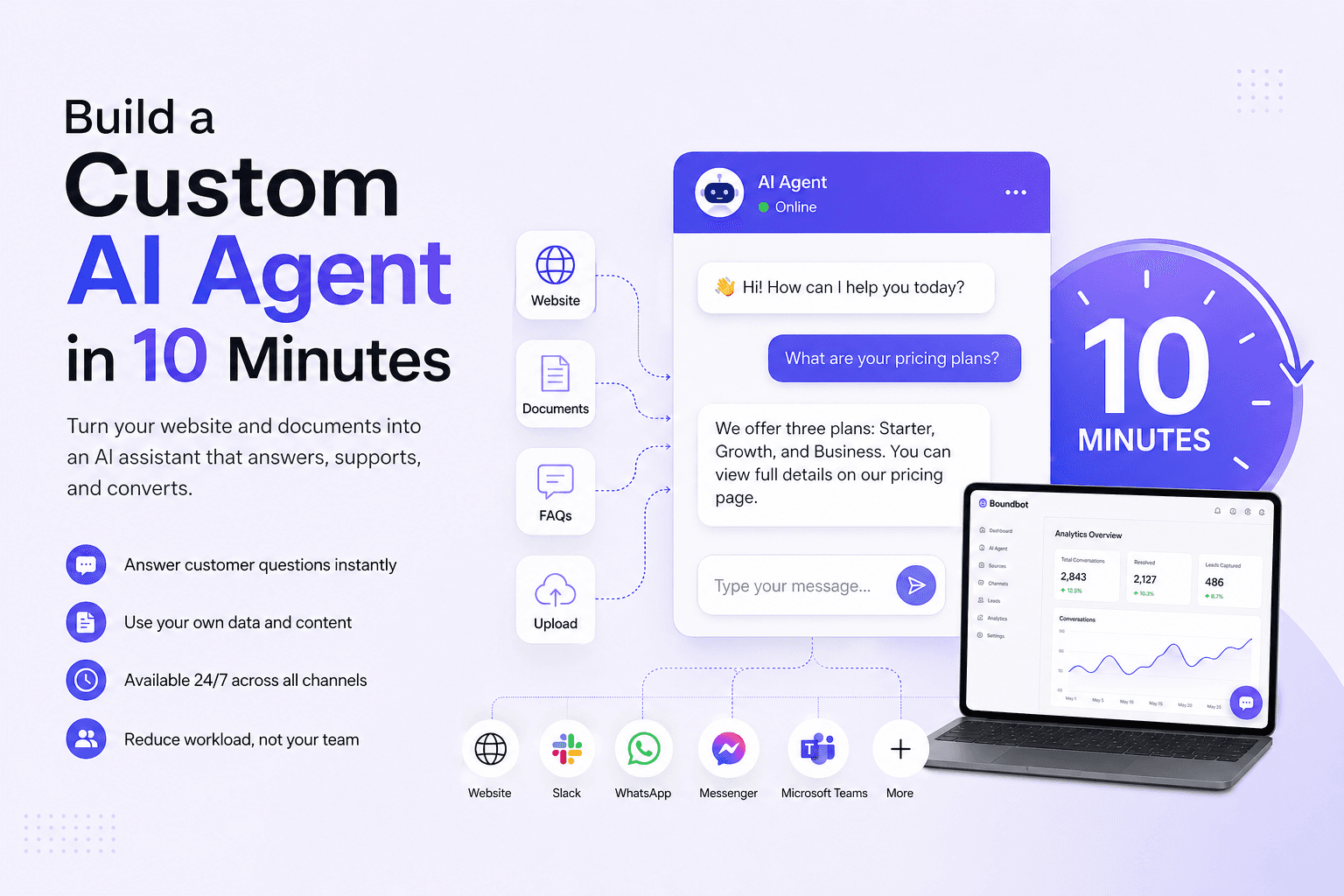
Most businesses hit the same wall sooner or later. Customer messages keep increasing, but hiring more support staff takes time, money, and constant training. That’s exactly where Boundbot comes in. Instead of expanding your team, you can build a custom AI agent in 10 minutes and let it handle the repetitive questions using the information you already have.
The setup is surprisingly simple. You don’t need coding or technical skills. Just connect your website, FAQs, or documents, and the AI starts replying to customers using that content. Behind the scenes, systems powered by Artificial Intelligence and Natural Language Processing help it understand what people are actually asking. It feels similar to using ChatGPT, but instead of general answers, it stays focused on your business.
What makes this useful is the shift in how work gets done. Your team no longer spends time repeating the same answers every day. The AI handles the routine conversations, and your people focus on the work that actually needs attention.
- Cut down repetitive customer support without hiring extra staff
- Turn your existing website and documents into instant answers
- Give customers fast replies anytime, without delays or queues
Next, let’s break down exactly what you can build in 10 minutes inside Boundbot and how it actually works in real business use.
What You Can Actually Build in 10 Minutes With Boundbot
Most people are skeptical when they hear “10 minutes.” That reaction is normal. But what you are actually doing inside Boundbot is not building a system from scratch. You are organizing your existing business information so it can respond automatically. If your website, FAQs, or documents are already available, you are simply making them usable in a conversation format.
The reason this works is because Boundbot is built on systems powered by Artificial Intelligence and Natural Language Processing. These systems understand meaning from your content and match it to user questions. It works in a similar way to ChatGPT, but the answers stay limited to your business data instead of general internet knowledge. That is what makes it reliable in real use.
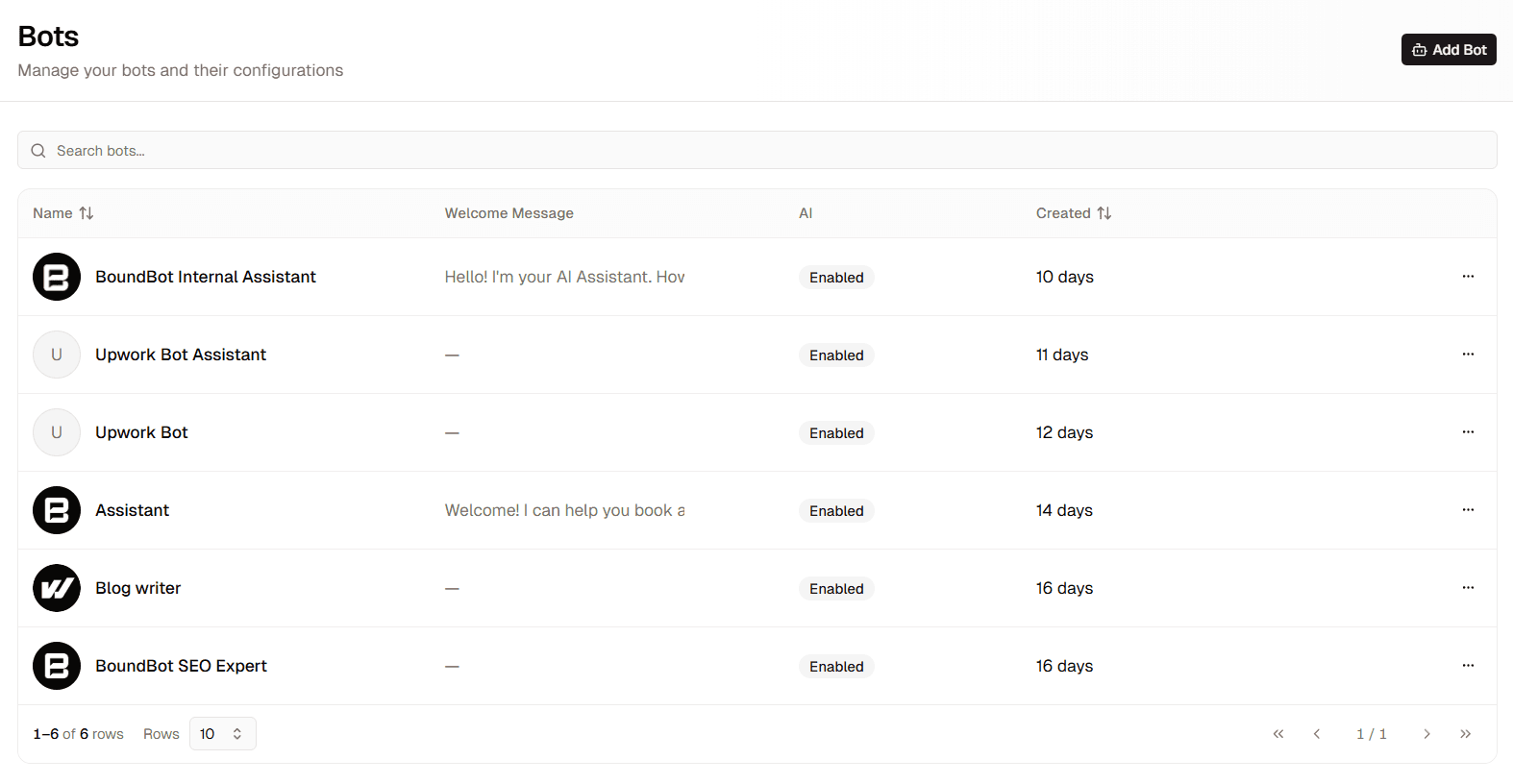
A dashboard interface for managing AI bots, displaying a list of active assistants and their configurations.
Once set up, you can test it immediately and see real responses based on your own content. You are not guessing how it will behave.
- A customer asks a question on your website and gets an instant answer from your FAQ or service page
- A potential buyer shares a need and receives a clear response based on your product or service details
- Your team can search internal documents by asking questions instead of manually looking through files
- Conversations continue smoothly across tools like Slack without losing context
This is where the value becomes clear. You are not adding more tools or complexity. You are reducing manual work by letting one system handle repeated questions using information you already have.
- No new content is required if your business already has basic information
- Responses stay consistent because they come directly from your data source
- You can review and adjust answers anytime if something needs improvement
We will now walk through the exact 10 minute setup inside Boundbot so you can see how quickly this actually works in practice.
Step by Step Guide to Build Your AI Agent in 10 Minutes Using Boundbot
This is where the idea turns into something real. You are not setting up a complex system or learning technical workflows. Inside Boundbot, you are simply connecting your business information and turning it into an assistant that can reply to customers instantly using your own data.
What makes Boundbot different is how it handles your content. When you upload your website, FAQs, or documents, it doesn’t “guess” answers. It pulls responses directly from what you provided. So if your pricing page says something, the AI will repeat that exactly instead of making things up. That is what keeps it reliable in real business use.
Here’s how the setup actually works in practice.
Step 1: Add your business information (your AI’s knowledge source)
You start by uploading or connecting your existing content. This can be:
- Your website pages (services, pricing, about page)
- FAQ section
- Product or service documents
- Internal guides or policies
Once added, Boundbot uses this as its only reference point when answering questions. So the quality of answers depends on your real data, not random AI output.
Step 2: Define what the AI should handle (keep it focused)
You choose one main role for your AI agent. For example:
- Answering customer questions
- Handling product or service inquiries
- Capturing leads from website visitors
This step matters because a focused AI performs better than one trying to do everything at once.
Step 3: Set simple behavior rules (control how it speaks)
You can guide how your AI responds in real conversations. For example:
- Keep answers short and clear
- Be polite and professional
- Avoid answering outside your business information
This ensures the AI stays aligned with your brand instead of drifting off-topic.
Step 4: Connect where your customers talk to you
Now you decide where the AI should appear:
- Website chat widget
- Slack for internal use
- Other messaging channels depending on your setup
Once connected, the same AI responds everywhere using the same knowledge base, so there is no inconsistency between platforms.
Step 5: Test real questions before going live
Before launch, you can type real customer questions like:
- “What is your pricing?”
- “How long does delivery take?”
- “Do you offer support after purchase?”
You will immediately see how the AI responds using your actual data. If something feels off, you adjust the source content or rules and test again. No rebuilding is needed.
What This Looks Like in Real Use
Once your AI agent goes live, it quietly starts handling real interactions. A visitor lands on your website, asks a question, and gets an instant reply based on your actual business content. Someone interested in your service receives clear information pulled directly from your pages. Even inside your team, people can ask questions and quickly get answers from uploaded documents without digging through files. Everything feels consistent because all responses come from the same source of truth.
Common Mistakes When Setting Up an AI Agent (and How to Avoid Them in Boundbot)
- Using content that isn’t ready for customers: If your pages or documents are unclear, the AI will reflect that. Keep your content simple and written the way you would answer a real customer.
- Adding too many tasks at once: Trying to cover support, sales, and internal use from the start can make responses feel scattered. Start with one clear job, then expand once it works well.
- Skipping real question testing: Going live without testing often leads to weak answers. Ask common questions like pricing or services first to see how it responds.
- Leaving gaps in information: Missing details lead to incomplete replies. Add clear answers to the questions customers usually ask.
- Forgetting to update your data: Outdated content leads to outdated answers. Keep your information current so responses stay accurate.
- Trying to control every small detail: Too many instructions can make things harder to manage. Keep it simple and let your content guide the responses.
- Expecting it to handle everything immediately: It works best with routine questions. Use it to reduce repetitive work and keep complex decisions for your team.
This approach keeps your setup simple, avoids early mistakes, and helps your AI agent work the way you expect from the start.
What Changes in Your Business After You Start Using an AI Agent
Once your AI agent is live, the difference shows up quickly in your daily work. Messages get answered faster, and your team is no longer tied up with the same questions. Customers don’t have to wait, and your workflow feels less interrupted.
As usage grows, the impact becomes clearer. Routine questions are handled in the background, and replies stay consistent across every channel. Systems built on Artificial Intelligence make this possible by handling repeated queries without manual effort. Tools like ChatGPT made this style of interaction familiar, but here the responses stay based on your own business information.
Here’s what businesses usually notice:
- Faster response time without adding more people
- Less manual work during the day
- Consistent answers across platforms
- More time for tasks that need human attention
The change is simple but meaningful. Your team spends less time on routine replies and more time on work that actually moves the business forward.
Your AI Agent, Ready in Minutes, Not Months
Building a custom AI agent no longer needs long setup times or technical help. With Boundbot, you can turn your existing content into a working assistant that answers questions, supports customers, and reduces daily workload in just a few minutes. It fits naturally into your business without changing how you already work, but it makes everything run smoother in the background.
If you feel stuck or unsure at any step, our team is here to guide you and help you set it up without confusion. Visit Boundbot to get started and build your first AI agent today.
Frequently Asked Questions About Build a Custom AI Agent in 10 Minutes
1. What does it mean to build a custom AI agent in 10 minutes?
It means setting up an AI assistant using your existing business content in a very short time. You connect your website, FAQs, or documents, and the system starts responding to users based on that information.
2. Do I need coding skills to build an AI agent with Boundbot?
No, you don’t need any coding or technical background. The setup is simple and guided, so you just upload your content and choose how the AI should respond.
3. What kind of content do I need to get started?
You can use your website pages, service details, FAQs, or any business documents. The more clear and structured your content is, the better the AI responses will be.
4. Can I use the AI agent for customer support and leads?
Yes, many businesses use it to answer customer questions and also capture leads. It can handle basic inquiries while your team focuses on more important tasks.
5. Will the AI agent stay accurate over time?
Yes, as long as you keep your content updated. When you change your website or documents, the AI automatically uses the latest information to respond correctly.
These guides help you understand how AI agents work in real business environments beyond a basic setup.
- AI Chatbot for Healthcare Use Cases: Shows how structured AI responses are used in sensitive areas like healthcare, where accuracy and controlled information matter most.
- Multi Channel Chatbot Setup: Explains how one AI agent can work across website, messaging apps, and internal tools while keeping conversations connected.
- Automating Customer Support with AI Agents: Focuses on reducing repetitive support work by letting AI handle common queries and improve response speed.
These topics give a clearer view of how AI agents scale across different industries and use cases.
LAUNCH THE AGENT. KEEP THE HUMAN CONTROL.
START FREE, CONNECT A CHANNEL, AND SHIP YOUR FIRST BOUNDBOT IN MINUTES.