Best AI Productivity Tools 2026: Honest Reviews for Marketing & SEO
The AI productivity software market in 2026 is crowded and overwhelming. This guide simplifies your choice with honest, source-based reviews of tools — helping freelancers, startups, and teams decide with confidence.
09 Apr 2026•5 min read
SEO Content Writer
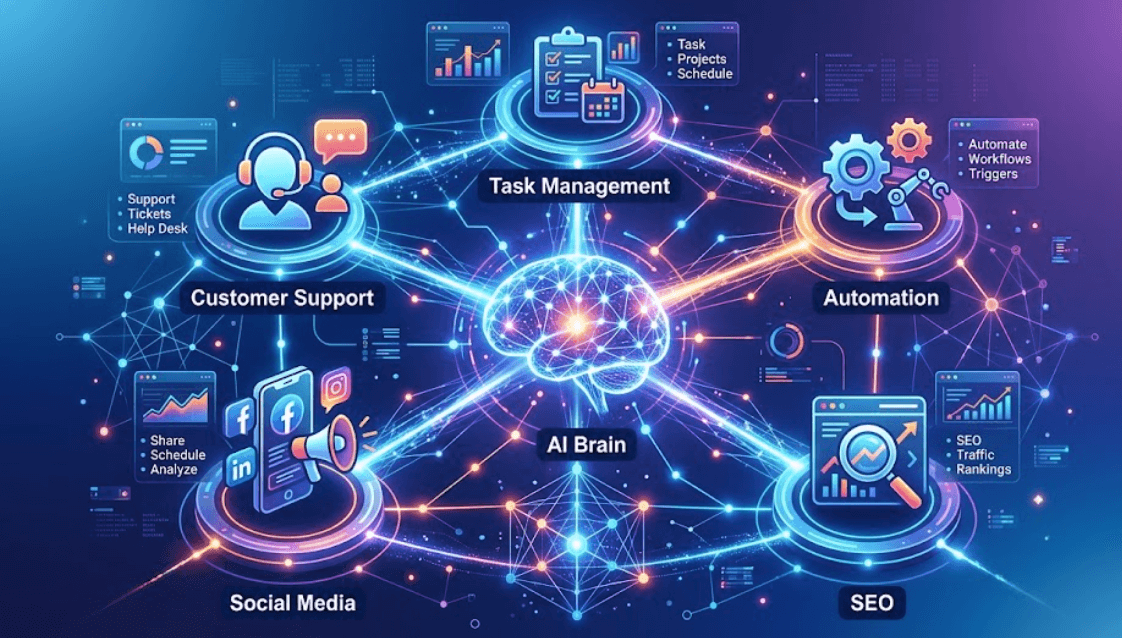
The AI productivity tools 2026 landscape has exploded…
The AI productivity tools landscape in 2026 has exploded. Whether you're a freelancer hunting for the perfect task manager, a startup scaling operations, or an enterprise team trying to tame complex workflows, the sheer number of options can feel frustrating. This guide cuts through the noise with honest, source-backed reviews of the biggest players — ClickUp, Asana, Notion, Taskade, and more — so you can make a confident decision.
ClickUp: The "Everything App" That Almost Delivers
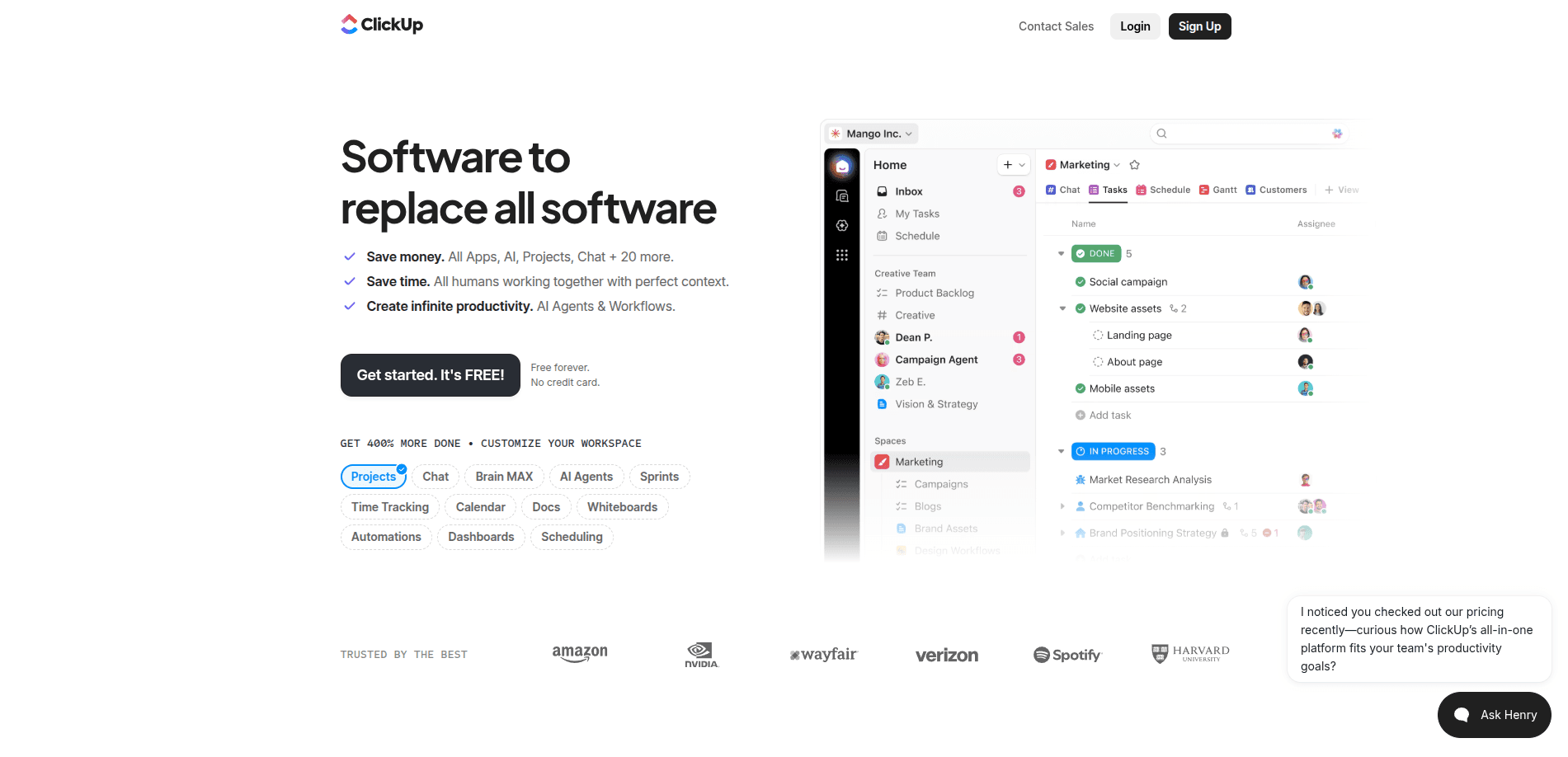
ClickUp Website Platform
ClickUp markets itself as the all-in-one platform to replace every other tool. That's an ambitious promise and it gets about 70% of the way there.
What ClickUp does well:
The platform offers 10 distinct work views including:
- Gantt Charts
- Kanban Boards
- Timelines
- Calendar
- Workload
- Map Views
And these aren't limited to task level. Teams can create views at folder level, space level, or for the entire workspace. That kind of flexibility is genuinely impressive.
ClickUp also includes native time tracking, collaborative docs, whiteboards, and an in-app chat that can convert messages into tasks with a single click.
Where it falls short:
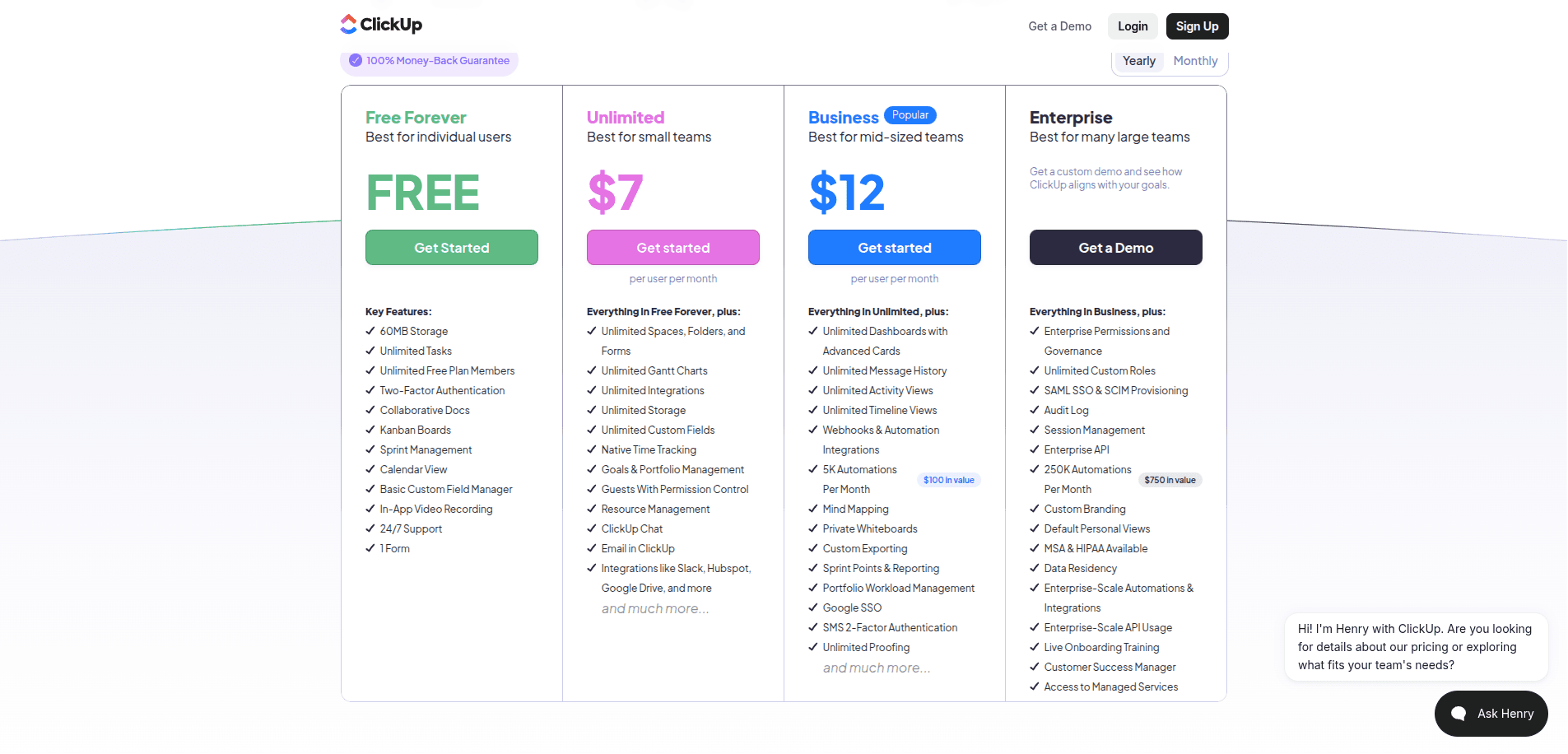
While ClickUp doesn't have a wide range of pricing plans, the "Unlimited" plan isn't as unlimited as it sounds. You'll need to upgrade to Business or Enterprise to keep message history, create private whiteboards, and access unlimited dashboards and timeline views. Timesheets are only available in the Business and Enterprise plans.
Performance isn't the only concern. A Reddit post revealed that the homepage taking 8–14 seconds to load and 7 seconds just to switch between lists on modern hardware. The community fix is the desktop app, though it has its own limitations. Heavy RAM usage appears to be the root cause.
On the technical side, G2 reviewers note that ClickUp's customization is overwhelming rather than empowering. Features like "me mode" and filters require days of trial and error to figure out. Sync doesn't update in real time, forcing manual refreshes. One product manager summed it up bluntly: after weeks of daily use, they still didn't feel in control.
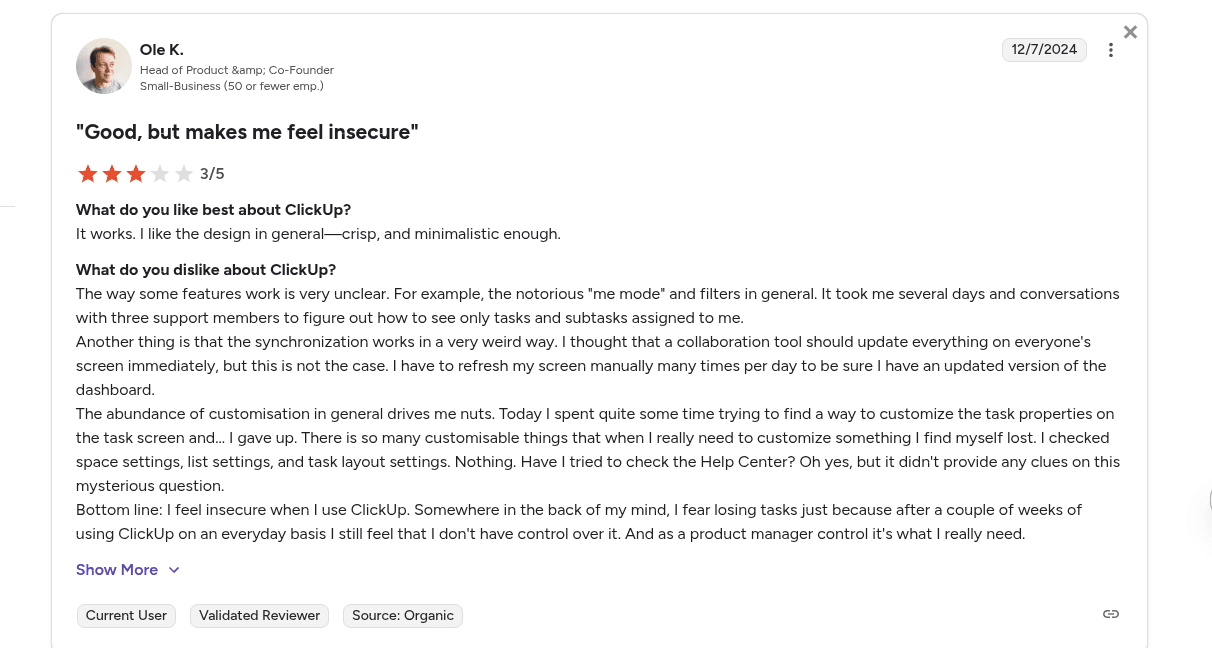
Lost in ClickUp
Pricing:
ClickUp Pricing
Who is ClickUp for?
Teams that want maximum customization, multiple view options, and built-in time tracking — and don't mind a steep learning curve.
Asana: The Enterprise Workhorse
Asana Website Platform
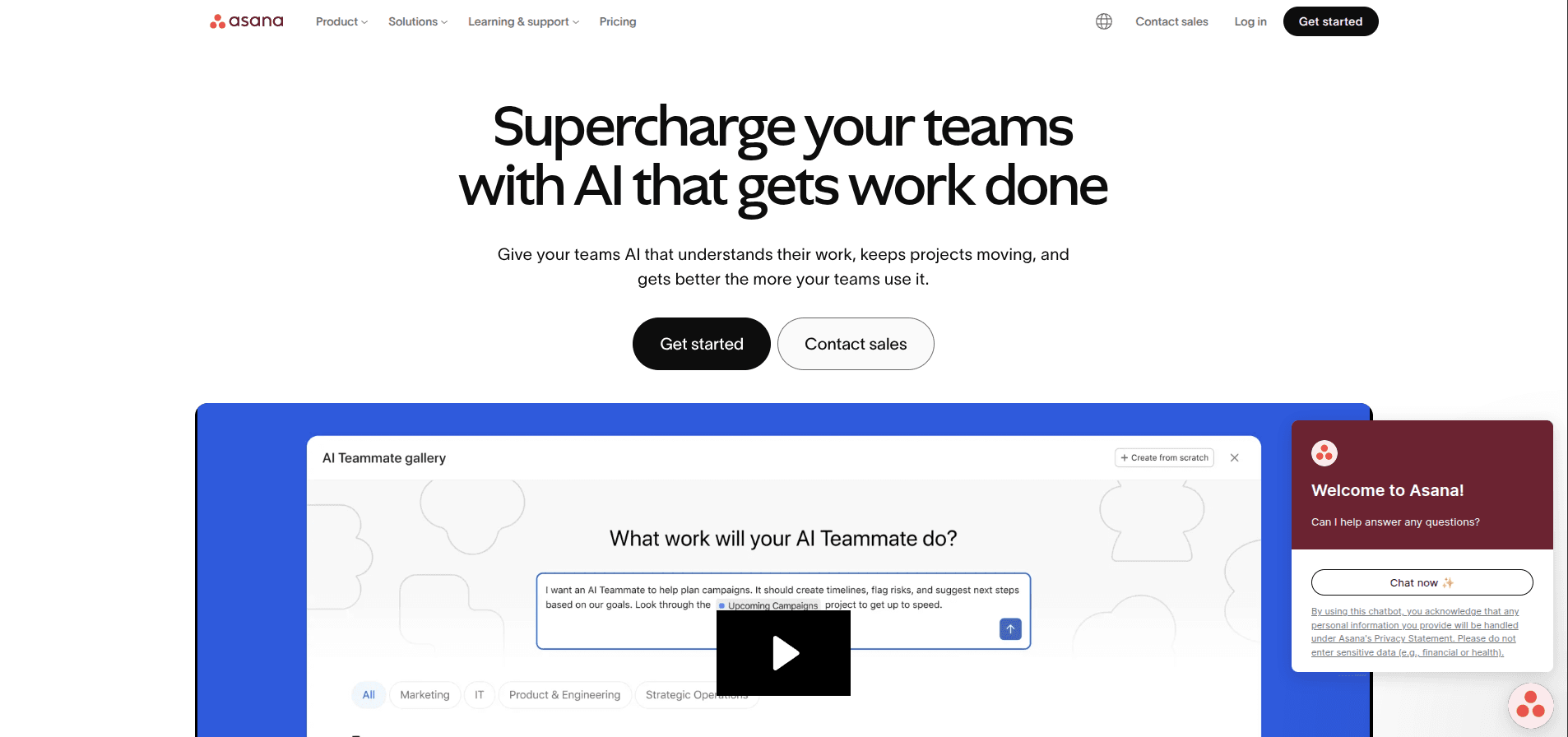
Asana has been a staple of serious project management for years, and in 2026 it's leaned hard into AI to stay competitive.
Core strengths:
Asana offers customizable dashboards with visual elements like:
- Line Charts
- Bar Graphs
- Tables
- Progress Bars
The dedicated portfolios feature lets professional services companies organize multiple client projects, with each portfolio providing an overview of work status and go-live dates.
Security is a genuine highlight — Asana offers:
- Multi-factor Authentication
- 256-bit Encryption (at rest and in transit)
- Cross-regional Backups
- Private Teams and Projects
- Unlimited Free Guests
- Admin Console
- SAML
- SCIM User Provisioning
Where Asana frustrates users:
A significant limitation is that you cannot assign a task to multiple team members in Asana, which adds complexity for collaborative work and forces teams to communicate via other platforms.
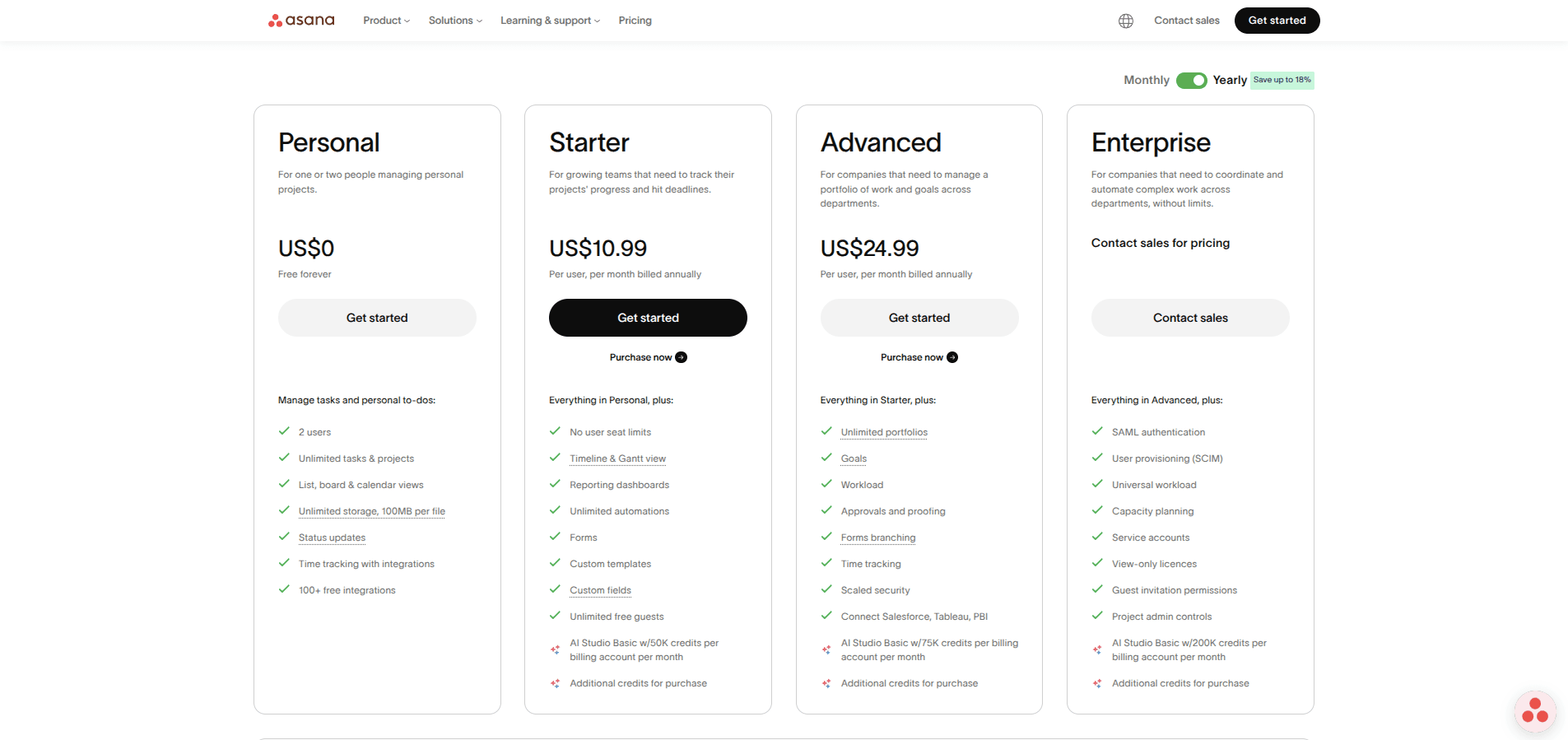
Customer support is 24/7 only for Enterprise customers, leaving free tier and paid plan users limited to self-help forums, academy, webinars, and developer guides. Dedicated customer success support is a paid add-on. Dedicated customer success support is available as a paid or conditional offering.
Pricing:
Asana Pricing
Who is Asana for?
Companies that prioritize goal-setting, advanced data visualization, and enterprise-grade security — and have budget to match.
Notion: The Wiki Giant With an AI Problem
Notion Website Platform
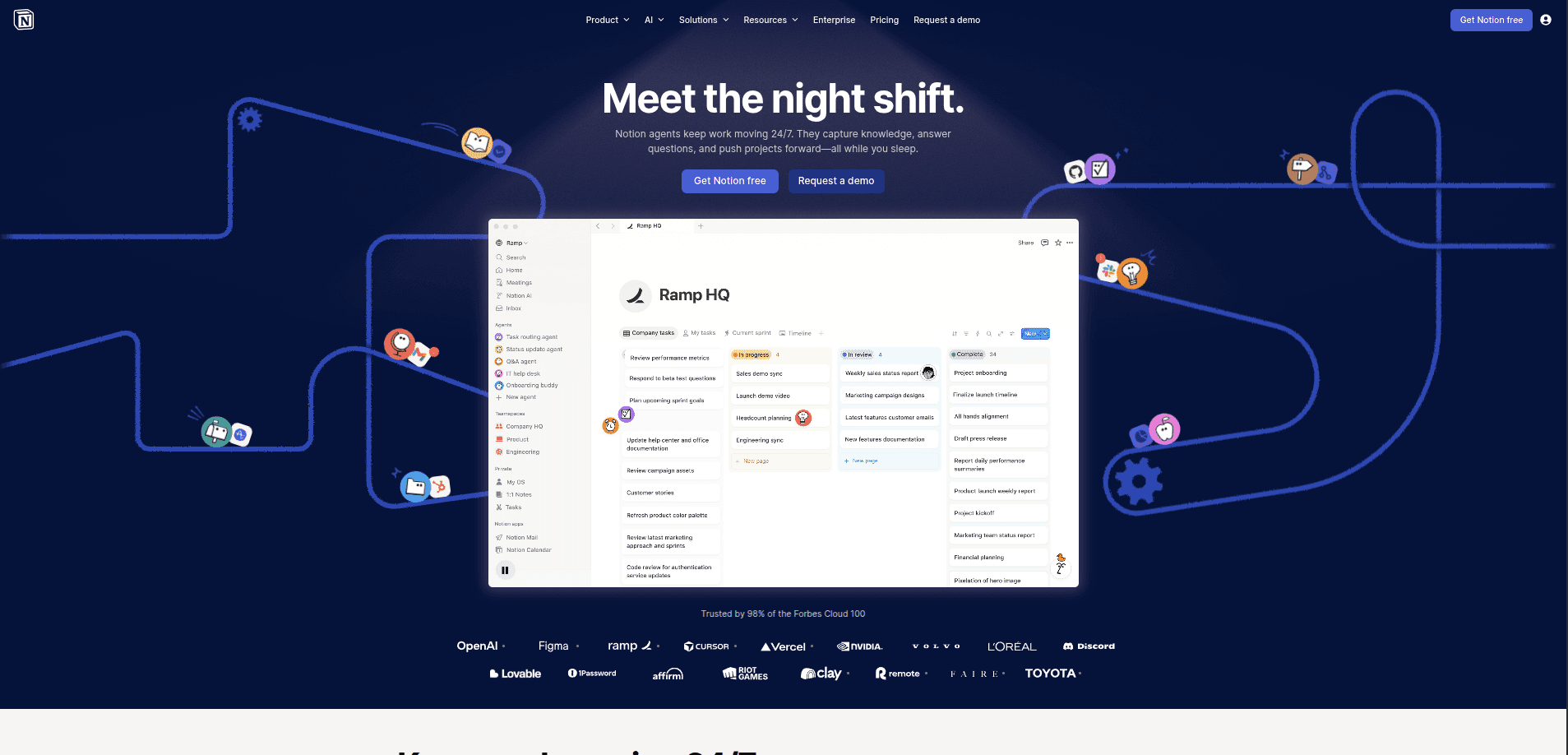
Notion has reached 100 million users and $600M ARR, cementing its place as the default workspace for knowledge management. But 2026 brought a controversial change that has divided its community.
What Notion excels at:
Notion's databases are its strongest feature — tables, boards, calendars, galleries, lists, and timelines are all views of the same underlying data. Relations and rollups let teams build sophisticated systems like a CRM that connects contacts to companies to deals.
The block-based editor handles:
- Headings
- Callouts
- Toggles
- Tables
- Code Blocks
- Embeds
- Media
Notion Sites now lets teams publish any page as a public website with custom domains, SEO settings, and analytics.
The AI paywall controversy:
In May 2025, Notion discontinued the standalone $8/user/month AI add-on. Free and Plus users now get only 20 lifetime AI responses total — not monthly, lifetime. To use AI meaningfully, teams must upgrade to Business at $20/user/month.
This means a team of 10 on the Plus plan at $100/month gets the same 20 AI responses as a free solo user — effectively a 100% price increase for teams that previously used Plus with the AI add-on.
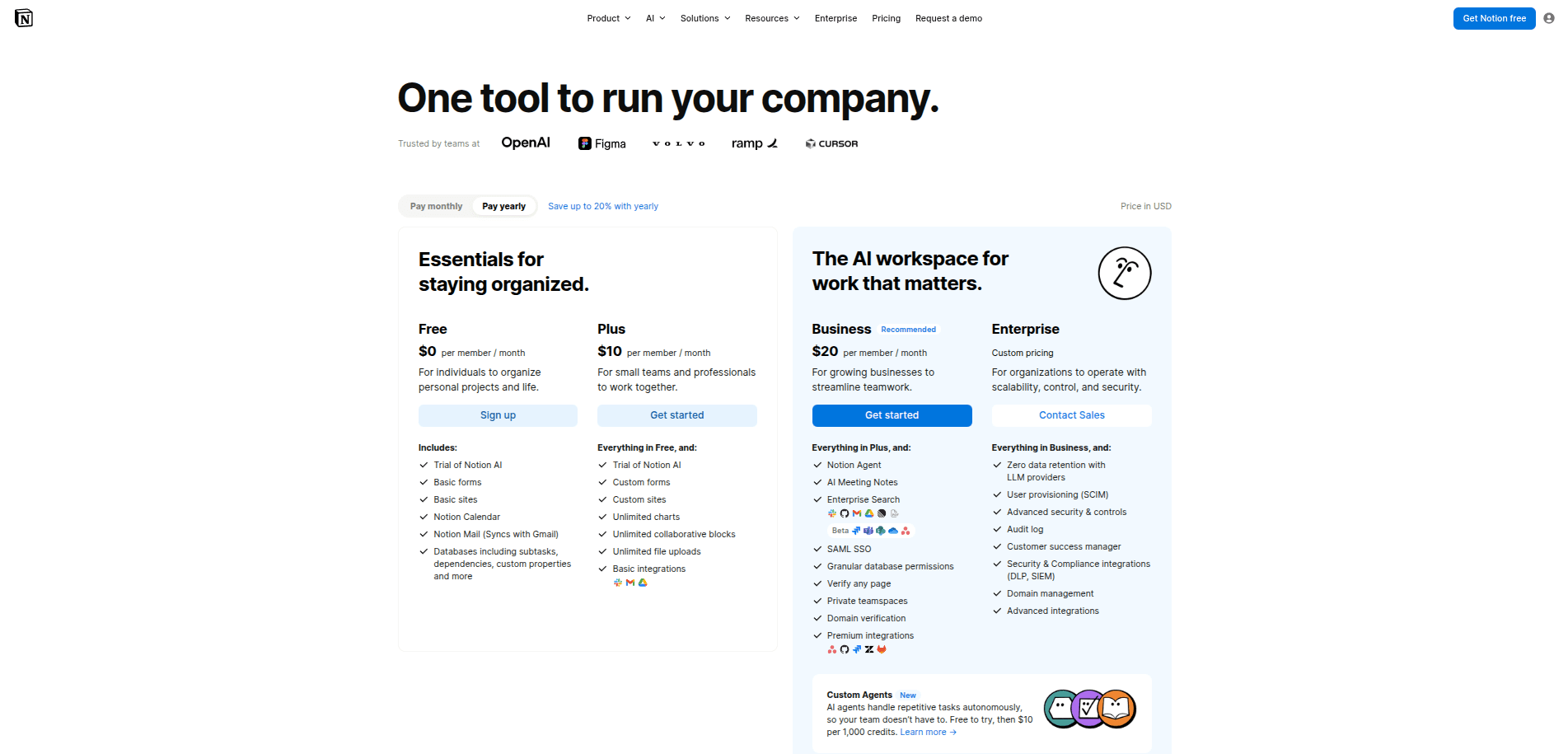
Notion Pricing
Database performance at scale:
Databases with more than 5,000 records experience 3–5 second page loads, slow filtering and sorting, and sluggish editing. Enterprise teams with 10,000+ record databases regularly report performance degradation that makes Notion impractical as a primary database.
Notion Custom Agents (New in February 2026):
Custom Agents are autonomous AI teammates that automate end-to-end workflows 24/7 without manual prompting — covering task triage, internal Q&A, daily standups, inbox management, and Slack integration. Early results show 21,000+ custom agents created by testers, with Notion's IT team at Remote reportedly saving 20 hours per week.
The catch:
Custom Agents are free during beta through May 3, 2026, after which they'll require usage-based Notion Credits at pricing yet to be determined, and are only available on Business and Enterprise plans.
Who is Notion for?
Large teams needing company wikis and knowledge bases. Teams on a budget who need meaningful AI should look elsewhere.
Taskade: The AI-First Challenger
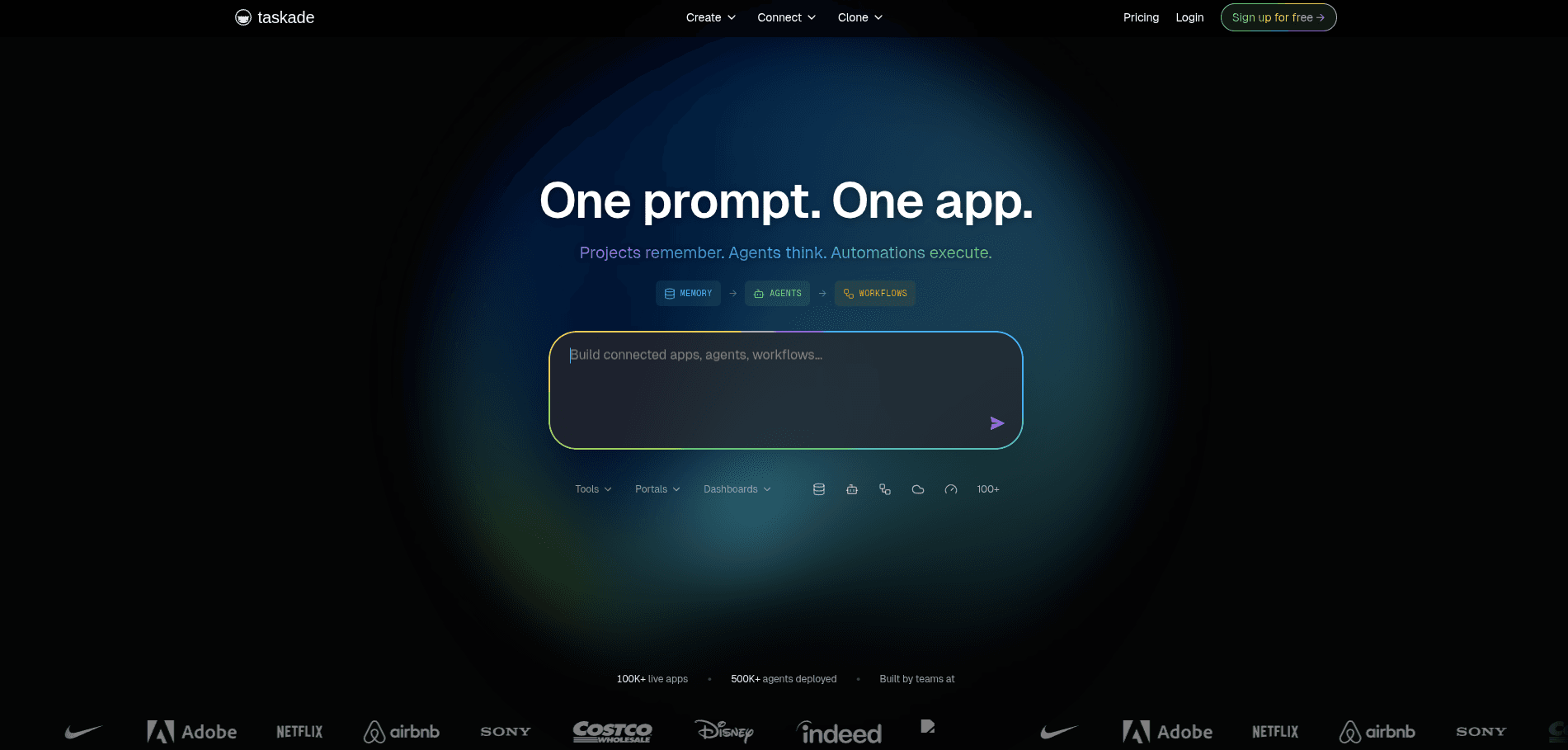
Taskade Website Platform
Taskade takes a fundamentally different approach rather than bolting AI onto a task manager, it positions AI as the core of the product.
What makes Taskade different:
Taskade's Genesis feature turns a short prompt into a working project setup. Typing "Create a customer feedback system" generates task boards, intake sections, and basic workflow rules within seconds. One founder reported saving hours of setup time, though hands-on adjustments were still needed to fit the team's process.
Taskade uses:
- Simple trigger-and-action automation rules
- Automations run when a task changes status
- Automations run when a deadline is reached
- Automatically handles reminders
- Supports recurring workflows and flows
Pricing model:
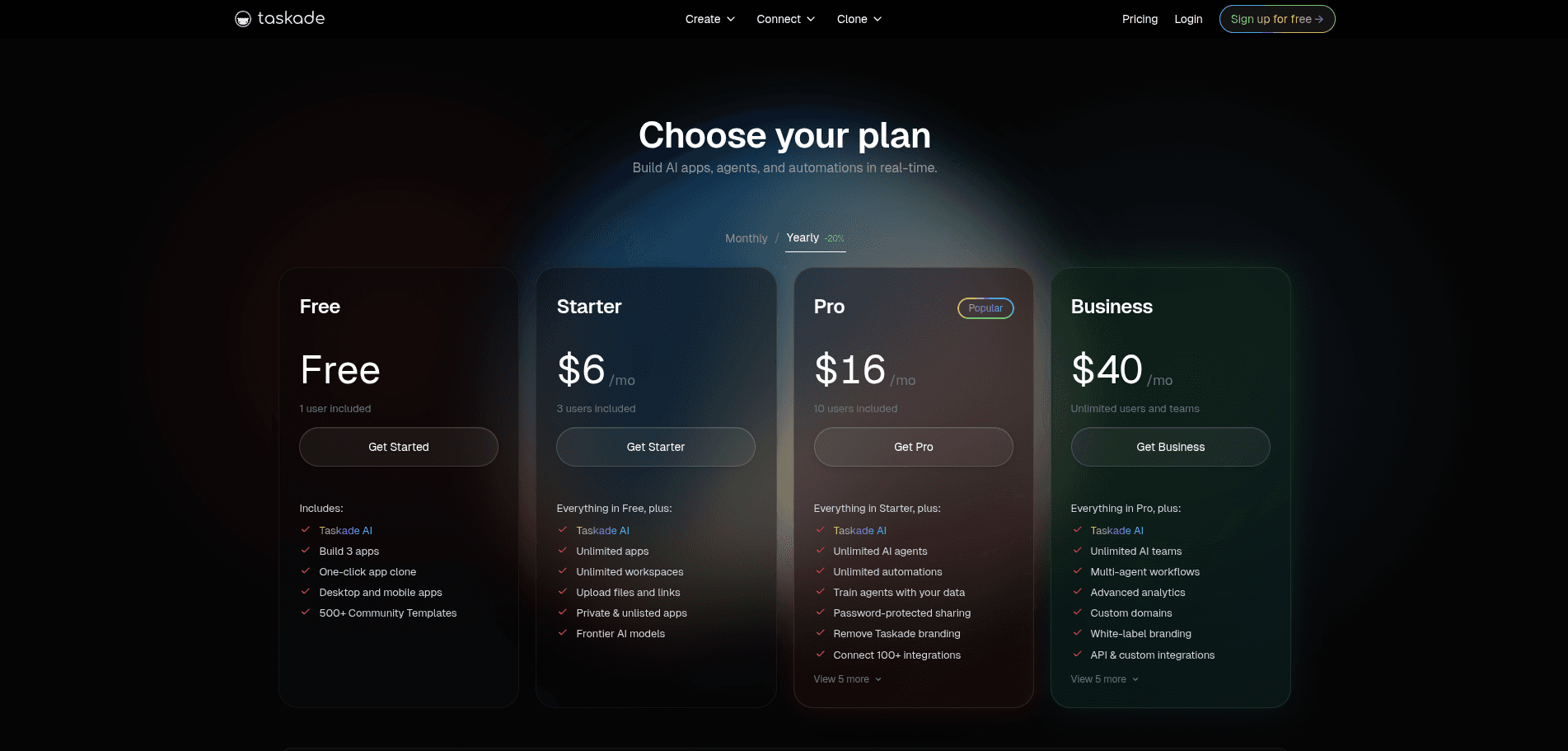
Taskade Pricing
Limitations to know:
Taskade requires ongoing maintenance — the system works well when someone actively shapes and maintains how work moves forward. Teams needing —
- Strict Compliance
- Complex Reporting
- Deep Dependency Tracking
- Hands-off Execution Across Many External Tools
Who is Taskade for?
Startups, small teams, and operators who want AI-driven workflow creation without paying enterprise prices.
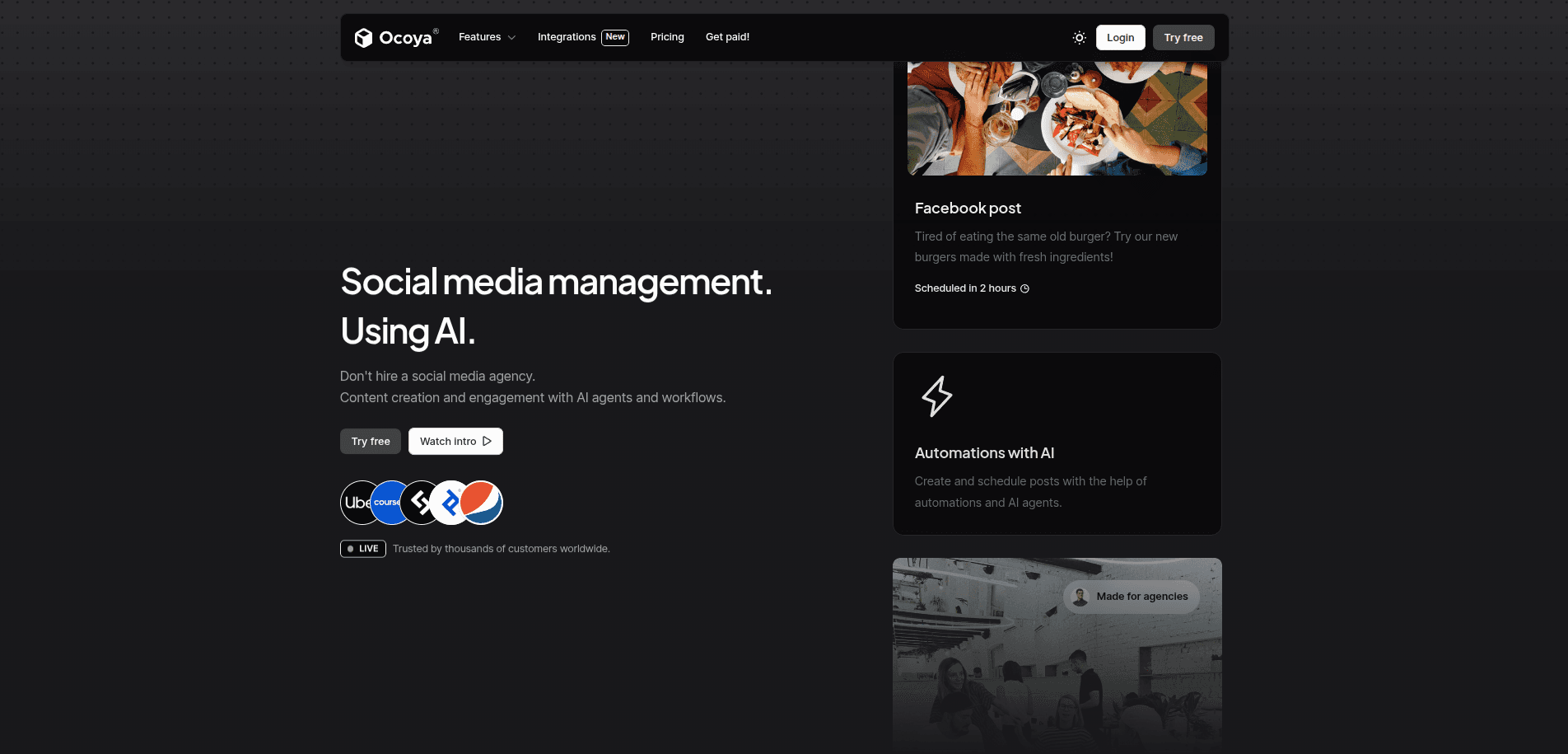
Ocaya Website Platform
Ocoya is trusted by 579,471 customers worldwide and offers:
- AI-powered Social Media Content Creation
- Scheduling Tools
- Engagement Tools
- AI Agent Templates (Social Posting, DM Chatbots, Comment-to-DM Flows)
Users praise Ocoya's ability to cut content production time significantly — one director reported moving from a multi-app workflow in Adobe Photoshop and Hootsuite to creating a great-looking Facebook post in under 30 minutes.
Common criticisms include scheduling limitations when posting to multiple platforms with different dates or times, which requires creating separate posts for each platform and can't be duplicated to change only the platform.
Pricing:
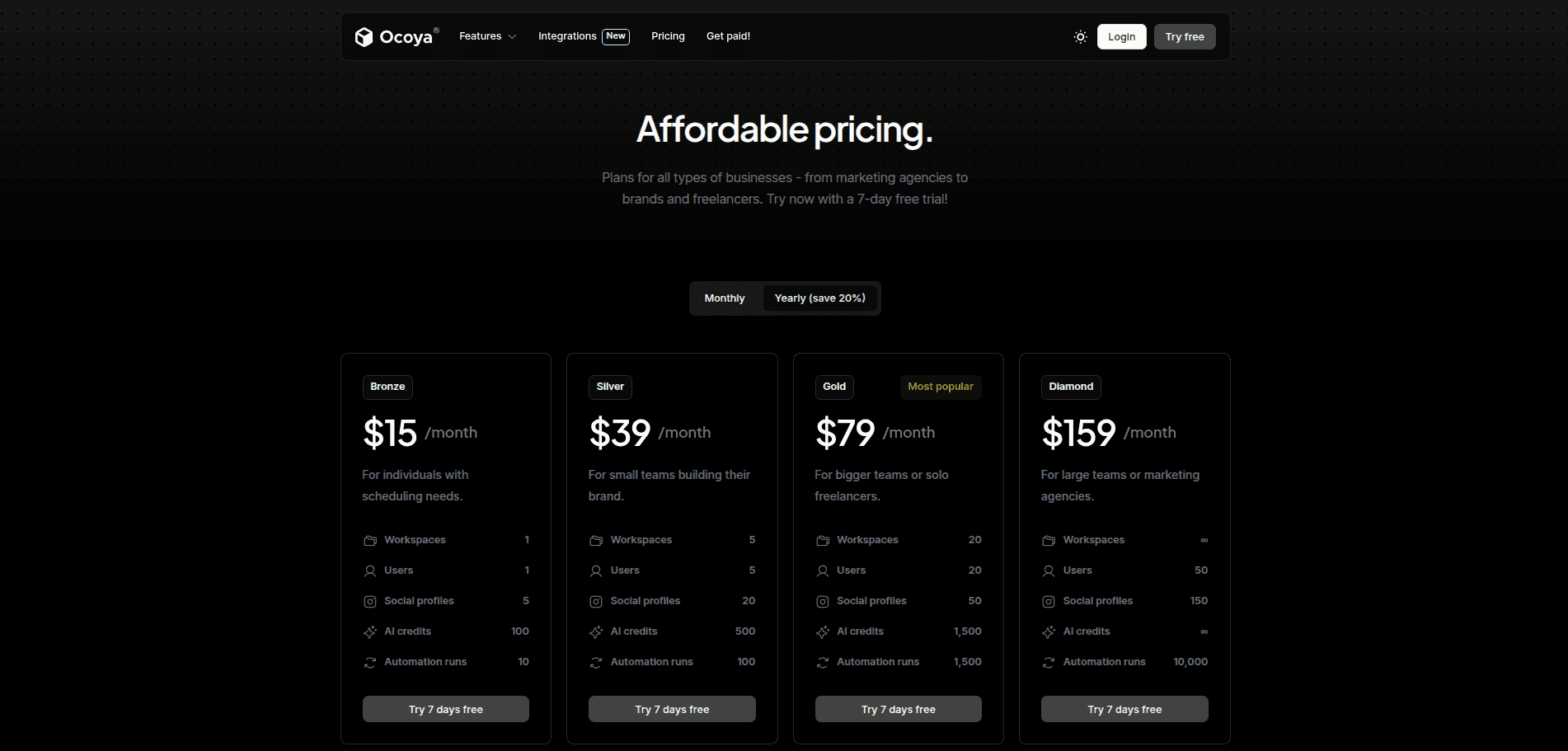
Ocaya Pricing
Limitations:
Requires ongoing maintenance — it works best when someone actively shapes how work moves forward. Not ideal for teams needing:
Who is Ocaya best for?
Ocoya is best suited for small business owners, soloprenuers, social media managers, and marketers who need an all-in-one platform to create, schedule, and analyze content quickly without using multiple apps.
Surfer SEO: The Content Optimization Powerhouse
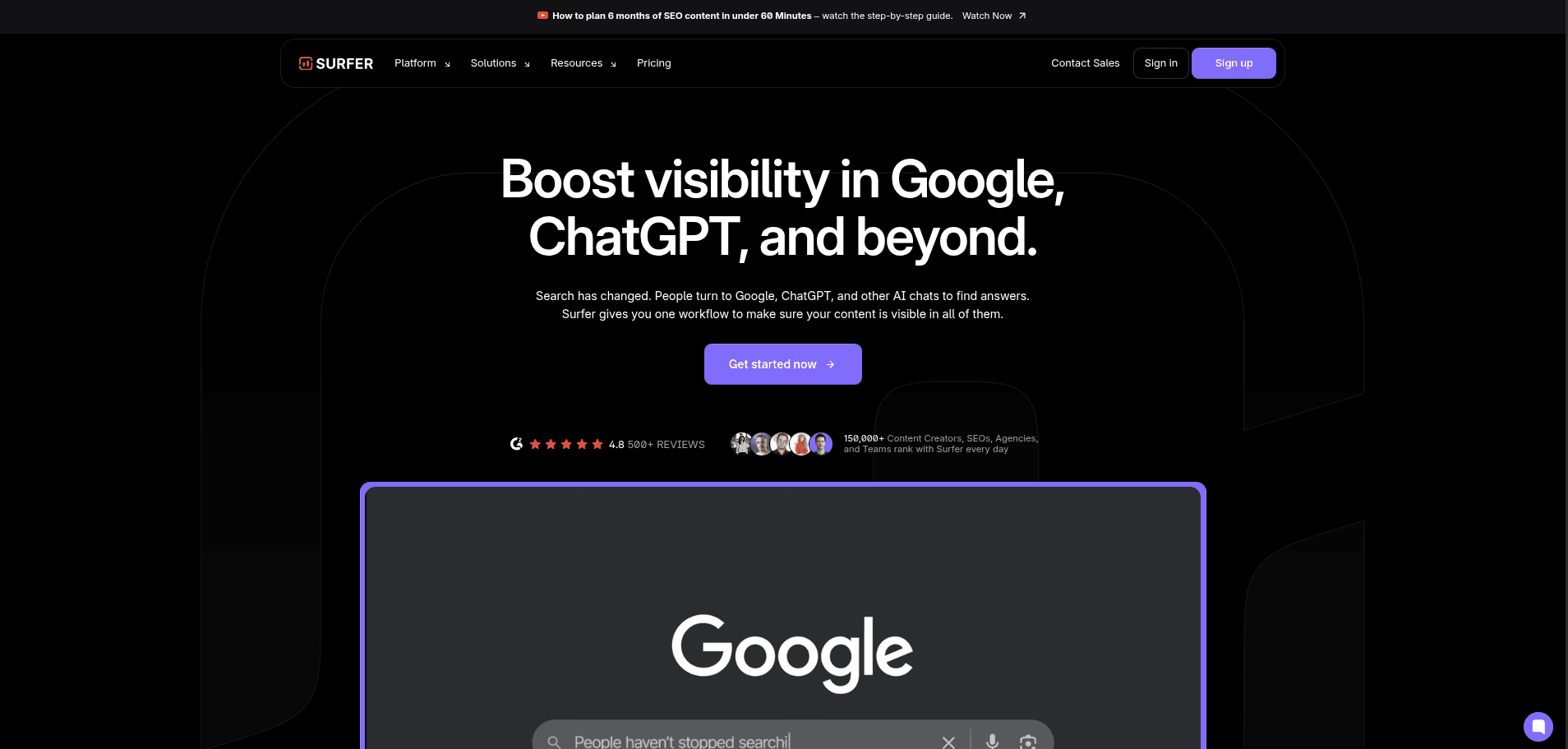
Surfer SEO Website Platform
Search has fundamentally changed. People now turn to Google, ChatGPT, Perplexity, and other AI assistants to find answers — and if your content isn't visible in those answers, you're effectively invisible. Surfer SEO has repositioned itself in 2026 not just as an on-page SEO tool, but as the platform for what it calls AI Search Optimization.
Trusted by 150,000+ content creators, SEOs, agencies, and teams, Surfer has earned a 4.8/5 rating across 500+ reviews, with another 4.9/5 across 400+ reviews on a second platform.
What Surfer does well:
The Content Editor gives writers real-time feedback on their overall on-page optimization through a live Content Score. As one senior SEO manager at ClickUp described it, the Content Planner automates steps and the NLP engine enhances the toolbox considerably.
The platform's Auto Internal Links feature scans your site and adds the right internal links automatically, helping Google, ChatGPT, and other AI tools better understand your topics and show your pages in the right context.
In 2026, Surfer introduced several new capabilities specifically targeting AI visibility:
- AI Tracker — tracks your brand's visibility score across ChatGPT, Perplexity, Google AI Mode, Google AI Overviews, and Google Gemini
- Mention Gap — identifies exactly where competitors appear in AI responses and you don't
- Sentiment Analysis — reveals how AI models frame your brand so you can catch negative narratives early
- Surfy — an AI writing assistant built directly into the content editor that edits, rephrases, and refines content in real time
Real results from users:
One agency director reported moving an article straight to the number 1 position on Google after Surfer's analysis suggested deleting 22,000 words. GetResponse achieved 15% organic traffic growth in the first month after introducing NLP words into optimized articles. Forbes Advisor saved $2,835.75 monthly in equivalent paid search spend from a single organically ranked article.
Surfer Pricing 2026:
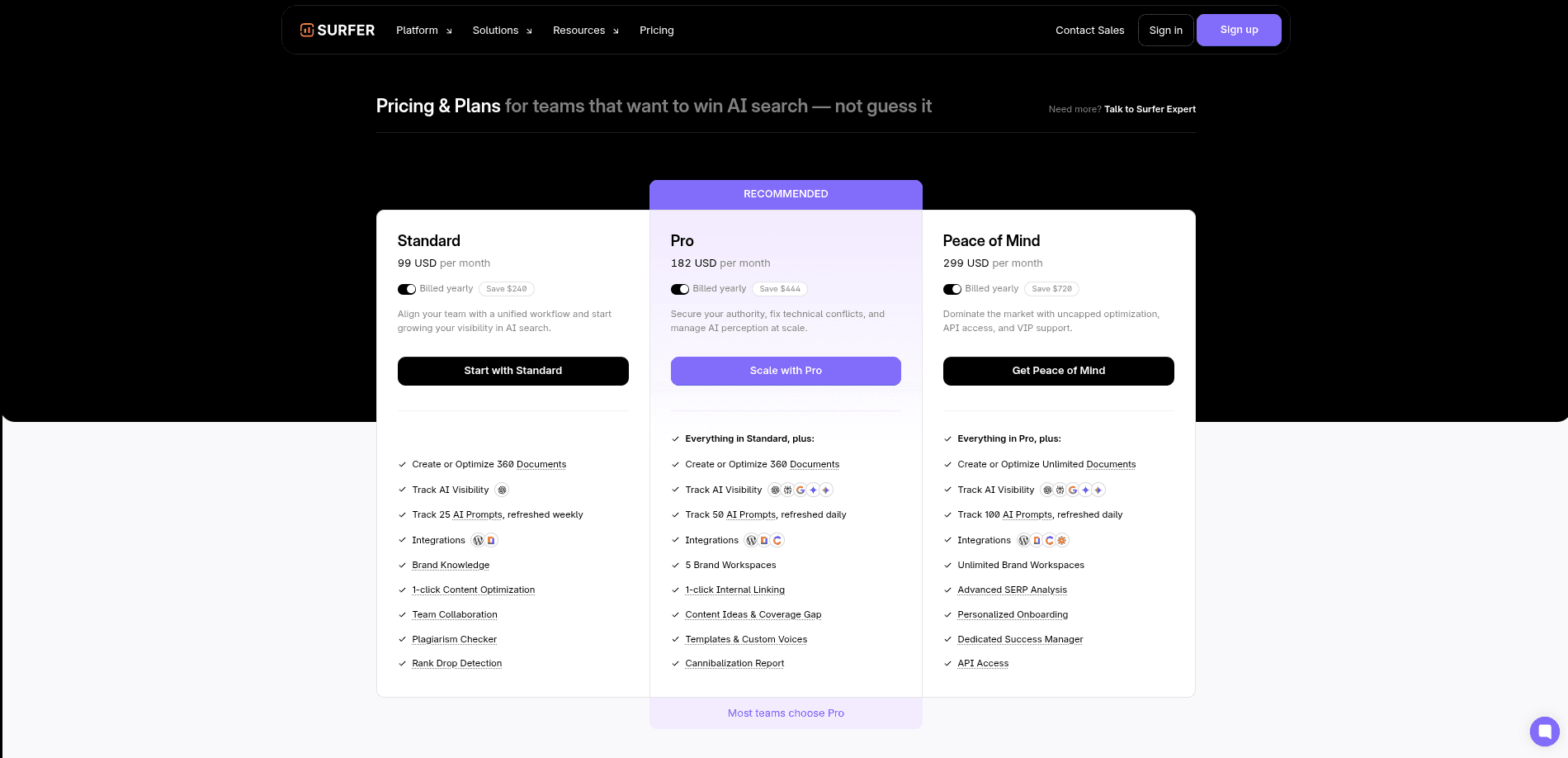
Surfer SEO Costing
Limitations:
Surfer is a content and SEO optimization tool, not a project management or task management platform. It doesn't replace tools like Asana or ClickUp — it complements them for teams with active content operations.
Who is Surfer SEO best for?
If your business depends on organic search and AI citation visibility, Surfer is one of the most complete platforms available in 2026. The combination of traditional on-page SEO tools with AI visibility tracking puts it in a category of its own.
BoundBot: AI Customer Support Without Losing Human Control
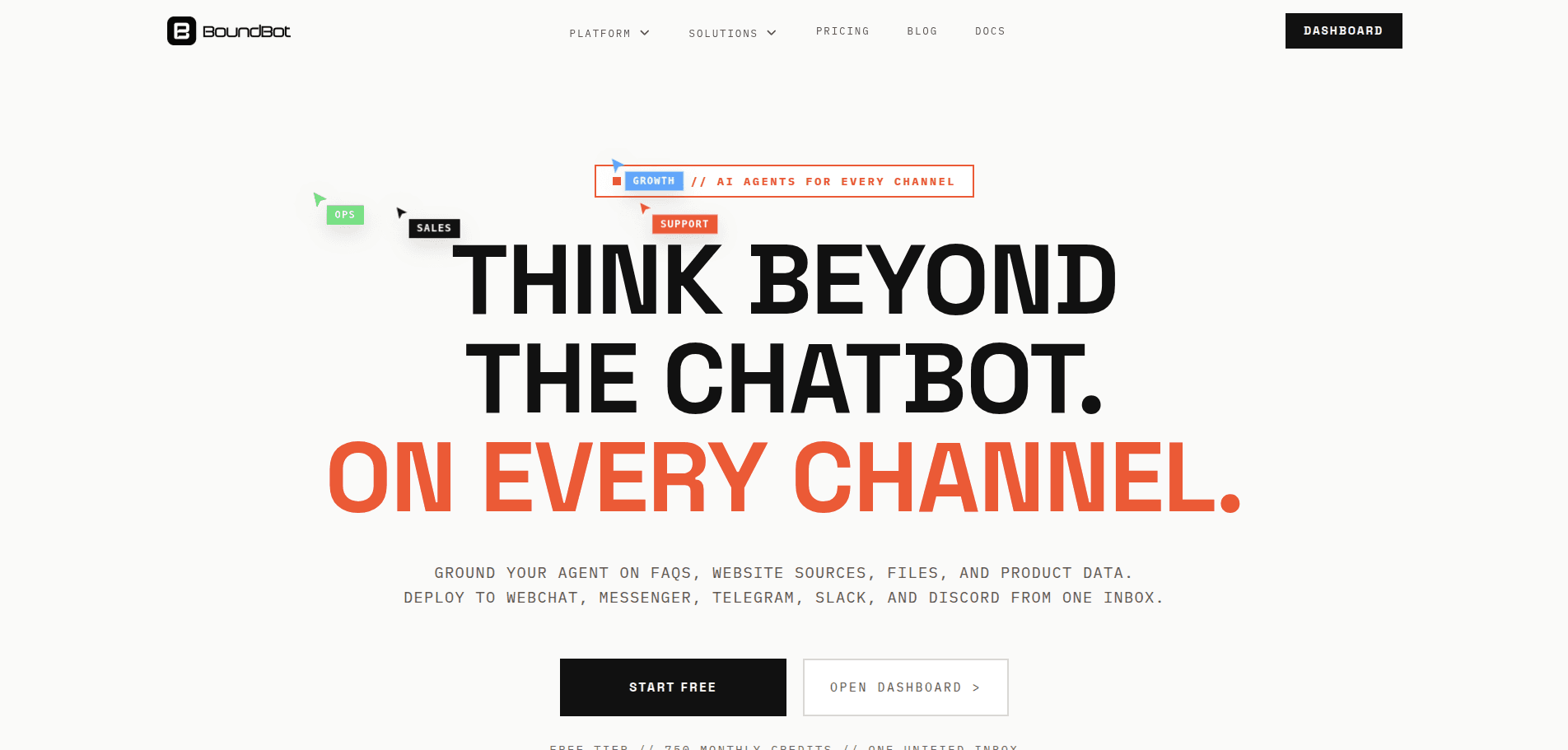
BoundBot Website Platform
Most AI chatbot platforms have a fundamental problem: they hallucinate, go off-brand, or become useless the moment a conversation gets complex. BoundBot was built around a different philosophy — grounded AI that still works after the demo.
Rather than generating answers from thin air, BoundBot grounds every response in your actual business context: your FAQs, website pages, product catalog, uploaded files, and Google Sheets data. The result is answers that stay accurate, current, and on-brand across every channel.
How BoundBot works:
The setup is three steps: import your knowledge sources, connect your channels, then use the unified inbox and keyword rules to maintain quality as volume grows. BoundBot supports WebChat, WhatsApp, Messenger, Telegram, Slack, and Discord — all managed from one workspace and one inbox.
The key differentiator is the combination of AI responses with:
- Deterministic keyword rules for repeated or high-precision questions
- Keyword match types: exact, contains, or regex
- Triggers specific responses before AI involvement
- Human handoff feature for complex or sensitive conversations
BoundBot's visual workflow builder maps triggers, conditions, AI replies, API calls, and human escalation paths in one place — making the logic visible and maintainable rather than scattered across disconnected bots.
Who benefits most:
Support ops teams stop answering the same FAQ across six different tabs because BoundBot grounds the reply once and reuses it everywhere. Sales teams use product knowledge and lead capture to turn pre-sale questions into qualified conversations. Lean operators keep human control with the unified inbox, live takeover capability, and deterministic rules for situations where AI shouldn't be guessing.
BoundBot Pricing 2026:
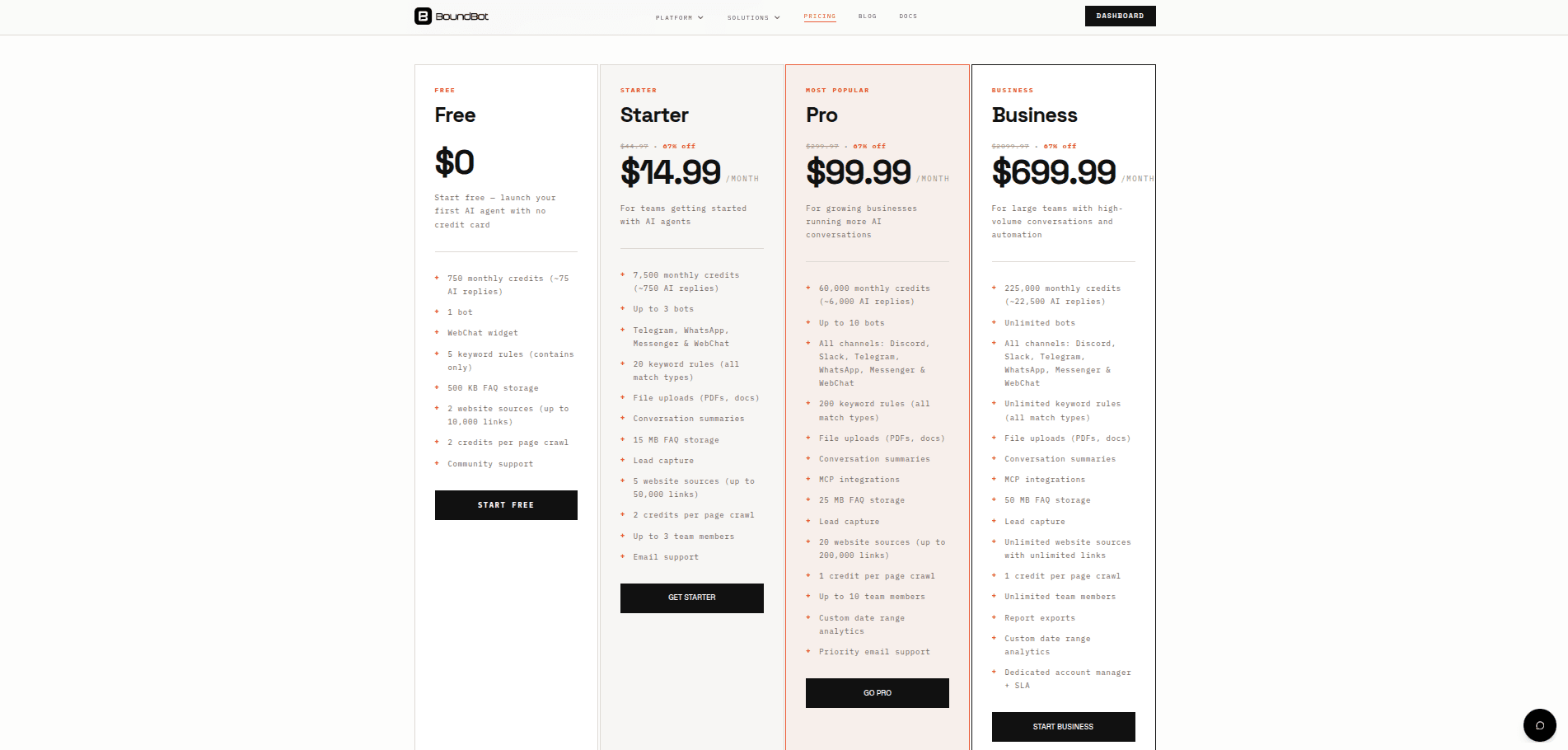
BoundBot Pricing
Who is BoundBot for?
For small to medium-sized teams that need reliable, grounded AI support across multiple channels without building a custom stack, BoundBot offers a practical and affordable entry point. The free tier with 750 monthly credits is a genuine no-risk way to test whether the approach works for your business.
Frequently Asked Questions (FAQ)
What channels does BoundBot support?
BoundBot supports WebChat, WhatsApp, Messenger, Telegram, Slack, and Discord. All channels are managed from a single workspace and unified inbox, so your team never has to juggle multiple tools to stay on top of conversations.
How does grounded knowledge work?
BoundBot lets you import your website pages, FAQs, files, CSV data, and product catalog as knowledge sources. When a customer asks a question, the bot draws from that real business context instead of guessing — so answers stay accurate, current, and on-brand across every channel.
Can I use keyword rules alongside AI responses?
Yes. BoundBot lets you combine both. Keyword rules handle exact, predictable, repetitive messages with deterministic responses, while AI handles open-ended conversations. This means you get precision where it matters and flexibility everywhere else.
Is there a free plan available?
Yes. BoundBot offers a free tier that includes 750 monthly credits and access to the unified inbox. It's designed to let small teams get started, connect a channel, and ship their first bot without any upfront cost.
Can a human take over a conversation from the bot?
Absolutely. BoundBot's unified inbox allows team members to step into any live conversation, review the full thread, and take over when a customer needs real human judgment. Handoff is built into the platform, not bolted on as an afterthought.
Can I start with one channel and expand later?
Yes. You don't need to launch everywhere at once. Teams typically begin with a single channel — like WebChat or Telegram — validate their support flow and knowledge sources, then roll out to additional channels from the same workspace without rebuilding anything from scratch.
Have you read?
LAUNCH THE AGENT. KEEP THE HUMAN CONTROL.
START FREE, CONNECT A CHANNEL, AND SHIP YOUR FIRST BOUNDBOT IN MINUTES.