How to Find Website Chat Tools That Support Both Bots and Agents
What to check when you want one website chat widget where an AI bot answers first and a human agent can take over the same conversation.
25 Nov 2026•7 min read

SEO & Content Marketing Specialist
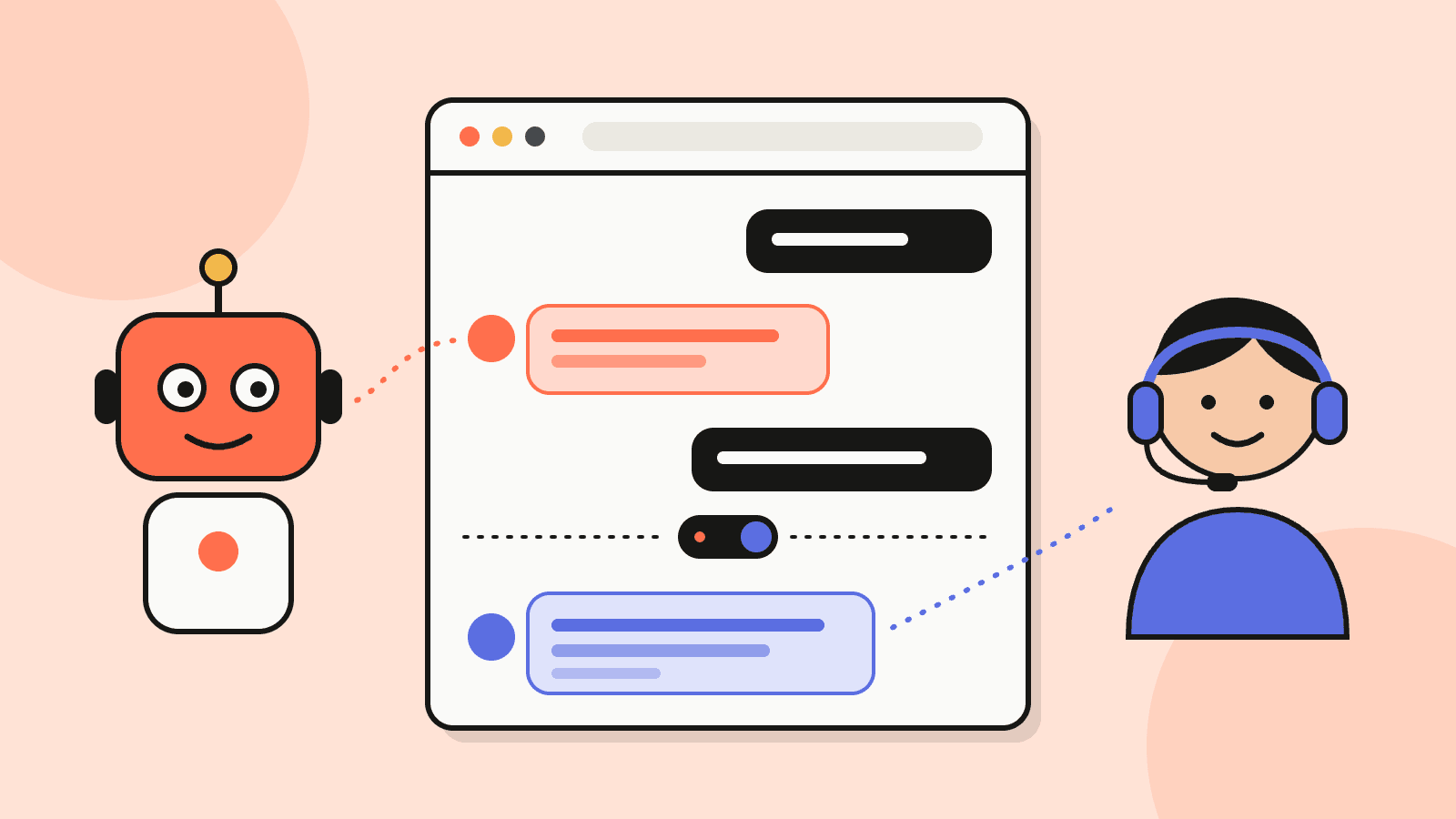
To find website chat tools that support both bots and agents, look for three things in one product: a chat widget where an AI bot answers first, a shared inbox where your team can read every conversation, and a way to switch a single conversation from the bot to a person without the customer starting again. Tools that only do live chat leave you answering everything by hand, and tools that only do bots leave customers stuck when the bot runs out of answers. BoundBot is one option that does both, and this guide shows what to check in any tool before you choose.
What website chat tools that support both bots and agents actually do
A tool in this group puts one chat widget on your site and lets two kinds of responders work in the same thread. The bot handles the questions it can answer from your content. A person on your team steps in for the rest. The customer sees one conversation from start to finish.
That sounds simple, but tools differ a lot in the middle step: how the conversation moves from bot to human, and what the bot does once a person has joined. That handoff is the part worth testing.
- Bot only: the widget answers from a script or knowledge base, and anything else ends in a contact form or an email address.
- Live chat only: every message waits for a person, so replies stop when your team is offline.
- Bot plus agent: the bot replies at any hour, your team watches the same inbox, and either side can pass the conversation to the other.
Seven things to check before you pick a tool
Use this table when you compare products. Each row is a question to ask on a trial, not something to take from a features page.
Swipe to view all columns →
| What to check | Why it matters | How to test it |
|---|---|---|
| Same thread for bot and agent | Customers should not repeat themselves after a handoff | Chat with the bot, then reply as a human and see if the history stays in one thread |
| Who triggers the handoff | Some issues need a person before the customer asks | Ask for a human in the widget, then also try taking over from the inbox yourself |
| Bot goes quiet after handoff | Two responders in one chat confuse people | After a human reply, send another customer message and see who answers |
| Turning the bot back on | Solved chats should return to automatic replies | Look for a clear control per conversation |
| Where the bot gets its answers | A bot is only as good as its sources | Check that it can use your website pages, files and FAQs |
| How your team finds waiting chats | A handoff nobody notices is worse than no handoff | Look for filters, alerts or a view of chats that need a reply |
| Seats and pricing | Per-agent pricing adds up for small teams | Count the people who need to reply and read the plan table |
The last two rows are where small teams most often get caught. A tool can have a polished bot and still leave handed-off chats sitting in a list nobody opens.
How the bot to agent handoff works in BoundBot
Here is how BoundBot handles each step, based on its public docs and pricing page as checked on 25 November 2026.
The bot answers first on your website
You connect a WebChat channel, pick the bot that should answer on that widget, and embed it on your site. The bot replies using the knowledge you give it, such as website pages, uploaded files and FAQs. You can test the bot and widget together in the Playground before the widget goes live.
Your team can step in from the inbox
Every website conversation appears in the Inbox, together with chats from other connected channels. A teammate can open a thread, read the full history, and send a manual reply. The docs say that reply is shown as coming from your team. Manual replies are text, and you can attach an image.
The bot can hand the chat over by itself
BoundBot has an action called Stop Auto Reply. You describe when the bot should use it, for example when the customer asks for a human or when the issue needs manual approval. When the action runs, automatic replies are muted for that one conversation. The Actions docs explain the setup.
The bot stays quiet until you switch it back
A muted conversation stays in the Inbox, and the bot does not reply in it again until someone on your team turns auto reply back on. The Inbox can be filtered by auto-reply status, which gives you a list of the chats that are waiting on a person.
What BoundBot does not do: The docs do not describe assigning a chat to a named agent, agent queues, or online and offline status for agents. Handed-off chats are shared by everyone in the workspace. If you need strict assignment rules or queue management for a large support team, check for those features in any tool you shortlist.
A worked example: a small bike repair shop
This is a hypothetical example to show the flow, not a real customer.
A bike repair shop with two staff adds a chat widget to its website. Most questions are about opening hours, service prices and how long a repair takes. A few are about warranty claims, which need a person.
- The owner adds the shop website and a short FAQ as knowledge sources, so the bot can answer hours and price questions at any time.
- The owner creates a Stop Auto Reply action with the instruction: use when the customer mentions a warranty claim or asks for a person.
- The bot's instructions tell it to say that a team member will reply during opening hours when it hands over. That sets an honest expectation about waiting time.
- Each morning, a staff member filters the Inbox by auto-reply status, answers the muted chats, and turns auto reply back on once each one is solved.
The bot covers the repeat questions, and the two staff only touch the chats that need judgment.
- Hiding the human option. Nielsen Norman Group's chatbot usability study, a small study with eight participants, recommends being upfront that people are talking to a bot and offering a way to reach a real person.
- Promising a live agent you do not have. If nobody is online at night, have the bot say when a person will reply instead of saying it is connecting the customer now.
- Leaving the bot muted. A chat that stays muted after it is solved means the next question from that customer gets no automatic answer.
- Fixing answers one chat at a time. If agents keep correcting the same bot reply, update the knowledge source so the bot gets it right next time.
For more on the balance between automation and people, see our guide on why a hybrid chatbot model keeps customers.
What it costs for a small team
Pricing models differ. Some tools charge per agent seat, some per conversation or resolution, and some by plan with usage credits. Read the plan table for the number of people who will reply, not only the headline price.
BoundBot uses plans with monthly credits. On the pricing page, checked on 25 November 2026, the Free plan included 1 bot, a website chat widget and 750 monthly credits (about 75 AI replies) with 1 team member. Starter was listed at $9.99 a month, shown as a discounted price, with up to 3 bots, 7,500 credits (about 750 AI replies) and up to 3 team members. Pro was listed at $29.99 a month with up to 10 team members. Prices and discounts change, so confirm on the page before you decide.
Frequently asked questions
Which tools combine a team inbox with live website chat?
Look for products that describe a shared or unified inbox alongside a website widget. In BoundBot, website chats land in the same Inbox as WhatsApp, Messenger, Telegram, Slack and Discord conversations, and you can filter the list by channel. Our comparison of multi-channel chatbot platforms covers more options.
How do you balance automated bots and human agents in the same queue?
Give the bot the repeat questions and a clear rule for when to stop. Then give your team one place to see the chats where the bot has stopped. In BoundBot that means a Stop Auto Reply action for the rule and the auto-reply status filter in the Inbox for the list.
Can managers see AI chats and control when a chat goes to a human?
In BoundBot, the Inbox lists the conversations the bot is handling as well as the ones a person has taken over, so a manager can open any thread and read it. The docs describe two workspace roles, Owner and Member, and no separate inbox per agent. Handoff is controlled in two ways: the rules you write for the Stop Auto Reply action, and a teammate muting auto reply on a conversation by hand. Starter and higher plans also list conversation summaries, which help when someone takes over a long thread.
Does the customer have to start a new chat after a handoff?
They should not, and this is the first thing to test in any tool. In BoundBot the manual reply goes into the same thread the bot was answering, so the customer keeps the conversation they already had.
Next step
Shortlist two or three tools, run the seven checks from the table on each trial, and pay most attention to the handoff. If you want to include BoundBot, the Free plan is enough to put a bot on your website and try taking over a conversation from the Inbox yourself.
LAUNCH THE AGENT. KEEP THE HUMAN CONTROL.
START FREE, CONNECT A CHANNEL, AND SHIP YOUR FIRST BOUNDBOT IN MINUTES.