Telegram Ads Automation With AI Agents: Best Practices That Hold Up
Telegram Ads are set up by hand, but the chat that follows the click can run on an AI agent. Here is what to automate, what to leave manual, and how to set it up.
21 Nov 2026•7 min read

Software Engineer
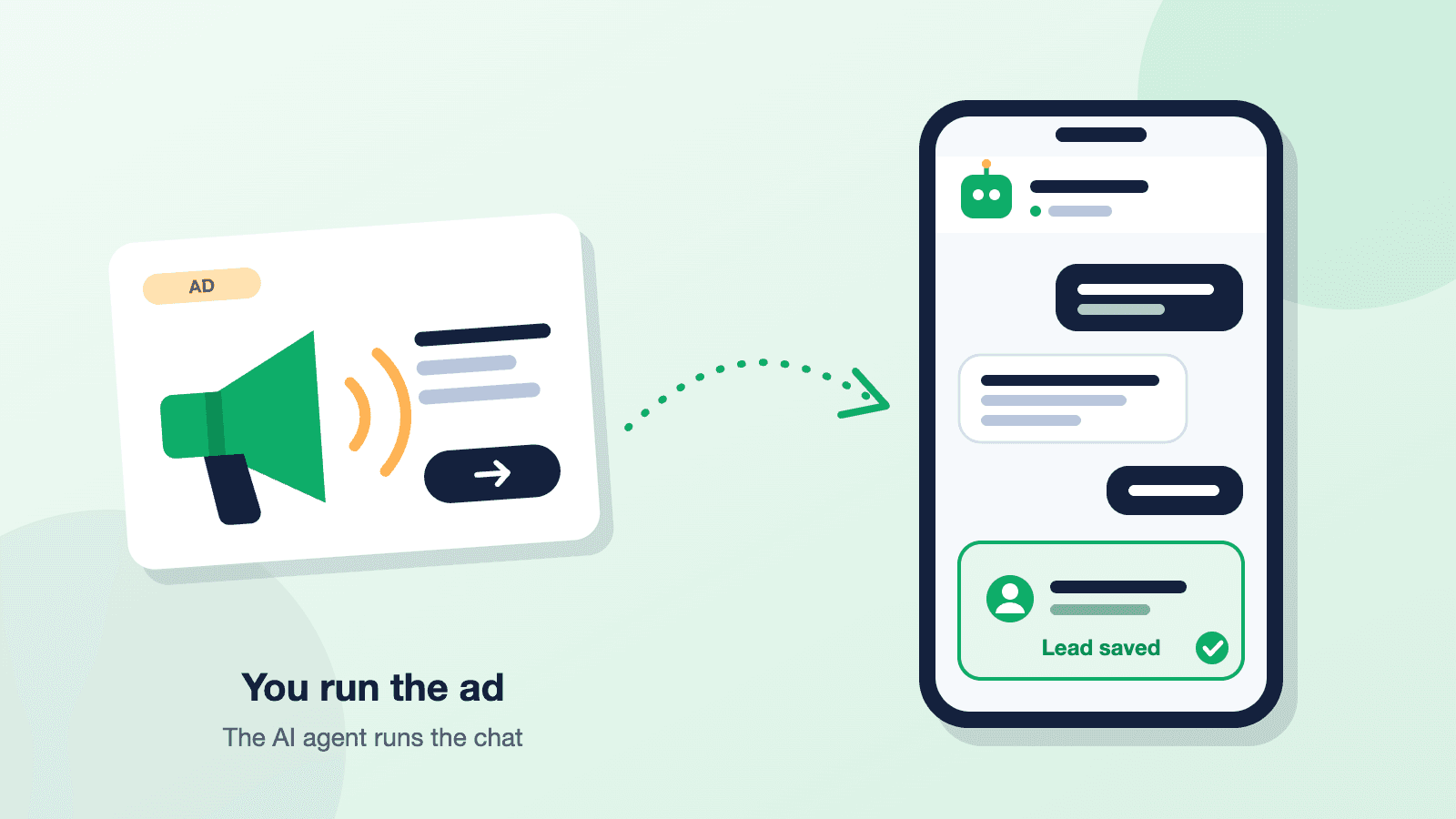
The best practice for Telegram ads automation with AI agents is to automate the conversation, not the ad buying. Telegram's own ad pages describe a manual setup done in a web dashboard, so the part an AI agent can really take over is what happens after someone taps your ad: answering in the bot chat within seconds, asking one or two qualifying questions, saving the lead, and passing hard cases to a person.
Everything below is based on Telegram's public ad documentation and the BoundBot docs, both checked on 21 November 2026. Where something is not documented, this guide says so instead of guessing.
Telegram ads automation with AI agents: what can be automated
Telegram describes its ad product as a tool to create sponsored messages in public one-to-many channels with 1000+ subscribers. You write a short text, choose the channels you want to appear in, set a price per thousand views (CPM), and add a destination. The getting started page does not mention an API or any automation feature, so plan on creating and adjusting ads by hand.
The destination is where automation comes in. Telegram says links in a sponsored message must lead to a channel or bot on Telegram, not to an outside website. If your ad points at a bot, an AI agent can be the thing that answers.
Swipe to view all columns →
| Step in the funnel | Who does it | Notes |
|---|---|---|
| Writing the ad text | You | Maximum 160 characters including spaces, per Telegram's ad guidelines |
| Choosing target channels and CPM | You | Done in the Telegram Ads dashboard. Targeting cannot be changed after the ad is created |
| First reply after the tap | AI agent | The bot answers as soon as the person presses Start and sends a message |
| Answering product and pricing questions | AI agent | Works from the knowledge you give it |
| Collecting name, contact and need | AI agent or workflow | Saved as a lead record |
| Complaints, custom quotes, edge cases | Your team | Take over the chat from the inbox |
| Reading results and changing the ad | You | Telegram Ads shows views and bot starts for each ad |
Best practice 1: send the ad to a bot that actually talks
Telegram reviews the destination as well as the ad. Its ad guidelines say bots must respond to commands properly, and they do not allow mostly noninteractive bots that exist only to redirect people elsewhere. The destination also needs a profile image and a complete description, and it has to match what the ad promises.
In practice that means:
- Give the bot a photo and a clear description in BotFather before you submit the ad.
- Make the first reply useful by itself. Do not open with a link that sends people off Telegram.
- Keep the ad and the bot on the same subject. If the ad offers a size guide, the bot should be ready to talk about sizes.
- Avoid a bot whose only job is a call me back form. Telegram lists mock destinations of that kind as not allowed.
Best practice 2: write the ad around one question the agent can answer
With 160 characters and a single button, an ad has room for one idea. The ads that fit an AI agent best are the ones that invite a question: ask about delivery to your city, check if your size is in stock, get a quote for your team. The person taps, presses Start, and types the question. The agent answers.
Telegram's rules also shape the copy. The guidelines do not allow line breaks, bullet points or numbered lists in ad text, or gimmicky use of emoji. Plain sentences work best anyway.
Pro Tip: Before you launch, send your bot the ten questions a new customer is most likely to ask after seeing the ad. If the agent gets any of them wrong, fix the knowledge base first. Paid traffic is the wrong place to discover a gap.
Best practice 3: capture the lead inside the chat
People who tap an ad are curious, not committed. A long form loses them. A short exchange keeps them: answer the question first, then ask for one or two details that help you follow up.
In BoundBot this is a workflow. A workflow starts from a trigger (new message, keyword match or event) and runs through nodes such as Send message, AI response, Wait for input, Condition and Lead capture. There is a pre-built template called Lead Capture Fast if you do not want to start from a blank canvas. Captured details land on the Leads page, where your team can review them. Lead capture is available on paid plans.
A hypothetical example
This is a made-up example to show the flow, not a customer story. A small furniture shop runs a Telegram ad that says: Custom desks built in 10 days. Ask our bot for a price. The button opens the shop's bot.
- The visitor presses Start and types: how much for a 140 cm oak desk?
- The AI agent replies with the price range from the shop's product information and the build time.
- The workflow asks which city the desk should be delivered to, then asks for a phone number.
- A Lead capture node saves the name, city and number.
- The shop owner sees the new lead and the full conversation, and calls back the same day.
Best practice 4: keep a human within reach
An AI agent should handle the common questions and step aside for the rest. In the BoundBot Inbox, Telegram conversations sit next to your other channels, and you can switch between AI and human support per conversation. Muting auto reply on a chat keeps the bot silent there until your team unmutes it.
Two habits make this work during a campaign:
- Tell the agent, in its instructions, to offer a handover to the team when it cannot solve something, instead of trying again and again.
- Check the inbox at set times while the ad is running. An unanswered handover wastes the money you paid for that click.
Best practice 5: measure with Telegram's numbers, then read the chats
Telegram Ads reports views for each ad and the number of times a user started the bot after viewing the sponsored message. That gives you a cost per bot start without any extra tooling. Compare it with how many leads were saved in the same period to see how many starts turn into real enquiries.
Telegram bots also support deep links with a start parameter, such as a link ending in ?start=desk_ad. The bot features page says the parameter can be up to 64 characters and may use letters, numbers, underscores and hyphens. That is useful if you build your own bot code. The BoundBot docs do not describe reading the start parameter, so with BoundBot, rely on Telegram's per-ad statistics for attribution.
Numbers tell you how many people came. The conversations tell you why they left. Read twenty chats from each ad and note the questions the agent struggled with. Those notes are your next knowledge base update and often your next ad.
How to connect a Telegram bot to an AI agent in BoundBot
Telegram is available on BoundBot's Starter plan and above. The setup in the Telegram channel guide is short:
- Create a bot in Telegram with @BotFather and copy the bot token.
- In BoundBot, open Channels, then Telegram, and click Connect channel.
- Select the BoundBot bot that should answer, paste the token, and save.
- Open Telegram, start a chat with your bot, send a test message, and confirm it appears in the Inbox.
On the pricing page, checked on 21 November 2026, Starter is listed at $9.99 per month (shown as a discounted price) with 7,500 monthly credits, which the page describes as about 750 AI replies. The Free plan does not include Telegram. If you want to run the same agent on other channels later, the multi-channel chatbot setup guide covers that.
Frequently asked questions
Can an AI agent create and manage Telegram ads for me?
Not through anything Telegram documents on its ad pages. The getting started guide describes creating ads by hand in the Telegram Ads dashboard and does not mention an API. BoundBot does not create, buy or optimise ads. It runs the conversation in the bot your ad points to.
Can a Telegram ad link to my website?
No. Telegram says links in a sponsored message must lead to a channel or bot on Telegram. That is why the bot chat matters so much: it is the landing page.
How much do Telegram ads cost?
You set your own CPM, the price per thousand views. Telegram's getting started page gives a minimum CPM of 0.1 Toncoin and does not state a minimum budget. Check the page again before you plan a campaign, since these terms can change.
What support software handles WhatsApp and Telegram in one place?
BoundBot's Inbox brings WebChat, WhatsApp, Messenger, Instagram, Telegram, Slack and Discord conversations into one view, depending on your plan. The Telegram guide covers one-to-one bot chats. It does not document Telegram group support, so do not plan around groups without testing first.
A sensible next step
Before you spend anything on ads, build the bot and talk to it yourself for a day. You can start on BoundBot's free plan to set up the agent and its knowledge in WebChat, then move to Starter when you are ready to connect Telegram. More setup guides are on the BoundBot blog.
LAUNCH THE AGENT. KEEP THE HUMAN CONTROL.
START FREE, CONNECT A CHANNEL, AND SHIP YOUR FIRST BOUNDBOT IN MINUTES.