What Kinds of Systems Centralize Agent and Bot QA Across Channels?
Three kinds of systems put human and bot conversations in one place for quality review. Here is how they differ and which one a small team needs.
25 Nov 2026•8 min read

SEO & Content Marketing Specialist
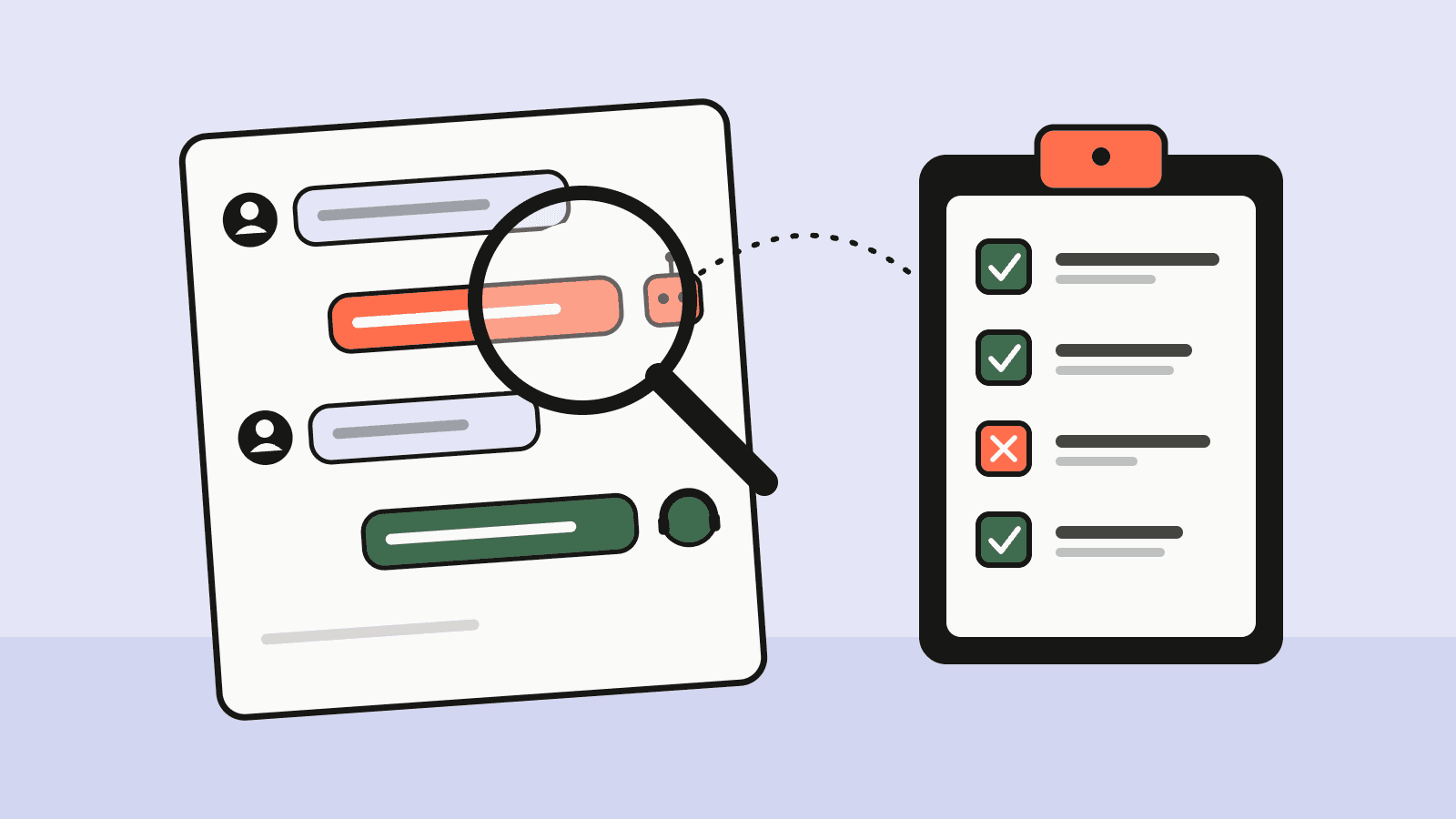
Three kinds of systems centralize agent and bot QA across channels: a shared inbox that stores every human and bot conversation in one place, a helpdesk with a built-in QA add-on that scores those conversations, and a standalone QA tool that pulls transcripts in from other systems. Small teams usually start with the first and review a sample by hand. Larger teams add automatic scoring once the volume is too high to read.
The rest of this guide explains what each kind does, what you can check without buying anything new, and where BoundBot fits. BoundBot is the first kind. It is not a QA scoring tool, and this post says so plainly where it matters.
What it means to centralize agent and bot QA across channels
QA (quality assurance) in support means reading finished conversations and judging them against a standard. Was the answer correct? Was the tone right? Did the customer get a next step? Did the conversation reach a person when it should have?
Two things make this harder today than it used to be:
- Two kinds of repliers. Some replies come from staff and some from an AI bot. A wrong answer from a bot repeats for every customer who asks the same thing, so it needs checking as much as a human reply does.
- Many channels. If WhatsApp chats live in one app, Messenger chats in another and website chats in a third, nobody reviews them the same way, and some never get reviewed.
Centralizing QA means one place holds every conversation, shows who replied (bot or person) and on which channel, and lets a reviewer judge all of them by the same rules.
The three kinds of systems
Swipe to view all columns →
| Kind of system | What it does for QA | Who it suits | What to watch |
|---|---|---|---|
| Shared inbox or messaging platform | Stores bot and human conversations from every connected channel in one list. Review is done by a person reading threads. | Small teams and low to medium volume | No automatic scores. You bring your own checklist. |
| Helpdesk with a QA add-on | Scores conversations inside the helpdesk, often with AI, and reports by agent, team and channel. | Support teams already on that helpdesk | QA is often a paid add-on, and it covers only what flows through that helpdesk. |
| Standalone QA tool | Connects to several helpdesks or chat tools, imports transcripts and applies one scorecard. | Large or outsourced teams on mixed tools | Needs integrations and a clear scorecard before it is useful. |
1. Shared inbox or messaging platform
This is the base layer. If conversations are not stored together, nothing else can score them. A shared inbox gives you the transcript, the channel it came from and a record of whether the bot or a person answered. Review is manual: a manager opens a sample of threads each week and checks them against a short list.
2. Helpdesk with a QA add-on
Some helpdesks sell QA as part of the product. Zendesk is one example. Its QA page, checked on 25 November 2026, says its AutoQA reviews every interaction whether a human or an AI agent handled it, instead of a manually picked sample. You can read the details on Zendesk's quality assurance page. This kind suits a team that already runs its support in that helpdesk and has enough volume that reading a sample is no longer enough.
3. Standalone QA tool
A standalone QA tool does not handle the conversations itself. It imports them from the tools you already use and applies one scorecard across all of them. Teams choose this when they use more than one helpdesk, or when an outside partner handles part of their support and they want one view of quality.
What to check in a human reply and in a bot reply
The same conversation can go wrong in different ways depending on who answered. A useful scorecard has a shared part and a part for each replier.
Swipe to view all columns →
| Check | Human agent | AI bot |
|---|---|---|
| Accuracy | Did the agent give the right policy, price or status? | Did the answer match the knowledge source, or was it made up? |
| Tone | Polite, clear, on brand? | Does it follow the tone set in the bot's instructions? |
| Resolution | Was the issue closed or given a clear next step? | Did the bot answer the actual question, or a similar one? |
| Handoff | Did the agent pick up the thread with context? | Did the bot offer a person when it could not help? |
| Speed | How long did the customer wait? | Rarely the problem. Check accuracy first. |
Fix the source, not the thread: When a human makes a mistake, you coach the person. When a bot makes a mistake, correcting one conversation changes nothing. Fix the bot's instructions or the knowledge entry it used, then test the same question again.
A weekly QA routine a small team can run by hand
You do not need scoring software to start. This is a hypothetical example for a team of three handling a few hundred conversations a week:
- Pick 20 conversations: 10 the bot handled alone, 5 a person handled, and 5 where the bot handed over to a person.
- Spread the sample across every channel you use, not just the busiest one.
- Score each one pass or fail on four points: accurate, right tone, resolved or given a next step, handed off when needed.
- Write down every failed bot answer with the question that caused it.
- Fix the knowledge entry or bot instruction behind each failure, then ask the same question again in a test chat.
- Keep the scores in a simple sheet so you can see whether the pass rate moves week to week.
If the same mistakes keep showing up, our guide to common support chatbot mistakes covers the usual causes.
Where BoundBot fits, and where it does not
BoundBot is a shared inbox and AI chatbot platform, so it is the first kind of system in the table above. These points were checked against the BoundBot docs and pricing page on 25 November 2026:
- One place for every conversation. The Inbox combines WebChat, WhatsApp, Messenger, Telegram, and Slack or Discord. You can filter by channel, by search, and by auto-reply status, which separates threads the bot is answering from threads a person has taken over.
- Full message history in each thread. Manual replies are shown as coming from your team, so a reviewer can tell bot replies from human ones.
- Conversation summaries. On Starter and above, a Summary button gives an AI overview of a long thread, which speeds up reading a sample.
- History you can go back to. Conversation history is kept for 30 days on Free, 90 days on Starter, 365 days on Pro and without a limit on Business.
- A test chat for bot fixes. The Playground runs your live bot, so you can re-ask a failed question after you update the knowledge base. It uses real credits.
- Stale thread alerts. On Starter and above, the overview page lists conversations that have been idle for more than 24 hours.
What BoundBot does not do, as far as its docs show: it does not score conversations, it has no QA scorecards or reviewer assignments, and the docs do not list customer satisfaction surveys or per-agent response time reports. If you need automatic scoring of every conversation, you need the second or third kind of system. Plan details are on the pricing page.
How to choose between the three
- You can still read a fair sample each week. A shared inbox and a one-page checklist are enough. Spend the effort on fixing what you find.
- Volume is too high to sample well, and you run one helpdesk. Look at that helpdesk's own QA add-on first, since it already has the data.
- Conversations are split across several tools or an outside team. A standalone QA tool gives you one scorecard across all of them.
Whichever you pick, ask the vendor two questions: does it review bot conversations as well as human ones, and does it cover every channel you use? If you are still comparing platforms for the base layer, see our comparison of multi-channel chatbot platforms.
Frequently asked questions
Which multi-channel platform has built-in dashboards for agent response times and first-contact resolution?
Those reports are usually found in full helpdesks and in QA or analytics add-ons, so check each vendor's reporting page for the exact metrics. BoundBot's overview page covers conversations, replies, leads, orders and workflows for a chosen period, with custom date ranges on Pro and report export on Business. Its docs do not list response time or first-contact resolution reports.
Which website chat tools support both bots and agents?
Most modern chat platforms do. What matters for QA is whether the tool records who sent each reply and lets a person take over cleanly. In BoundBot, a team member can reply in any thread from the Inbox, and can mute auto reply for that conversation so the bot stays silent until someone turns it back on.
Do I need a separate QA tool if I only use one chat platform?
Usually not at first. If one platform holds all your conversations and you can read a sample every week, a checklist and a sheet will do. A separate tool earns its cost when the volume is too high to sample, or when quality scores feed into staff reviews.
How often should bot conversations be reviewed?
Weekly is a sensible default for a small team, plus an extra check after any change to the bot's instructions, knowledge or product list. Bot errors repeat until the source is fixed, so the days after a change matter most.
Next step
If your conversations are still spread across separate apps, bringing them into one inbox is the first move, because nothing can be reviewed until it is in one place. You can try BoundBot on the free plan with a website chat widget, or read the Inbox guide to see how threads, takeovers and summaries work before you decide.
LAUNCH THE AGENT. KEEP THE HUMAN CONTROL.
START FREE, CONNECT A CHANNEL, AND SHIP YOUR FIRST BOUNDBOT IN MINUTES.