Can One AI Platform Support the Entire Ecommerce Experience?
One AI platform can cover product questions, leads, orders, stock and support for an online store, but not payments, delivery or traffic. Here is the stage-by-stage split.
26 Nov 2026•8 min read

Software Engineer
Not quite. One AI platform can support most of the customer-facing and back-office side of an online store: answering product questions, capturing leads, recording orders, tracking stock and handing chats to your team. It cannot be the whole ecommerce experience, because taking card payments, delivering parcels and bringing in traffic are done by other kinds of companies.
So the useful question is which stages one platform can cover well and where you still need a second tool. This guide maps the stages one by one. BoundBot is the worked example, and every detail about it was checked against its public docs and pricing page on 26 November 2026.
Can one AI platform support the entire ecommerce experience? A stage-by-stage map
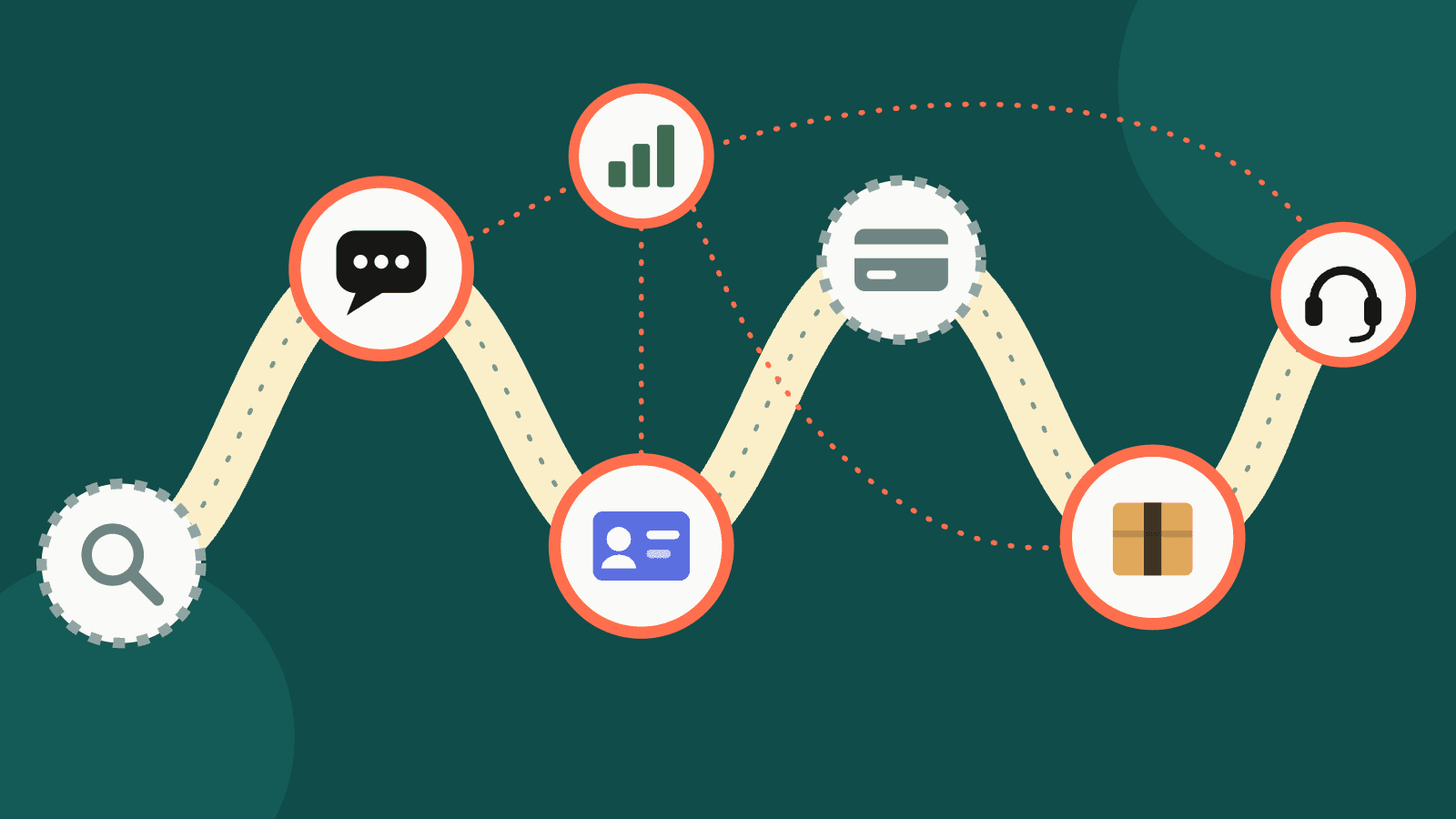
Think of a sale as seven stages. For each one, ask two things: can AI do the work, and does it make sense for the same platform to hold the data?
Swipe to view all columns →
| Stage | What happens | Can one AI platform cover it? |
|---|---|---|
| 1. Discovery | Shoppers find you through search, ads and social posts | No. This is marketing work done on other platforms |
| 2. Questions before buying | Size, stock, price, delivery, returns | Yes. This is where AI helps most |
| 3. Capturing interest | Contact details, wholesale or out-of-stock requests | Yes |
| 4. Checkout and payment | Cart, card or wallet payment | Partly. Orders can be recorded, but a payment provider moves the money |
| 5. Stock and fulfilment | Stock counts, reorders, packing, courier | Partly. Stock yes, delivery no |
| 6. After-sale support | Order status, returns, complaints | Yes, with a person for exceptions |
| 7. Reporting | Revenue, orders, what is selling | Yes, for the data the platform holds |
Four of the seven stages fit one platform well, two fit partly, and one sits outside it. That is a good result, and it is also why "entire" is the wrong word to shop with.
What one platform can cover well
Questions before buying
Most pre-sale questions already have an answer in your catalog or policy pages. An AI agent that reads those can reply at any hour, on the channel the shopper chose. In BoundBot the knowledge base takes FAQs, files, website pages and a product catalog. The Products docs list fields for price, discount price, stock, SKU, category and a product page link, plus variations with up to three option groups such as colour and size.
The same bot can sit on a website chat widget, WhatsApp, Messenger, Instagram and Telegram, with Slack and Discord on Pro and above, so the answer about delivery charges is the same everywhere.
Capturing interest and handing over
Not every chat ends in a sale that day. BoundBot has a Collect Leads action that takes contact details inside the chat and saves them to a Leads page, and a Stop Auto Reply action that mutes the bot in one conversation so a teammate can take over in the shared Inbox. Lead capture is on paid plans.
Orders, stock and in-person sales
This is the part many people do not expect from a chat product. BoundBot's docs describe an Orders page, an Inventory area that tracks stock by location with purchase orders, transfers, counts and barcode labels, and a Point of Sale screen for shop-counter sales with register shifts, held carts, receipts and partial returns. A sale made at the counter creates an order and deducts stock at that location.
Because the catalog, the stock and the conversations sit in one place, the bot answers "is the blue one in stock?" from the same record your staff sell from. The docs do not say which plans include Inventory and Point of Sale, so confirm that in the app before you plan around them.
After-sale questions and reporting
"Where is my order?" needs care, because an order number alone should never unlock private details. BoundBot's docs describe a private order lookup for shoppers who are signed in on your website: your server confirms who they are, and the bot only returns orders that belong to that person. An anonymous visitor is asked to sign in instead.
For reporting, the Overview page (the docs call it Commerce OS) shows captured revenue, order count, average order and lead-to-order conversion, plus an attention list of stalled chats, open orders, low stock and disconnected channels.
What still needs another tool
Here is where a single platform stops. These limits come from BoundBot's docs, and you should ask any vendor the same questions.
- Taking the money. BoundBot's Point of Sale records cash, card and mobile payments, but the docs state that it does not charge a card or wallet itself, and that a card refund must be completed with the original payment provider. Card data is governed by the PCI Data Security Standard, which applies to every business that stores, processes or transmits cardholder data (PCI Security Standards Council). Leaving that to a specialist payment provider is normal.
- Your storefront. The docs index lists no hosted online store or web checkout. You keep your website or store builder and add the chat widget to it. There is a WordPress plugin that installs the widget.
- Store platform connections. As of 26 November 2026 the docs list no Shopify or WooCommerce app. Products come in by hand, by CSV on Pro and Business, or from Google Sheets.
- Delivery. The docs list no courier or shipping-label integration. Tracking numbers and delivery partners stay in your shipping tool.
- Getting traffic. Ads, SEO and email campaigns are separate jobs. A chat platform works with the visitors you already have.
A bridge, not a replacement: If you need the bot to read live data from another system, look at how the platform connects outward. BoundBot offers Custom Actions that call an external API and Connected MCPs on Pro and above. Both need someone technical to set up, so count that time in your plan.
One platform or several tools: how to decide
Fewer tools means less copying between screens and fewer places for stock and prices to disagree. More tools means each one can be the best at its job. Three questions settle it for most small stores:
- Where do your sales happen? If most orders arrive through chat, social messages or a shop counter, a platform that joins chat, orders and stock covers a lot of your day. If most orders go through a website checkout, your store platform stays in charge and the AI platform supports it.
- Which data must agree? Stock and price are the usual trouble. Pick one system to own them and make the others read from it.
- Who will maintain it? A two-person team gains more from one login than from five well-connected tools.
A hypothetical example: a store that sells in chat and at a counter
This is a made-up business, used only to show the split. A small clothing seller takes most orders through Instagram and WhatsApp messages and runs one physical shop.
- In the AI platform: the product catalog with sizes and colours, the bot that answers price and stock questions on both channels, lead capture for sold-out items, the shop counter sales, stock counts and the daily revenue view.
- Outside it: the card terminal at the counter, the mobile payment account customers pay into, the courier booking, and the ads that bring people to the Instagram page.
Two systems to check each morning instead of five. For the same seller with a busy website checkout, the answer changes: the store platform would own orders, and the AI platform would handle questions and leads around it.
What it costs to try
On the BoundBot pricing page, checked on 26 November 2026, the plans were Free at $0 with 750 credits a month, Starter at $9.99 with 7,500, Pro at $29.99 with 60,000 and Business at $199.99 with 225,000. The paid prices were shown as discounted that day, so look again before you budget. A standard AI reply uses 10 credits.
The Free plan is enough to load some FAQs and test real questions on a website widget. If you are still choosing between vendors, our checklist for choosing an AI support agent for an e-commerce store gives you a one-afternoon test.
Frequently asked questions
Which AI customer service platforms integrate with Shopify and WooCommerce?
Several do, and the vendor's own integrations page is the only reliable place to check. BoundBot's docs listed no Shopify or WooCommerce app on 26 November 2026. If a live link to your store is a must, ask each vendor what it reads from the store and how often it updates. Our guide to AI customer support platforms for e-commerce is a starting list.
What can AI ecommerce automation handle around the clock?
Product, price, stock and policy answers, lead capture and booking a call all work without staff online. Refund disputes, damaged goods and anything that needs a judgement call should go to a person. Set the bot to hand over and to say when your team will reply.
Can an AI support platform turn support chats into purchases?
It can help by answering at the moment someone is deciding and by suggesting an item from your catalog. Nobody can promise a sales lift in advance. Compare orders and lead-to-order conversion for a few weeks before and after you switch it on.
Is it risky to run chat, stock and orders in one platform?
The risk is dependence on one vendor. Reduce it by checking that you can export your data. BoundBot's Products page has a CSV export of the catalog, and its docs list report exports on the Business plan. Keep payments with a payment provider either way.
A simple next step
Draw the seven stages on one page and write the tool you use today beside each. Where the same information lives in three places, that is the stage to bring together first. If chat, orders and stock are on your list, you can test that part on BoundBot's Free plan and see how far one platform takes you.
LAUNCH THE AGENT. KEEP THE HUMAN CONTROL.
START FREE, CONNECT A CHANNEL, AND SHIP YOUR FIRST BOUNDBOT IN MINUTES.