
Is a Slack AI Agent Worth It? A $480 Monthly Time-Value Example
Calculate Slack AI agent value with a hypothetical $480 monthly capacity example. Include review effort, software, setup, and break-even workload.
10 Nov 2026•7 min read

SEO & Content Marketing Specialist

“It saves time” sounds helpful until you need to decide whether another tool belongs in the budget.
How much time? Whose time? How much review work does the assistant add? And does the business spend less money, or does the team simply have more room for other work?
You can answer those questions with a small model. This Slack AI agent ROI example uses hypothetical workload and wage-value inputs in USD. The $480 figure represents the value assigned to released team capacity before the software cost. It is not measured customer savings or additional revenue.
Start with the questions the assistant can realistically address
For this example, assume a team receives 1,200 repeated internal questions per month. A person spends an average of three minutes handling each, including finding the answer and replying.
That is 3,600 minutes, or 60 hours, of baseline work.
Before using this model for your team, measure a sample. Some questions take seconds, while others involve a decision the assistant cannot make. Include only work that fits the intended setup.
Also avoid counting time twice. If two messages belong to the same question, or a teammate was already doing the underlying task, define what effort your measurement includes.
Replace the model inputs with measurements
Swipe to view all columns →
| Input | Example assumption | How to verify it |
|---|---|---|
| Monthly relevant questions | 1,200 | Count a consistent question set |
| Manual effort per question | 3 minutes | Time representative tasks |
| Useful resolution rate | 60% | Review answers without repeat human work |
| Monthly review effort | 4 hours | Log checking and maintenance |
| Assigned hourly value | $15 | Define included labor or planning value |
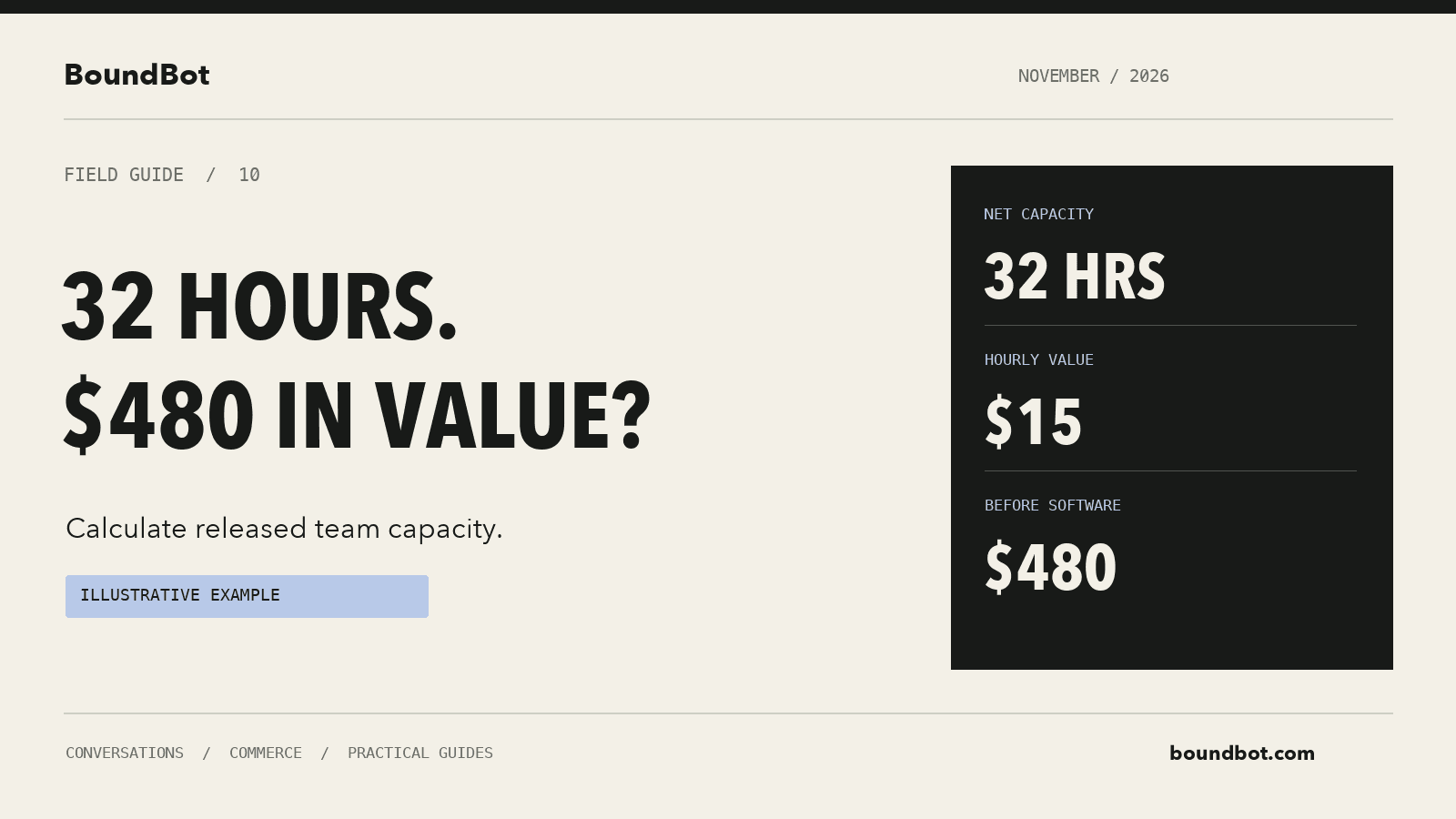
Hypothetical example overview. Illustrative time-value calculation of 32 released hours at USD 15 per hour, labeled as a hypothetical example.
Estimate useful resolution rather than the number of bot replies
Assume the assistant resolves 60% of those 1,200 questions without a human needing to repeat or correct the answer. That gives us 720 useful resolutions.
At three minutes of avoided handling per resolution, the gross time released would be 2,160 minutes, or 36 hours.
The remaining questions still need human work. We are not treating every automated reply as a completed task, and we are not claiming that 60% is an expected automation rate.
Use a pilot to replace that assumption. Review whether the answer was correct, sufficient, and followed by a completed outcome where the task requires one.
Subtract review and maintenance time
Now assume the team spends four hours per month reviewing answers, fixing source information, and maintaining the assistant.
The net released capacity would be 36 − 4 = 32 hours.
If you assign those hours a loaded value of $15 per hour, the model produces $480 of monthly capacity value:
32 hours × $15 = $480.
Use an appropriate value for the people doing the work. The input might reflect wages and employment costs, or an internal planning rate. Write down what it includes so the result remains understandable.
Put the full calculation in one table
Swipe to view all columns →
| Input or result | Hypothetical monthly value |
|---|---|
| Relevant repeated questions | 1,200 |
| Manual handling time per question | 3 minutes |
| Assumed useful resolution rate | 60% |
| Questions resolved without repeat human handling | 720 |
| Gross time released | 36 hours |
| Review and maintenance effort | 4 hours |
| Net released capacity | 32 hours |
| Assigned hourly value | $15 |
| Capacity value before software | $480 |
This table is a way to test the business case. If your pilot shows only 20 useful resolutions, use 20. If review takes ten hours, include ten hours. A model is useful when it can show an unattractive result as clearly as an attractive one.
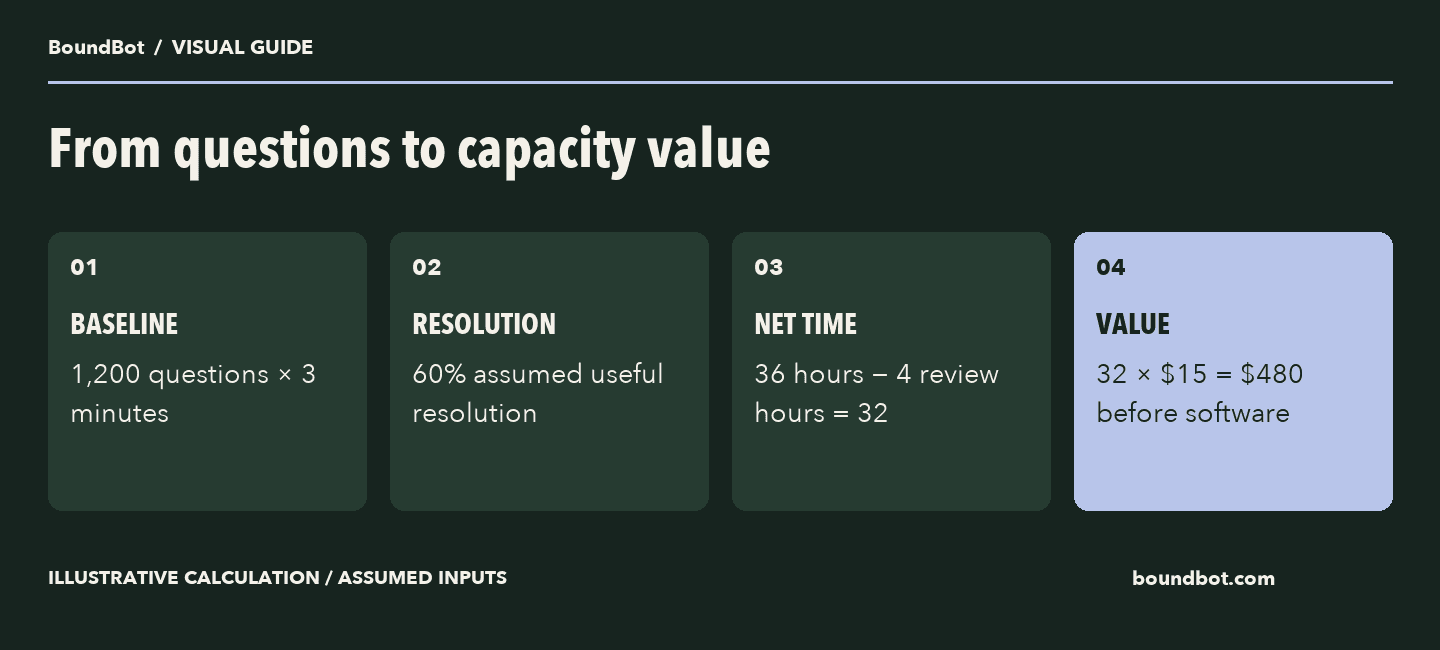
Hypothetical time-value model. Released capacity is different from cash savings or additional revenue.
Include the incremental software cost
BoundBot’s public price, checked on November 10, 2026, lists Pro at $29.99 per month. Its Slack documentation places Slack on Pro and above.
For this scenario, assume Pro covers the required usage and that the subscription is a new incremental cost. Subtracting $29.99 from $480 leaves $450.01 of modeled monthly capacity value before tax and other costs not included.
If your business already pays for the required plan, the incremental subscription cost for this particular workflow may be different. If it needs another integration, implementation work, or extra usage, include those costs.
Keep an existing Slack subscription separate from new spending unless the project changes that subscription. The purpose is to model the cost caused by the workflow you are deciding to add.
See what happens when the resolution assumption changes
Hold the workload, three-minute handling time, four-hour review effort, and $15 hourly value constant. Then vary the assumed useful resolution rate.
Swipe to view all columns →
| Assumed useful resolution rate | Gross hours released | Net hours after review | Capacity value less $29.99 software |
|---|---|---|---|
| 20% | 12 | 8 | $90.01 |
| 40% | 24 | 20 | $270.01 |
| 60% | 36 | 32 | $450.01 |
These scenarios make the important assumption visible. They are not evidence that your team will achieve one of these rates.
Review effort may also change with usage and answer quality. If the assistant creates more work at a lower resolution rate, update that input as well rather than holding it artificially favorable.
Calculate a simple break-even workload
Under the same assumptions, each useful resolution avoids three minutes valued at $15 per hour. That is $0.75 of capacity value per resolved question.
Four hours of monthly review are valued at $60. Add the $29.99 subscription, and the modeled monthly cost to cover is $89.99.
Dividing $89.99 by $0.75 gives approximately 120 useful resolutions per month. That is the modeled break-even point for capacity value under these particular inputs.
It is not a cash-flow break-even point unless the avoided time translates into an actual avoided expense. It also excludes any cost you have not yet added to the model.
Account for setup in the first month
Suppose preparing the knowledge, configuring the assistant, and testing the flow takes six hours. At the same $15 rate, that adds $90 of one-time setup value.
In the 60% scenario, the first month’s modeled remainder becomes $450.01 − $90 = $360.01 before other excluded costs.
Record setup time even when an existing employee does it. You can show its capacity value separately from a cash invoice. If a contractor sends a real implementation bill, use that actual charge rather than adding both figures for the same work.
The Slack FAQ assistant setup guide can help define the initial task. A narrower scope also makes setup and review effort easier to measure.
Distinguish released capacity from cash savings
If a salaried teammate spends fewer hours answering repeated questions, the payroll bill may stay exactly the same. The benefit is capacity available for other useful work.
Cash savings require an expense that actually disappears or is avoided, such as additional paid hours you no longer need. Additional revenue requires work that produces a measured sales outcome. Neither follows automatically from the $480 calculation.
Decide how the team will use the released time. It could help with pending customer requests, updating product information, or completing work that was previously delayed. Then track that work instead of assuming every released hour creates an equal amount of revenue.
Report the kind of value you measured
Swipe to view all columns →
| Value type | What must happen | What to report |
|---|---|---|
| Released capacity | People need less time for the same work | Net hours after review |
| Cash saving | An expense disappears or is avoided | Verified change in spending |
| Additional revenue | More sales complete with suitable attribution | Incremental sales with costs separate |
Replace the assumptions with a small pilot
Measure the baseline question volume and handling time. After introducing the assistant, review useful resolutions, corrections, repeat questions, maintenance time, and any extra costs.
Use the same question categories before and after. A quiet week with simple questions should not be compared casually with a busy week full of exceptions.
Slack’s app guidance explains approval and permissions. Establish the intended workspace access as part of the setup, then evaluate the assistant only on the information and tasks it can actually handle.
After the pilot, update the model. Continue when the measured value and service quality justify the effort. Narrow or revise the workflow when the maintenance and correction work outweigh the useful answers.
Frequently asked questions
Does this example promise $480 in monthly savings?
No. It assigns a value to 32 hours of hypothetical released capacity. Your measured workload, resolution rate, review effort, and costs determine your own result.
Can I call all released time a payroll saving?
Only count a cash saving when an expense actually changes. Otherwise, report the time or capacity value separately.
What is the most important input to verify?
Check both the manual handling effort and the useful resolution count. Counting every bot reply as a successful resolution can overstate the benefit substantially.
Should a small team build a complicated ROI spreadsheet?
A short worksheet with explicit inputs is enough to start. Keep the definitions clear, record actual effort, and make it easy to change the assumptions.
LAUNCH THE AGENT. KEEP THE HUMAN CONTROL.
START FREE, CONNECT A CHANNEL, AND SHIP YOUR FIRST BOUNDBOT IN MINUTES.