
10 Social Media Trends in November 2026 That Help Turn Followers into Buyers
Plan November 2026 social media with 10 practical post formats, clear buying questions, and a simple way to track enquiries and completed sales.
10 Nov 2026•9 min read

SEO & Content Marketing Specialist

Your posts are getting views. A few people ask about the price. Then the conversation disappears, and you are left wondering whether any of this is helping your business.
For a November campaign, it helps to look at social media trends through the questions a buyer needs answered. What does this cost? Will it work for me? Can I get it in time? What happens after I message you?
This November 2026 edition focuses on ten content formats you can test around those questions. Choose the ones that fit your customers, then measure enquiries and completed orders alongside reach.
Before choosing a trend, check whether it fits your buyers
A popular format can give you an idea without giving you a useful sales message. A funny packing video might attract attention, while a clear product comparison might help someone choose what to buy.
Use your inbox as the starting point. Write down five questions customers asked this week. Those questions give you specific subjects for videos, carousels, and simple photo posts.
For platform inspiration, TikTok’s Creative Center lets you explore hashtags by industry and time frame, with regional popularity and related-video information. Check the market you sell to before adapting a format. A trend from another country may have little connection to your next customer.
Then give each post one job. It could help someone understand the product, compare two choices, trust your business, or start a useful conversation.
Match the post to the buying question
Swipe to view all columns →
| Buyer question | Post format | Useful next step |
|---|---|---|
| What will I pay? | Full price breakdown | Ask for the delivery area |
| Will it work for me? | One-use-case demonstration | Check the relevant size or use |
| Which should I choose? | Side-by-side comparison | Share the main requirement |
| Can I trust the process? | Owner explanation or permitted review | See the product or confirmed terms |
| Can I get it in time? | Dated dispatch information | Confirm the current arrangement |
| What do I do now? | Specific messaging invitation | Send the detail needed to continue |
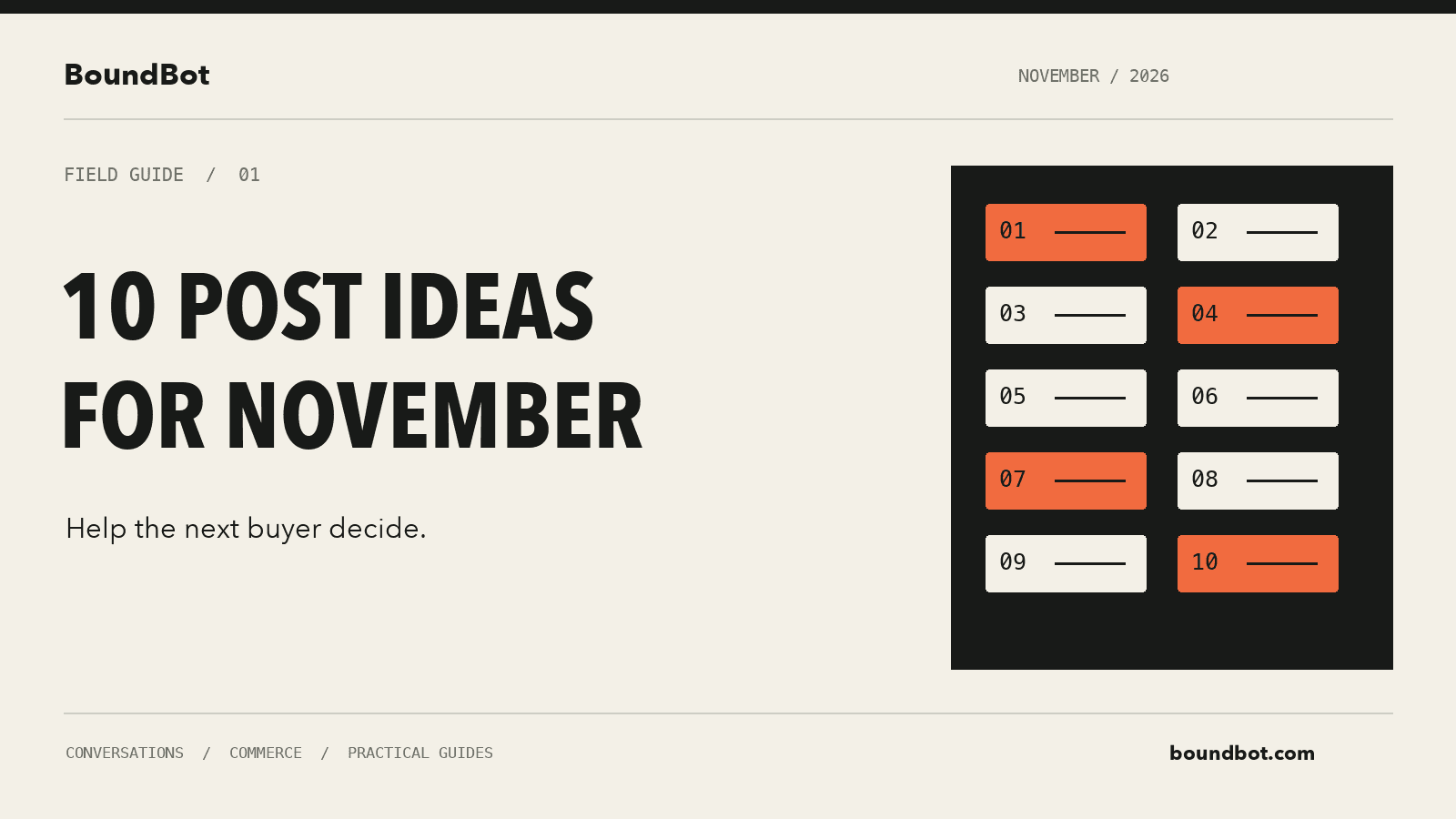
Illustrative overview. Editorial illustration of ten November social post ideas connected to a buying conversation.
1. Price breakdown posts that answer the full-cost question
“How much?” sounds simple. The answer becomes less simple when delivery, packaging, minimum quantities, or optional extras appear later.
Try a photo or carousel that shows the actual selling price and explains what is included. If delivery varies, say what determines the charge rather than showing one price as if it applies everywhere.
A useful caption might say: “Here is the product price, what comes in the box, and how delivery is calculated. Message us with your area if you need the final total.”
This gives someone a reason to message beyond asking a question your post could already have answered. Keep the price synchronized with the product page and the answer your team sends in DMs.
2. Short product demonstrations with one clear use case
Instead of listing six features, show one thing the product helps someone do.
For a storage product, show what fits inside. For software, show one task from start to finish. For a service, explain what the customer receives after the first appointment.
Keep the demonstration close enough to see the important detail. Add a short caption for people watching without sound. Finish with the next question a buyer is likely to ask, such as sizing, compatibility, or availability.
You can use the same product in several posts by changing the customer problem. Each demonstration should still stand on its own.
3. Search-style posts built around a real buying question
Think about the question someone would type before buying from you.
“Which size fits a small room?” is more specific than “Our latest collection.” “What is included in the starter package?” gives a service buyer something concrete to evaluate.
Use that question in the opening text, then answer it directly. If the answer depends on a measurement or preference, explain what information the customer should send.
This also gives you a useful response when the same question comes into your inbox. Your team can share the relevant post instead of rebuilding the explanation every time.
4. Side-by-side comparisons that make choosing easier
Two similar products can create more hesitation than one clear option. Help the buyer understand the difference.
Compare the things that affect the decision: size, material, intended use, what is included, and price. Explain who each option suits. Avoid calling one choice “best” for everyone.
For example, a basic package may suit someone who needs one task completed. A larger package may make sense when the customer needs ongoing help. Show that distinction before asking them to upgrade.
End with a narrow invitation: “Tell us which of these two situations sounds like yours.” That is easier to answer than a broad request to get in touch.
5. Owner-led explanations of the details customers cannot see
A quick explanation from the person doing the work can make a useful post. Show how you check an order, choose a material, prepare a service, or explain a product limitation.
Keep it specific. “Here is how we check the size before dispatch” gives the viewer something to understand. A general statement about caring for customers leaves more questions unanswered.
You do not need to share private order information to make this work. Use a demonstration order, cover personal details, and identify examples clearly when they are staged.
6. Customer proof with enough context to be useful
A review becomes more helpful when readers understand what the customer bought and which problem it addressed.
With permission, share a short comment alongside the relevant product or service. Keep the wording accurate and remove personal details that are unnecessary for the post.
If you show a result, explain the circumstances that matter. A delivery experience in one area does not establish the same delivery time everywhere. One customer’s outcome should stay attached to that customer’s situation.
A small, specific piece of proof can answer a real objection without turning into a sweeping promise.
7. November delivery and availability posts
When you are running an 11.11 offer, a Black Friday campaign, or a normal monthly promotion, customers need clear dates and conditions.
Show the actual offer period, dispatch arrangements, and any confirmed order cutoff. If your courier has not confirmed a delivery promise, explain the expected dispatch timing instead.
Update the post when availability changes. A popular post can keep circulating after an offer ends, so put the date where people will see it and make the current position clear in the caption or linked page.
Useful urgency comes from a real deadline or real availability.
8. Posts that answer the question people keep sending in DMs
Look for the question your team answered repeatedly yesterday. That is a strong candidate for the next post.
It might be about delivery outside your city, a return condition, the difference between two packages, or whether a product comes in a particular size.
Answer one question completely. A carousel can show the question, the answer, an example, and the next step. A short video can do the same with a demonstration.
Then check whether the same confusion keeps appearing. If it does, revise the explanation or put the information somewhere easier to find.
9. Bundle posts that show the numbers clearly
A bundle needs a reason to exist. Explain what belongs together and why a customer might want the combination.
Here is a hypothetical example. Two items sell separately for ৳1,200 and ৳800. A ৳1,800 bundle would save the buyer ৳200 against those current separate prices. Show all three numbers so the comparison is easy to check.
Before offering it, calculate your own product, packaging, payment, and fulfillment costs. A bundle can increase the order total while reducing the amount you keep from each order.
Use genuine current prices and make the offer conditions visible.
10. Posts with a clear route into a useful conversation
“DM us” works better when people know what to send and what they will receive.
Try: “Message us with your size and preferred color, and we’ll check the available options.” For a service, ask for the type of help required before requesting a long list of details.
Prepare the answer before publishing. If ten people ask about the same offer, your team should have the same approved price, availability information, and next step ready.
If you use BoundBot, keep the relevant product information current in the product catalog. The post and the conversation should lead customers toward the same offer.
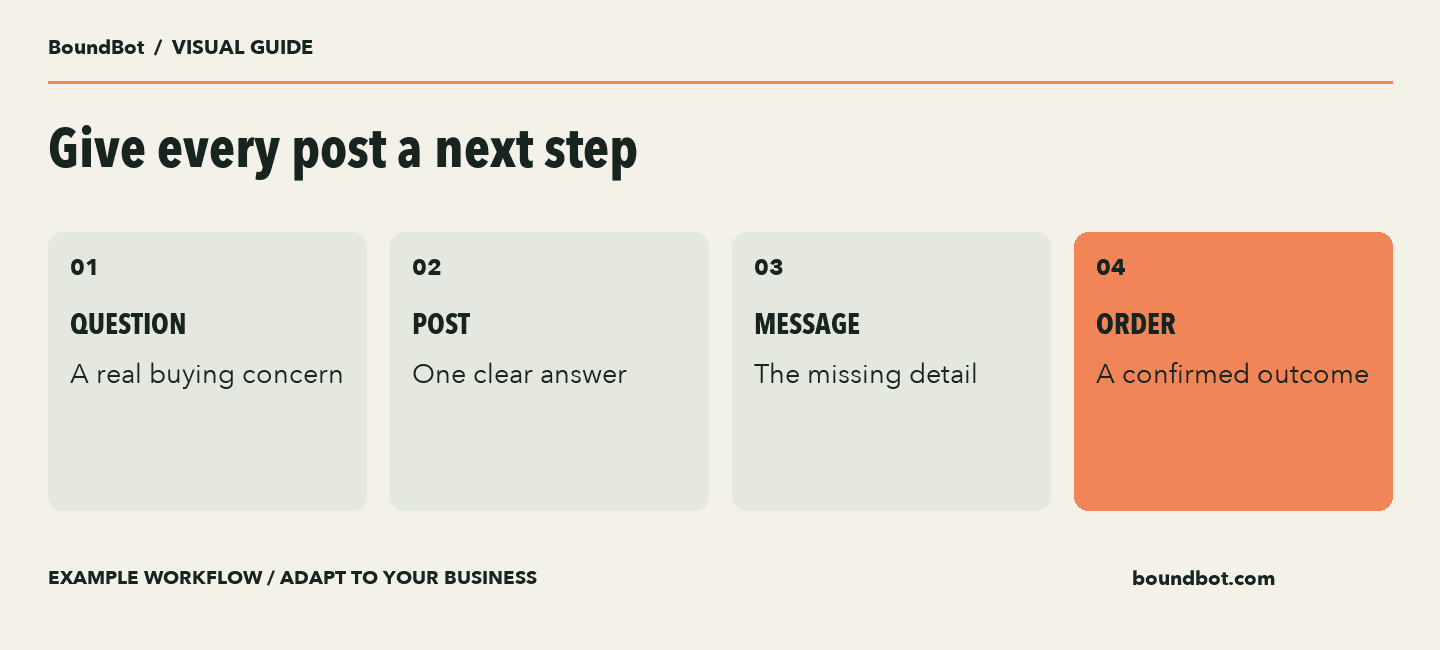
Example content journey. Measure the completed outcome rather than assuming every message becomes a sale.
Turn these ideas into a manageable November plan
Choose three formats for the next week: one demonstration, one comparison, and one answer to a common question. Publish each with a specific next step and decide who will handle the replies.
Keep a simple record of the post, enquiries, qualified enquiries, completed orders, and collected sales value. Where you send people to your website, Google’s campaign URL guidance explains how UTM parameters identify the source and campaign of visits. You still need a way to connect an enquiry with its eventual order.
Review the conversation as well as the post. If people understand the offer but stop at delivery charges, make that information clearer. If they ask for a size you do not stock, use that feedback when choosing the next product to promote.
You can also revisit our May social media guide for more examples of simple content formats, then adapt the subject and offer for November.
A simple week of content and replies
Swipe to view all columns →
| Day | Content task | Conversation task |
|---|---|---|
| Monday | Demonstrate one product use | Prepare answers about fit and availability |
| Wednesday | Compare two relevant options | Help buyers choose using their needs |
| Friday | Answer a repeated delivery question | Confirm any area-dependent detail |
| Weekend review | Compare the three posts | Count unique enquiries and completed orders |
Frequently asked questions
Do I need to use every trend in this list?
Choose the formats that answer your customers’ buying questions. Three useful posts you can support with accurate replies are a sensible starting point.
Should every November post include an offer?
An explanation, comparison, or product demonstration can help a customer decide without adding a discount. Use an offer when the terms and margin make sense for your business.
What should I measure after posting?
Track useful enquiries, completed orders, and collected sales value. Reach and engagement help explain how people found you, but they do not establish that a sale happened.
Can AI handle the messages these posts generate?
AI can help with approved answers and product information. Give customers a clear way to reach a person when the answer needs a decision, an exception, or a check your assistant cannot complete.
LAUNCH THE AGENT. KEEP THE HUMAN CONTROL.
START FREE, CONNECT A CHANNEL, AND SHIP YOUR FIRST BOUNDBOT IN MINUTES.