
AI Real Estate Lead Qualification Guide: How Agents Qualify Buyers 24/7
Discover how real estate agents are using AI chatbots to qualify buyers, book viewings, and capture leads around the clock. Learn the exact setup, tools, and workflow to convert more website visitors into clients
29 Apr 2026•5 min read
SEO Content Writer
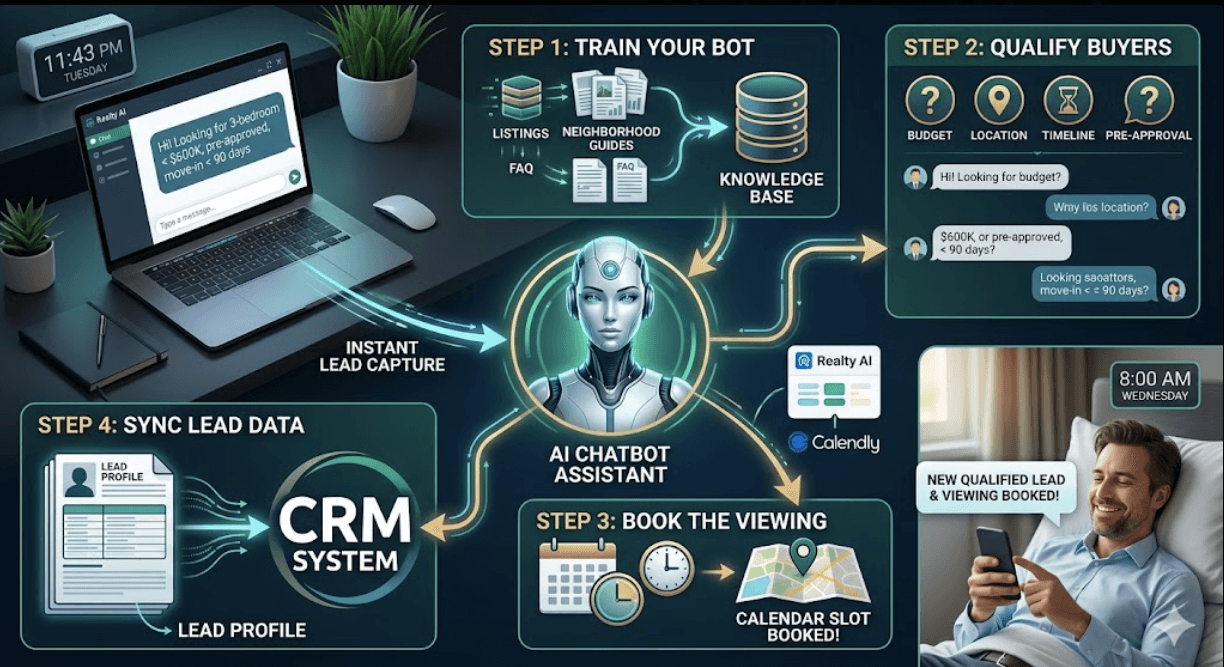
How AI Real Estate Lead Qualification Works Step by Step
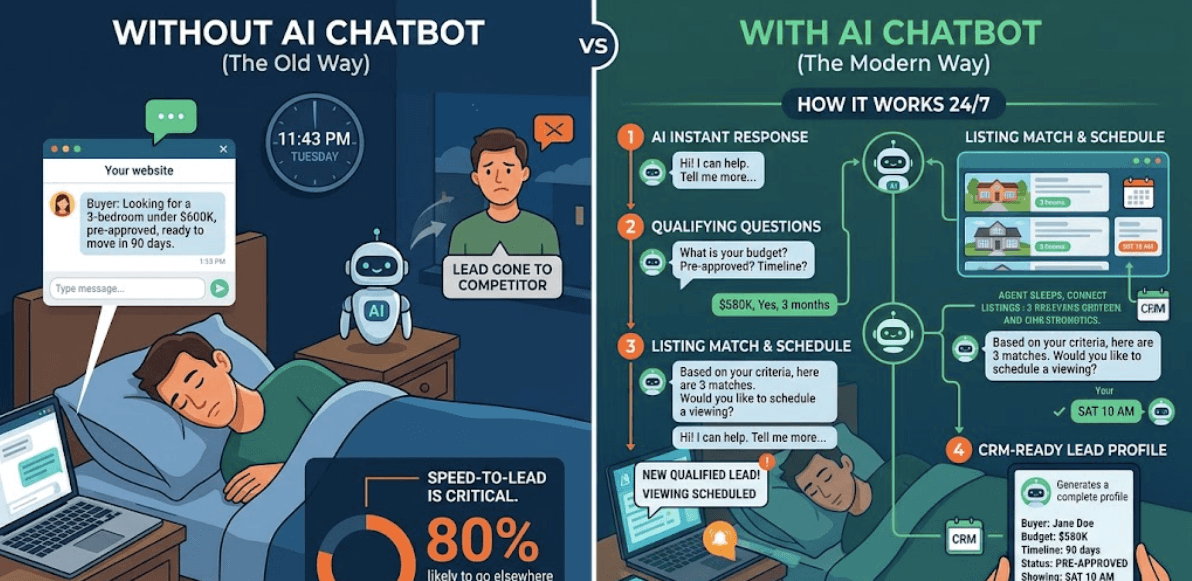
Real Estate AI Chatbot Solution
AI real estate lead qualification is changing how agents convert website visitors into booked viewings. Instead of missing late-night inquiries, agents now use purpose-built chatbots that work around the clock — qualifying buyers, scheduling viewings, and syncing lead data automatically.
Picture this: It's 11:43 PM on a Tuesday. A first-time homebuyer lands on your website, browses three listings, and types into your chat window: "I'm looking for a 3-bedroom under $600K, pre-approved, ready to move in 90 days."
If you're asleep, that lead is gone by morning — scooped up by whoever responded first. And in real estate, speed-to-lead isn't optional. According to Structurely's research, responding within the first five minutes makes you 21 times more likely to convert a lead. Wait longer than that and prospects are 80% more likely to take their business elsewhere.
That's exactly why thousands of agents are now deploying AI chatbots trained on their own listings — not generic bots, but purpose-built assistants that qualify buyers, schedule viewings, and capture CRM-ready lead profiles while the agent sleeps.
Here's exactly how it works.
Step 1: Train Your Bot on Your Actual Listings
The difference between a useful real estate chatbot and an annoying one comes down to what it knows.
Tools like Realty AI's Madison let you upload your listings, neighborhood guides, and FAQ documents directly into the bot's knowledge base. Once loaded, Madison can answer hyper-specific questions — school districts, HOA fees, pet policies, available dates — grounded in your real content, not guesswork.
Here’s the dashboard in action: Realty AI knowledge base upload screen showing CSV property import
Similarly, FwdSlash automatically crawls your website so every new listing you publish becomes part of the chatbot's knowledge base without manual updates. It supports multiple AI models including OpenAI and Anthropic, giving you control over response quality. New listing goes live on your site? The bot already knows about it.
A quick look at the system: FwdSlash dashboard showing auto-crawl settings for a real estate website
BoundBot takes a slightly different approach — it ingests website pages, FAQs, and CSV product data into a single knowledge layer, then deploys that same grounded answer across every channel: webchat, WhatsApp, Messenger, Telegram, Slack, and Discord. One source of truth, everywhere.
A quick walkthrough: BoundBot AI knowledge base setup guide
Step 2: Qualify Buyers Through a Smart Conversation Workflow
Once your bot knows your listings, it needs to ask the right questions — in the right order, without feeling like an interrogation.
Here's what a qualifying workflow looks like inside Realty AI's Madison:
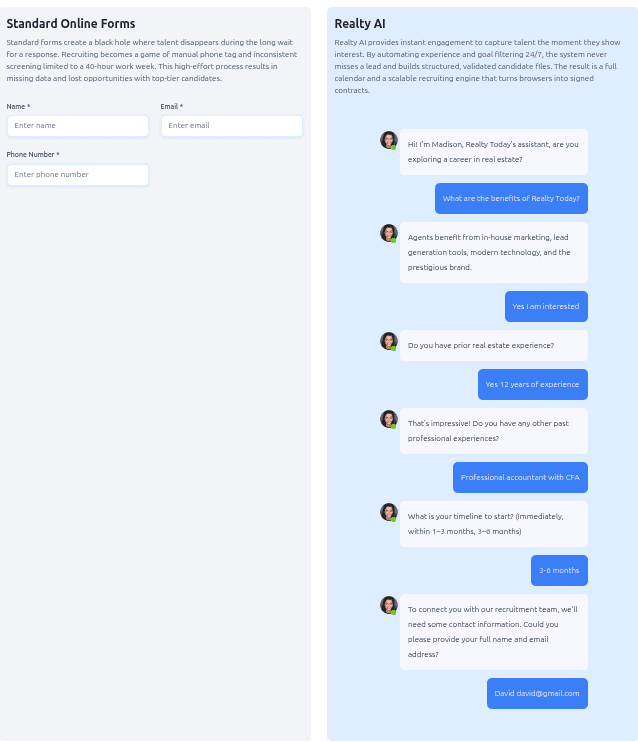
Realty Madison AI Chatbot
The four qualifying pillars every real estate bot should capture:
- Budget — monthly rent or purchase price ceiling
- Location preference — neighborhood, school district, commute needs
- Timeline — immediate, 1–3 months, 3–6 months
- Pre-approval status — confirmed, in progress, or not yet started
For mortgage professionals, Realty AI's mortgage chatbot adds an extra layer:
- Identifies whether the lead is a first-time buyer or refinancing
- Captures the user’s loan purpose clearly
- Includes built-in guardrails to avoid quoting interest rates
- Helps protect the agent’s license and compliance
- Warms up the lead without giving restricted financial details
Step 3: Book the Viewing Automatically via Calendly
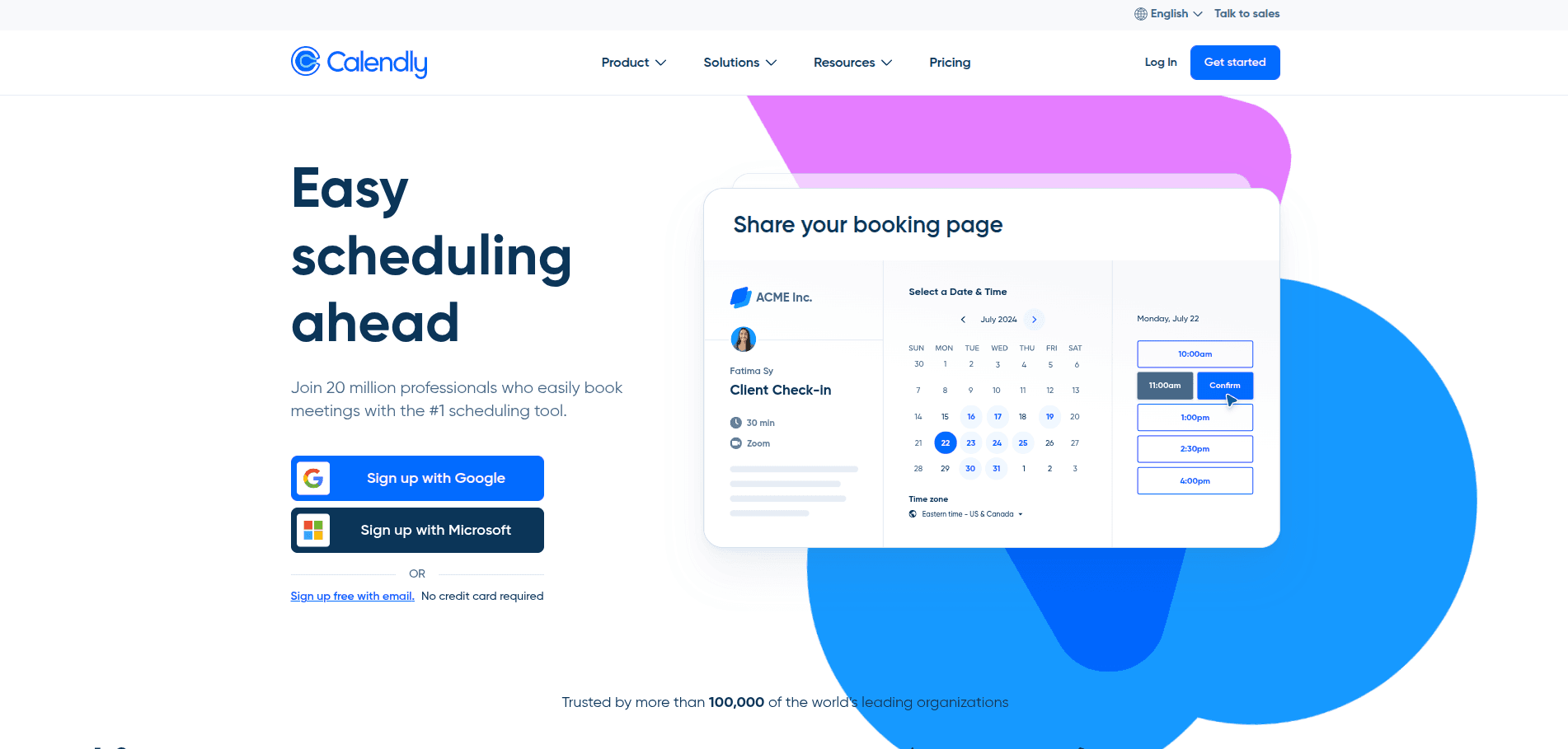
Calendly Website Platform
Qualifying a lead is only half the job. Getting them on your calendar is where the money is made.
Realty AI integrates directly with calendar tools so Madison can book viewings in real time — the moment a buyer signals serious intent, the bot transitions into scheduling mode and locks in the earliest available slot. No back-and-forth emails, no phone tag.
Calendly supercharges this step for teams managing multiple agents. With its Round Robin feature, viewing requests automatically distribute across available team members. Routing Forms ensure the right buyer gets matched with the right agent — a first-time buyer gets a different follow-up flow than an investor shopping for a rental portfolio.
Calendly routing form embed setup guide: Calendly routing form embedded inside a real estate website chatbot flow ]
Calendly's data shows this approach drives a 26% increase in website bookings and a 2x improvement in meeting show rates — because buyers book when the intention is hot, not two days later after someone finally called them back.
Step 4: Sync Lead Data Directly to Your CRM
Every conversation Madison has gets packaged into a structured lead summary — timeline, budget, preferences, contact info — and pushed directly into your CRM via native integrations.
You receive an instant text and email notification the moment a lead is captured, complete with the full conversation transcript. Walk into every follow-up call already briefed.
For teams managing high volume, Realty AI's recruiting chatbot arm shows just how scalable this gets: Century 21 Scheetz reported generating 60–80 recruitment leads per month, each arriving with timeline, location, and area of expertise already documented.
System Prompt Template: Real Estate Buyer Qualification Bot
Copy and paste this as your bot's starting configuration:
You are [Agent Name]'s friendly real estate assistant. Your job is to help website visitors find properties that match their needs and connect them with [Agent Name].
Always ask these questions in order:
1. What type of property are you looking for?
2. What's your budget (monthly or purchase price)?
3. What neighborhoods or areas interest you?
4. Do you have any must-have features?
5. What is your move-in or purchase timeline?
6. Have you been pre-approved for a mortgage?
7. Collect: full name, email, and phone number.
Keep responses warm, brief, and conversational. Never quote specific mortgage rates or legal advice.
If you don't know a property-specific answer, capture the lead and notify the agent immediately.
Which Tool Is Right for You?
Swipe to view all columns →
| Tool | Best For | Key Strength | Setup Time |
|---|---|---|---|
| Realty AI (Madison) | Agents & brokerages wanting full lead lifecycle management | 24/7 qualification + CRM sync + instant alerts | Minutes |
| Structurely | Teams needing AI texting + phone follow-up | Multi-channel outreach (text, email, call) | Moderate |
| FwdSlash | Independent agents wanting no-code setup | Auto-crawls listings, multi-model AI | Minutes |
| BoundBot | Teams running support across multiple channels | One inbox, 6 channels, grounded knowledge | Minutes |
| Calendly | Any agent needing automated booking | Smart routing + 100+ integrations | Minutes |
The Bottom Line
The agents winning in 2026 aren't the ones with the most listings — they're the ones who respond first, qualify fast, and never miss a conversation.
Realty AI's numbers say it plainly: users see a 286% boost in website conversions, capture 5–7 qualified leads per month, and close 2–4 additional deals per year — all from traffic that was already landing on their site and bouncing.
Your website is already getting visitors. The only question is whether those visitors are turning into conversations — or quietly clicking away to your competitor.
Set up the bot. Train it on your listings. Let it work while you sleep.
Ready to see it in action? Realty AI offers a live demo at realtyai.ca, FwdSlash ,and BoundBot both offer free tiers to test before committing.
LAUNCH THE AGENT. KEEP THE HUMAN CONTROL.
START FREE, CONNECT A CHANNEL, AND SHIP YOUR FIRST BOUNDBOT IN MINUTES.